Detailed Guide for 5 "Money-Making" Tasks
Task 1: Launch EC2 Instance - $20 credit
Objective: Create and manage a VM on AWS cloud
Steps to perform:
- Go to AWS Console
- Select task Launch an instance using EC2
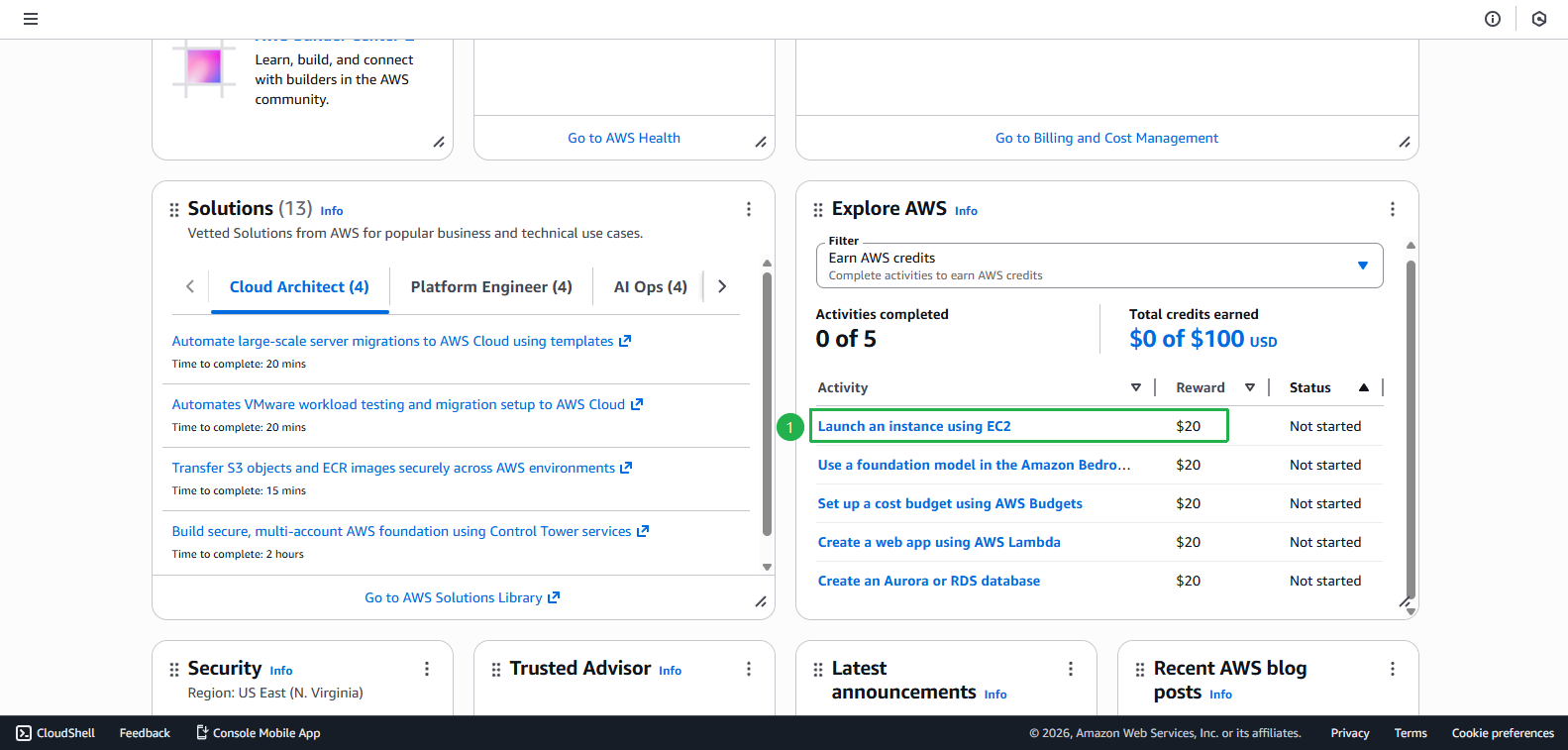
- Click Start activity
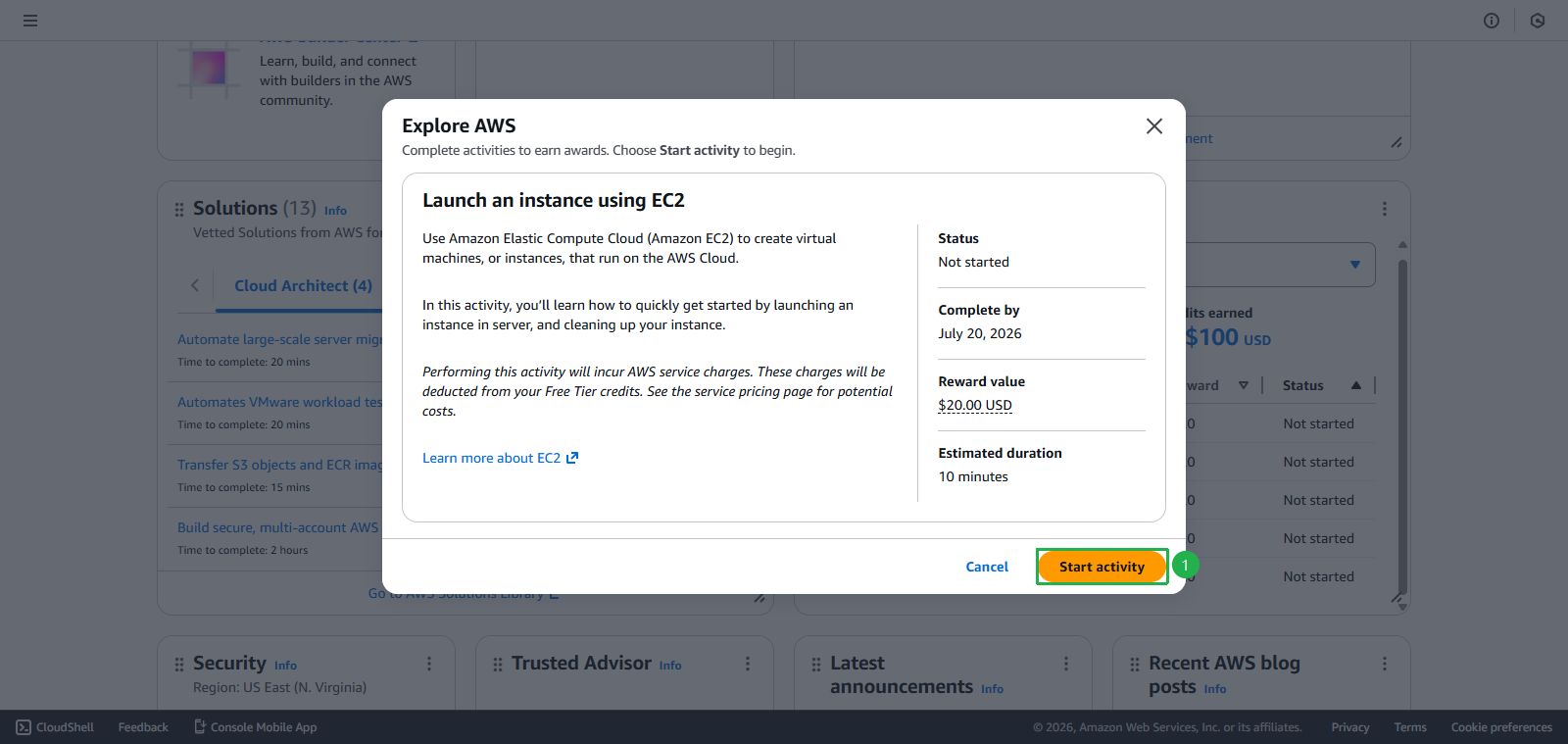
- Select task Launch an instance using EC2
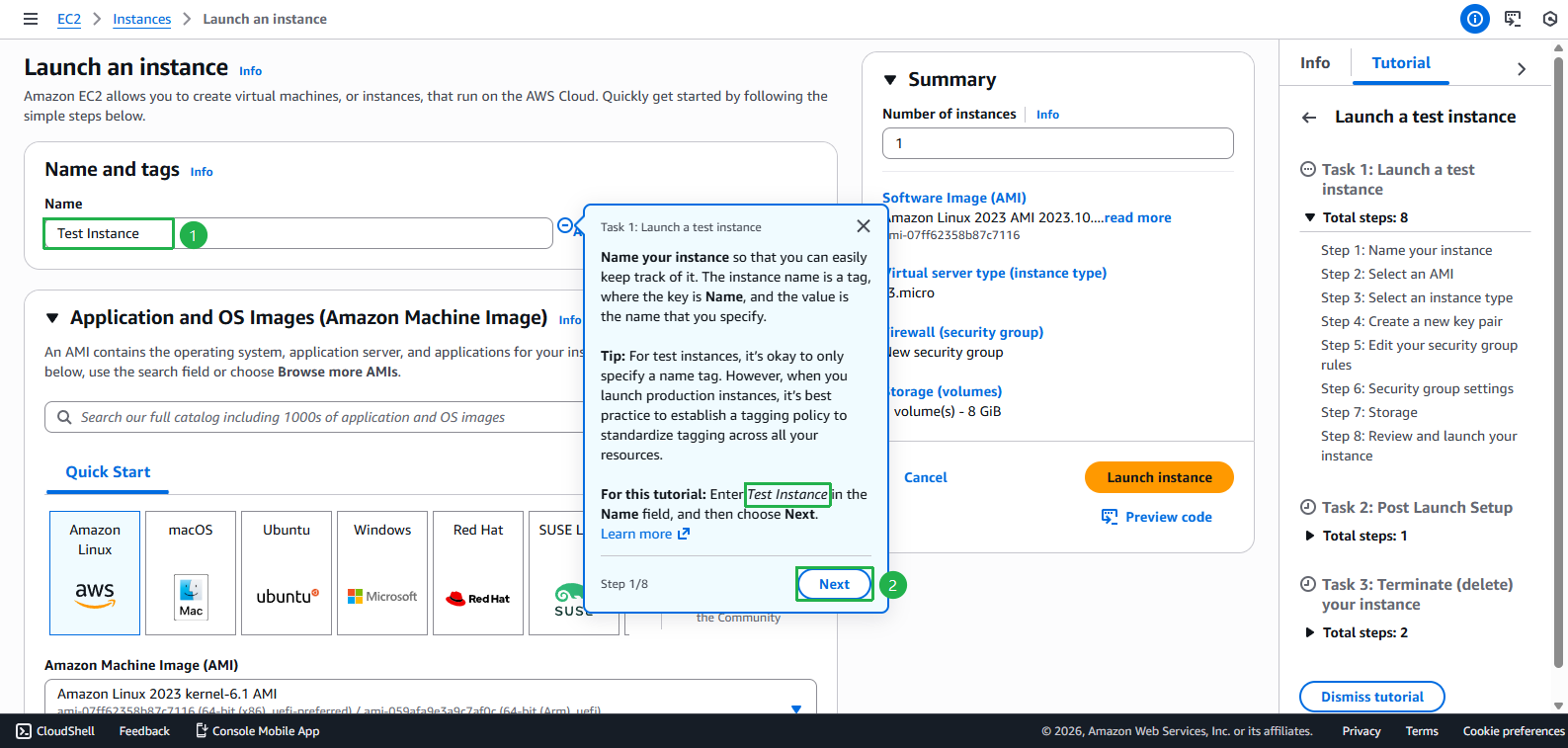
- Create Instance
- Enter Instance name
Test Instance - Click Next
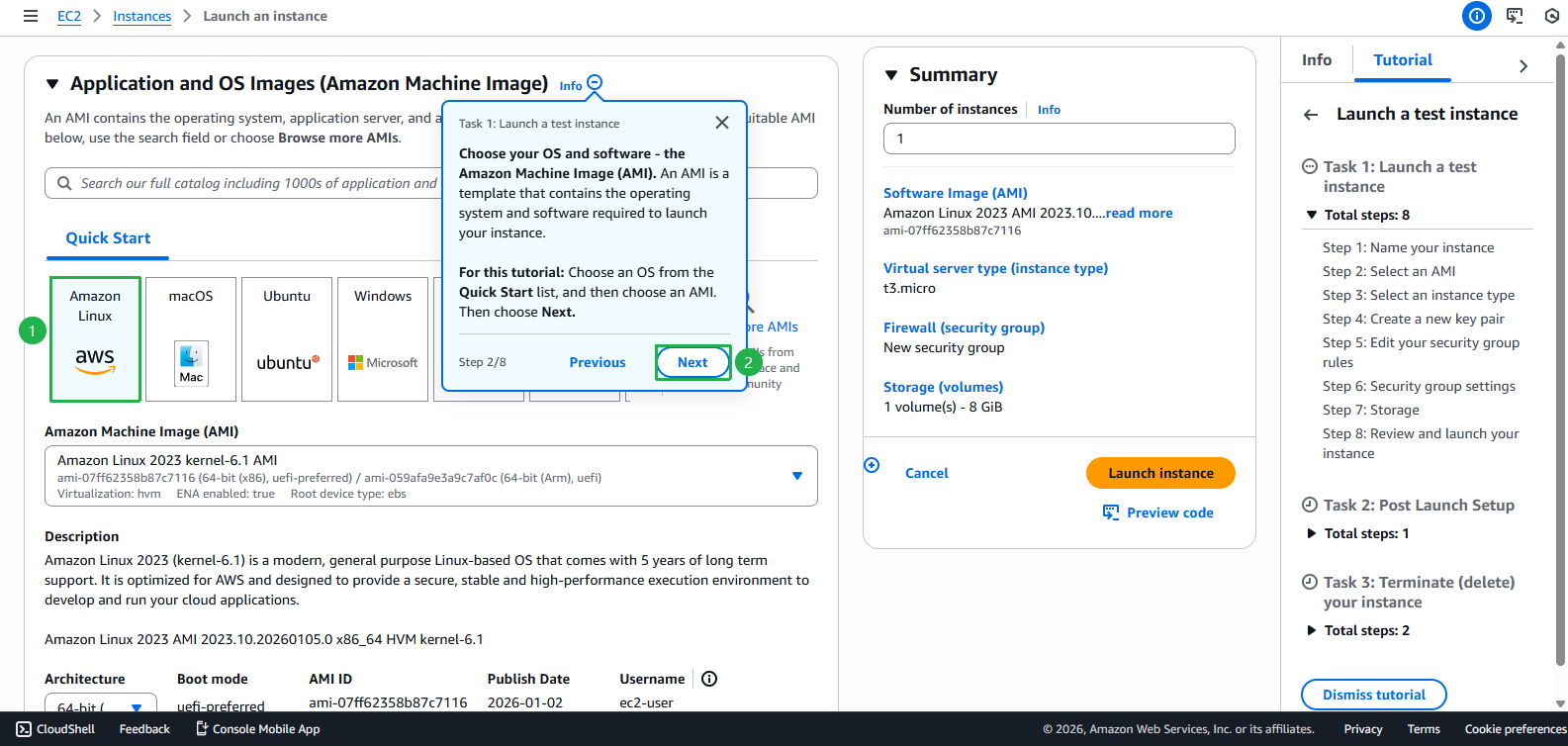
- Choose AMI
- Click Next
- Choose Hardware (But in this guide we will keep default Hardware)
- Click Next
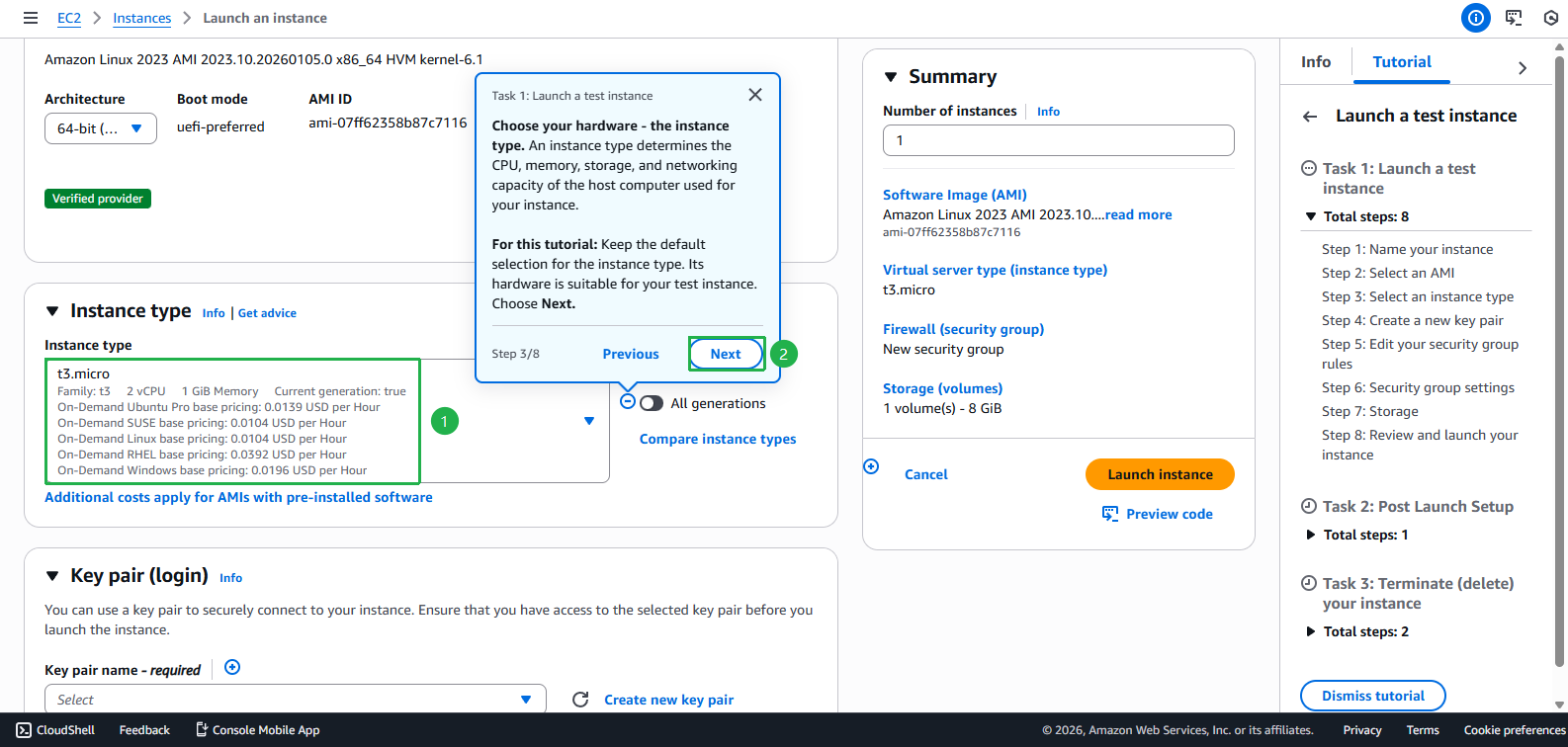
- Click Create new key pair
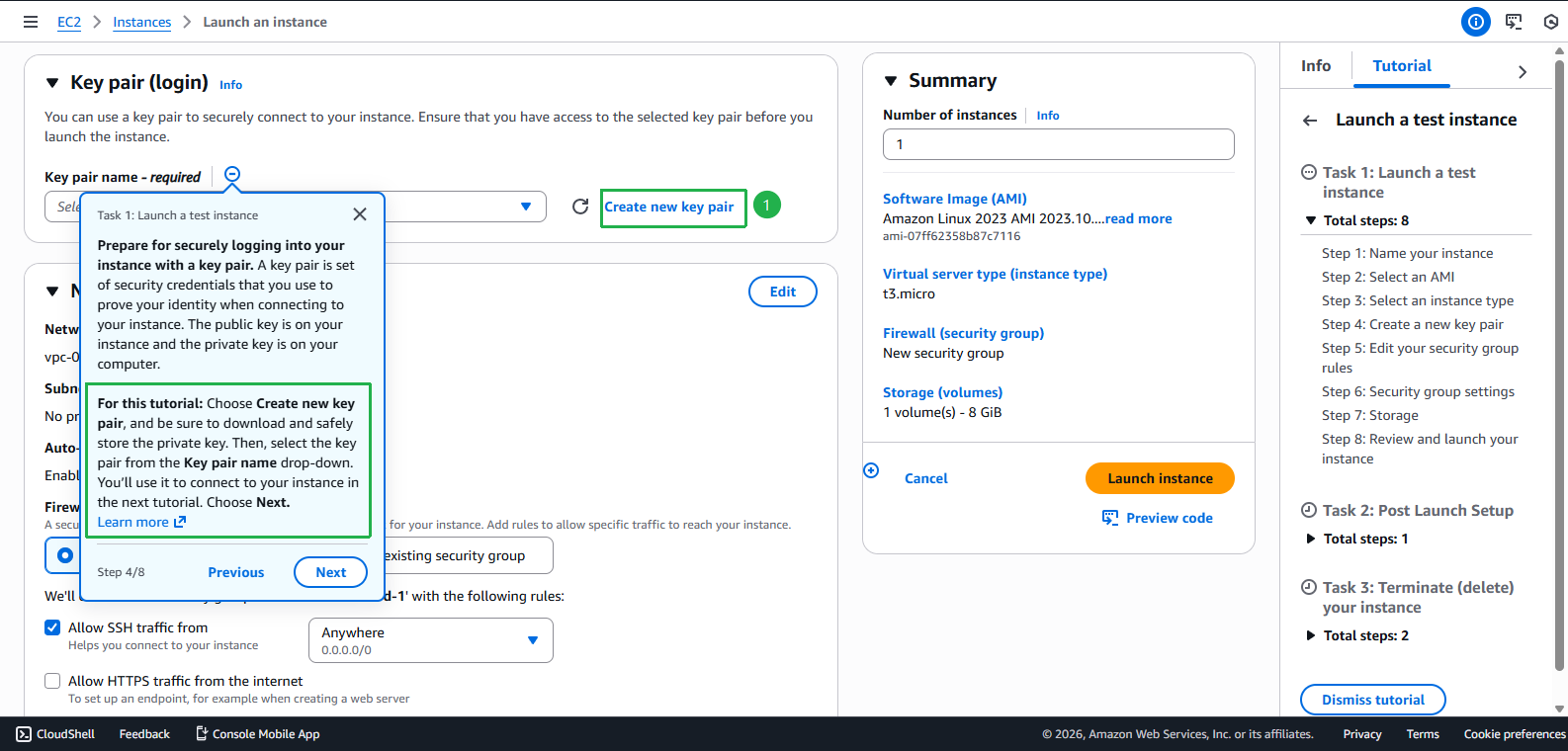
- Enter Key pair name
first-kp - Choose RSA
- Choose .pem
- Click Next
- Click Create key pair
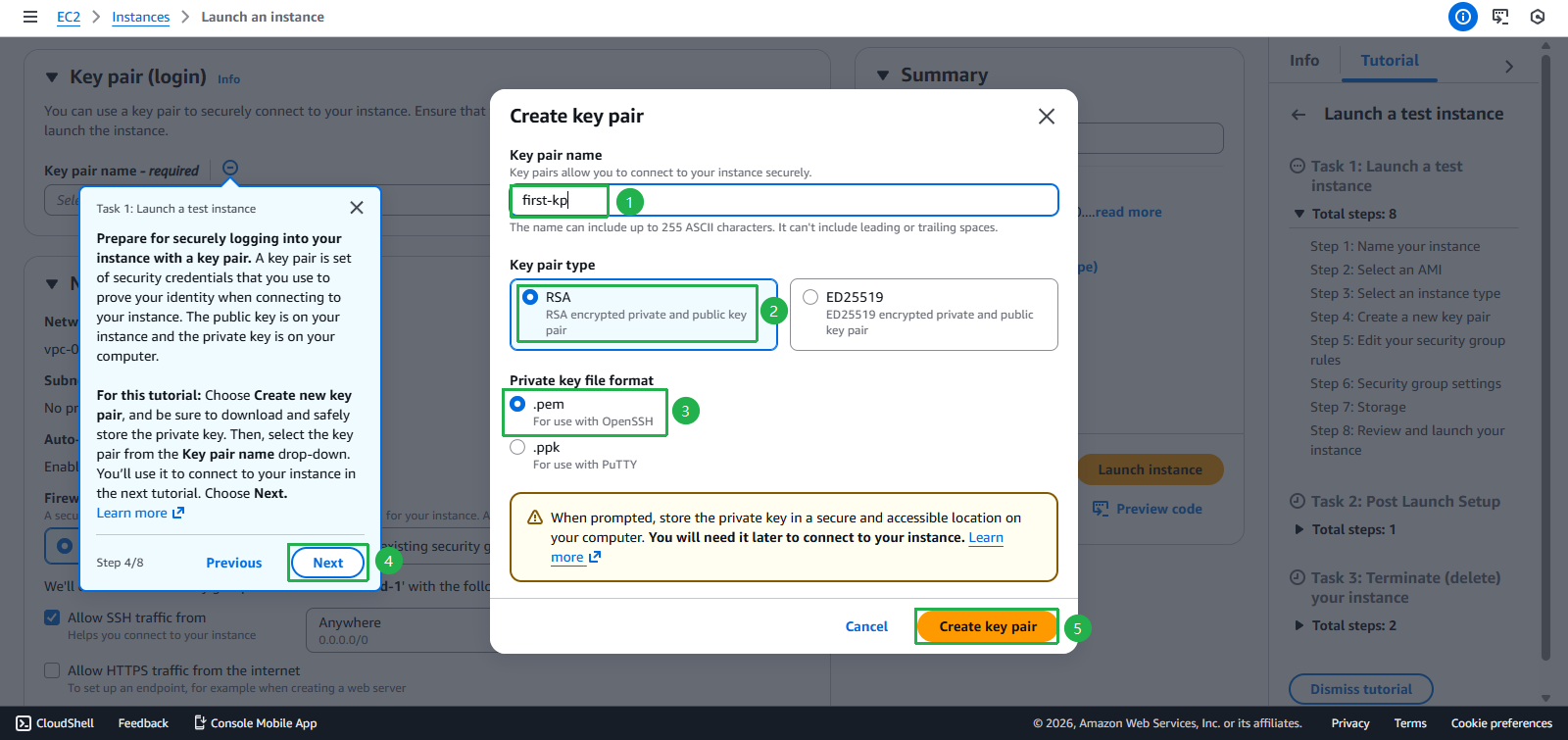
- Select the created Key pair
- Click Next
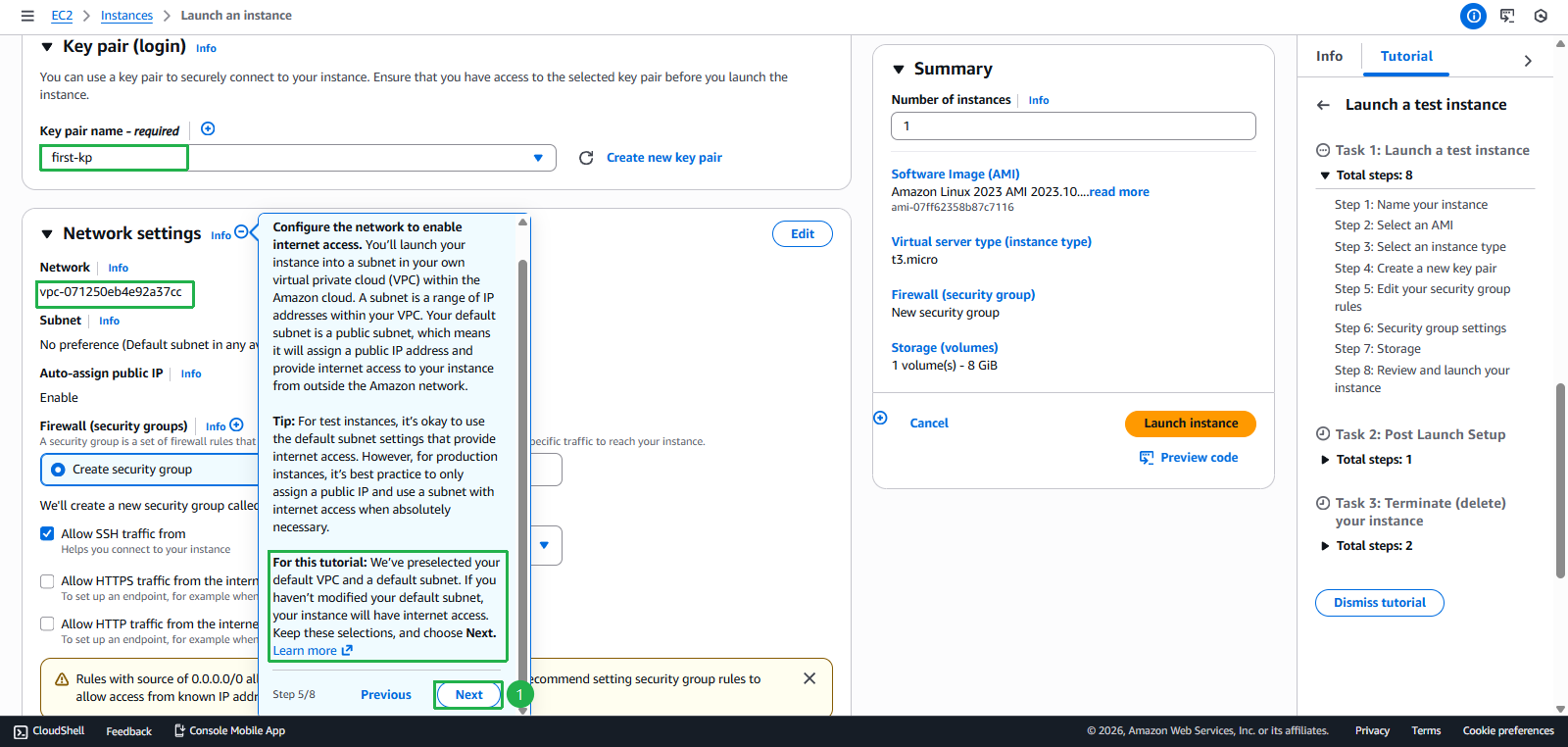
- Select Create security group
- Keep default Checkbox
- Click Next
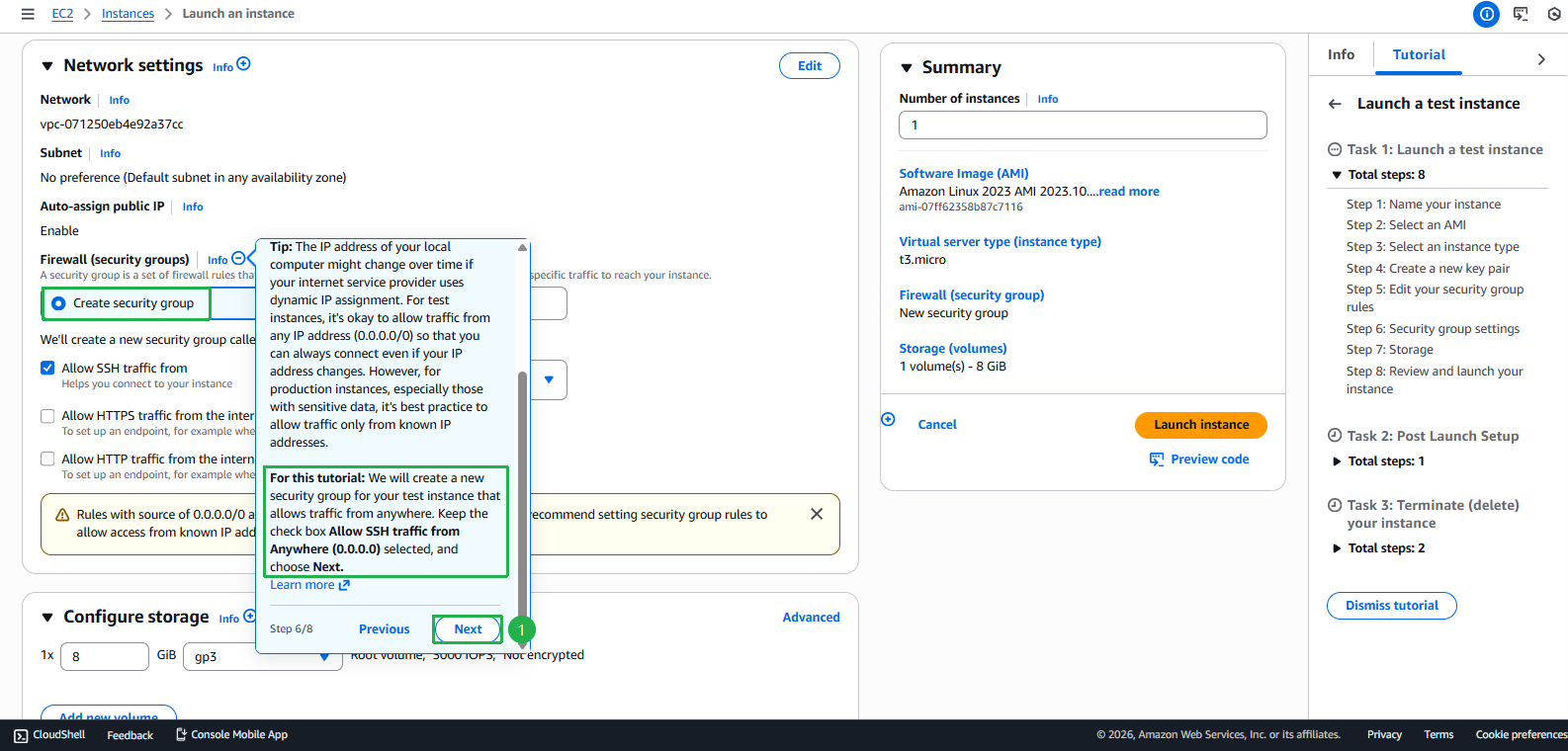
- Click Next
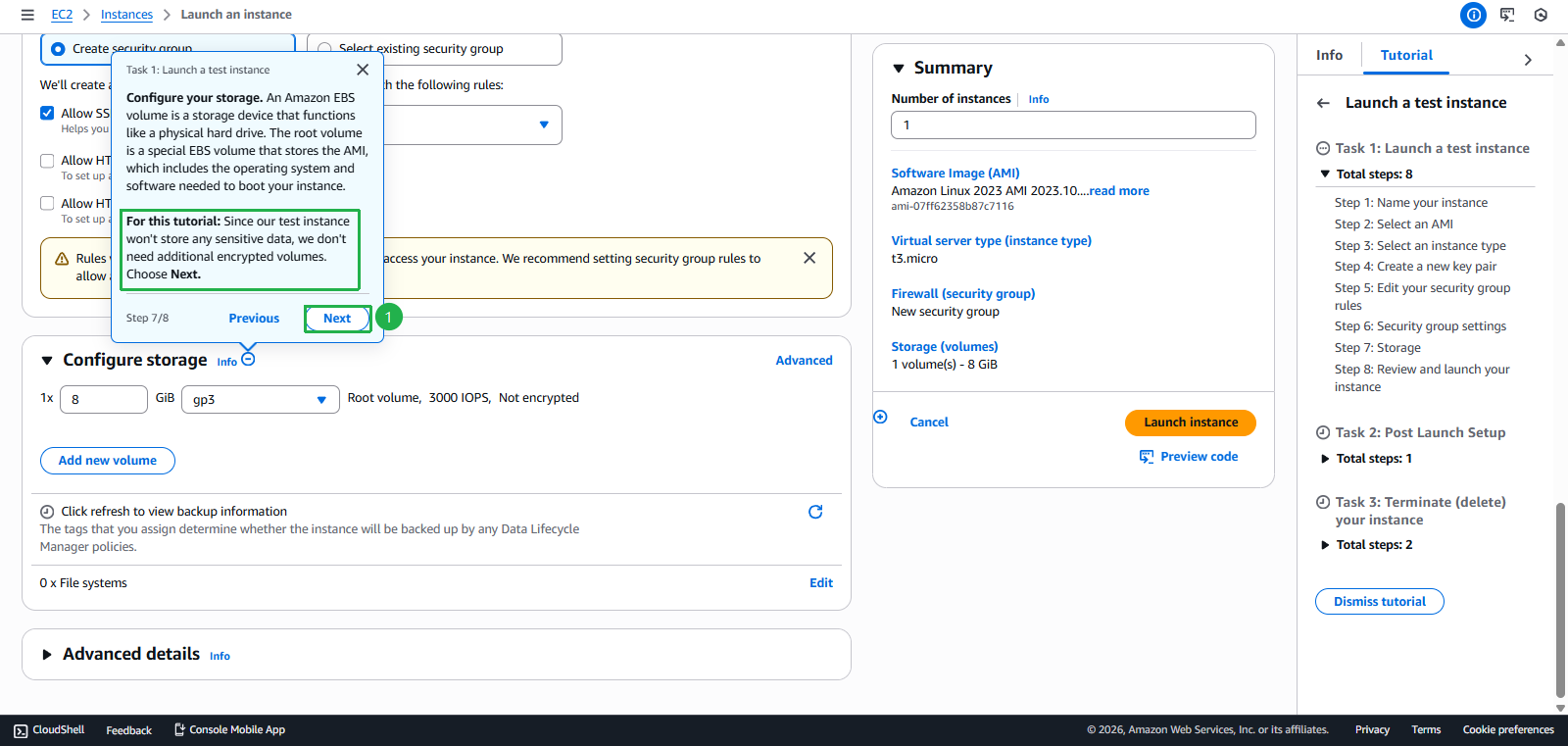
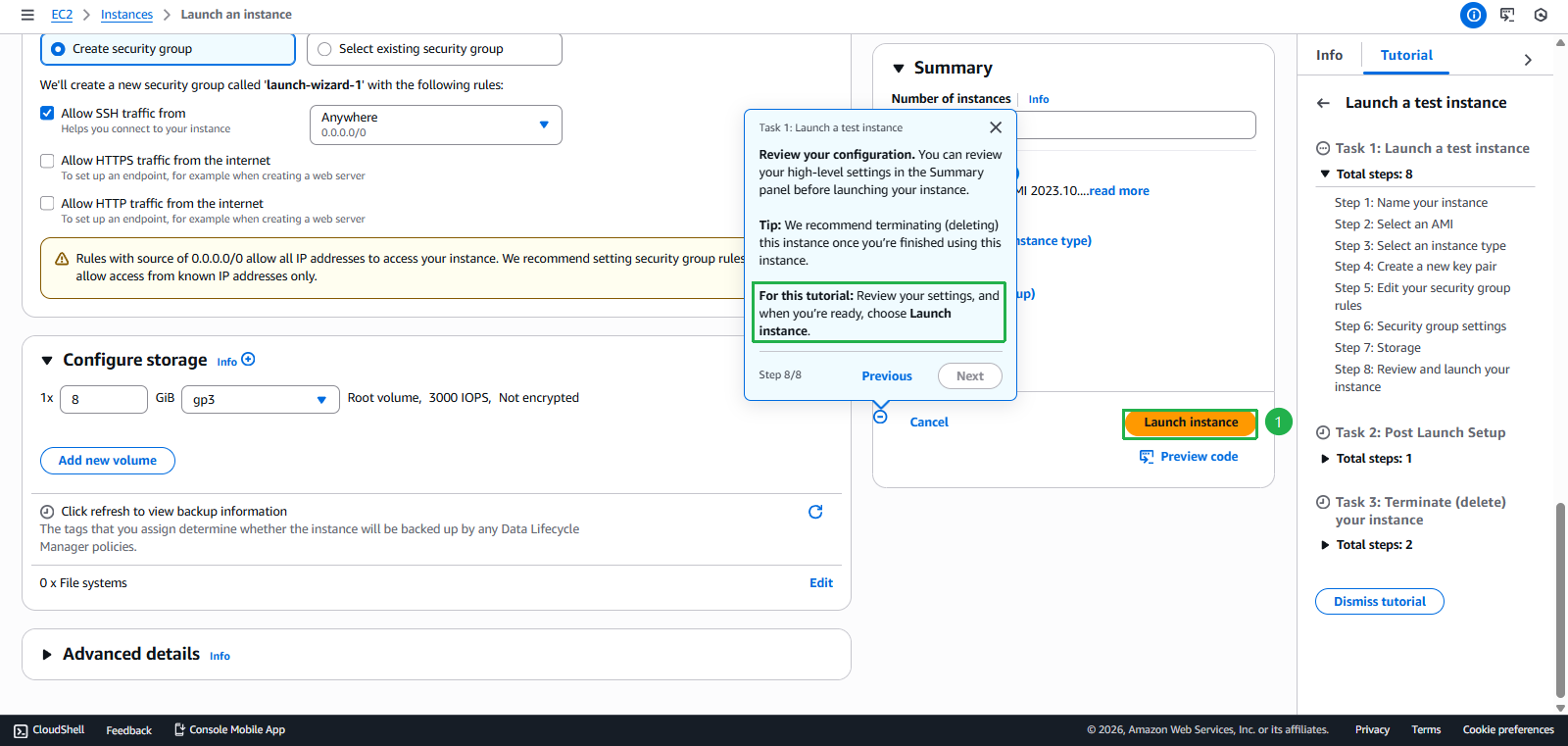
- Review Settings and choose Launch Instance
- Enter Instance name
- EC2 Instance creation successful
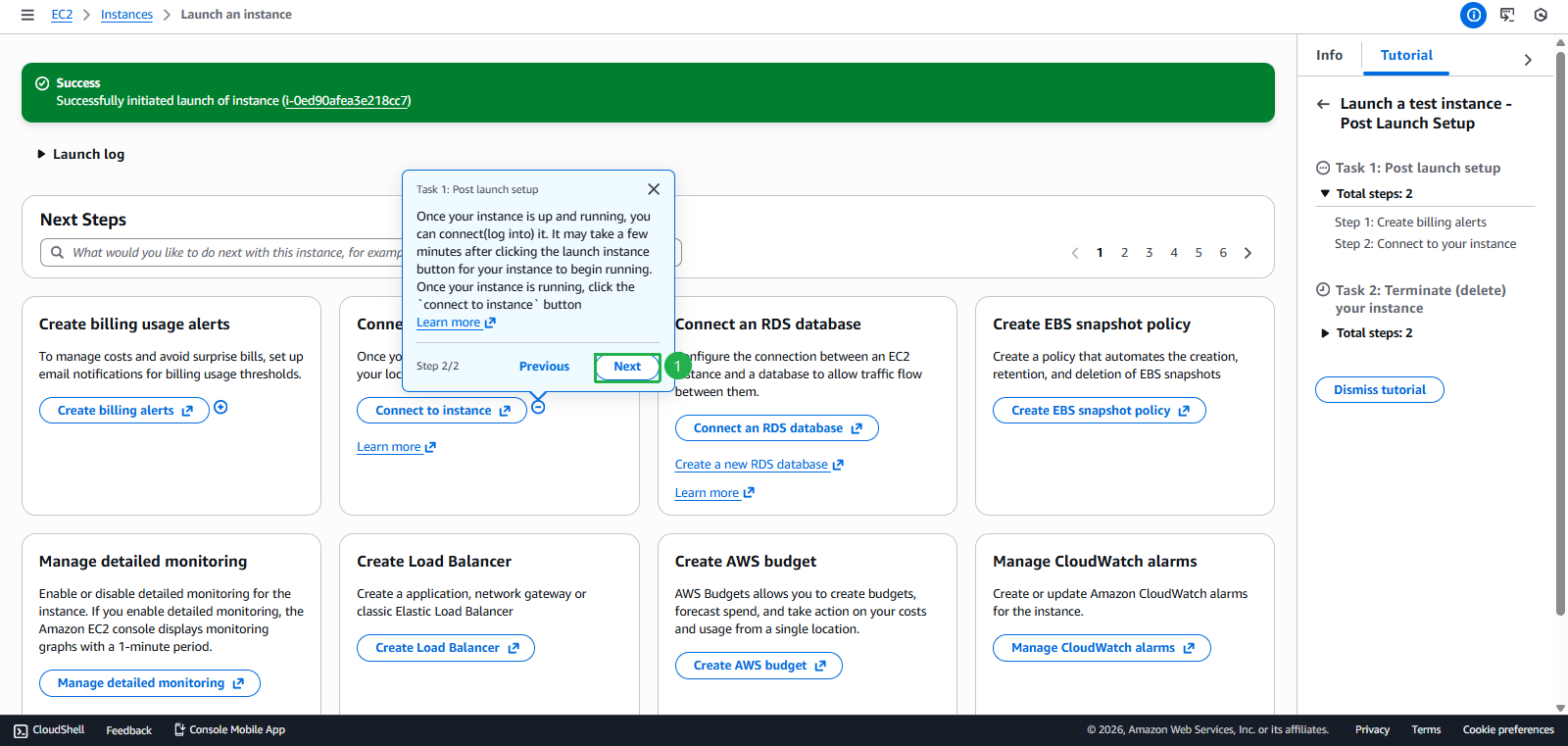
- Click Next
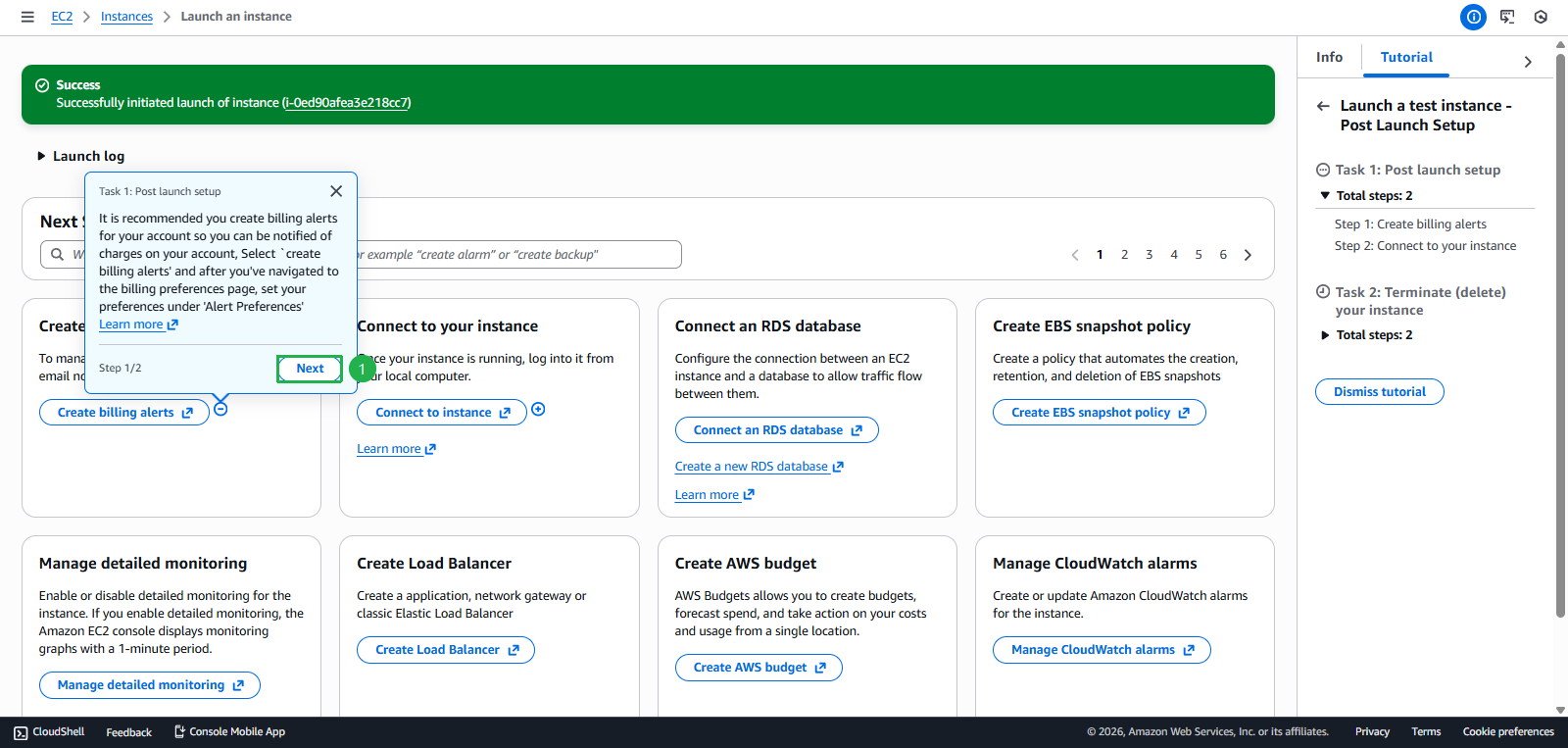
- Click Next
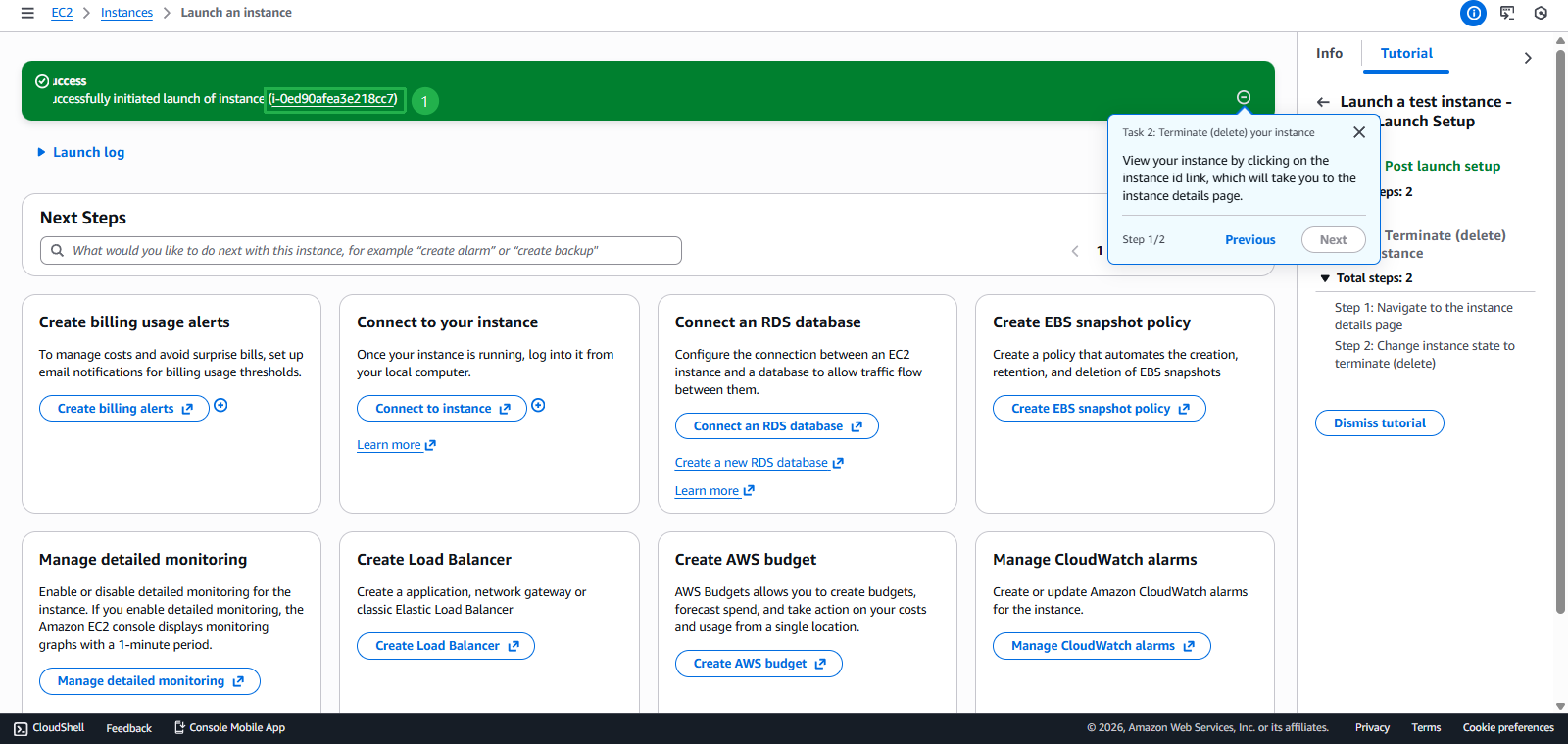
- Click Instance id in the success notification
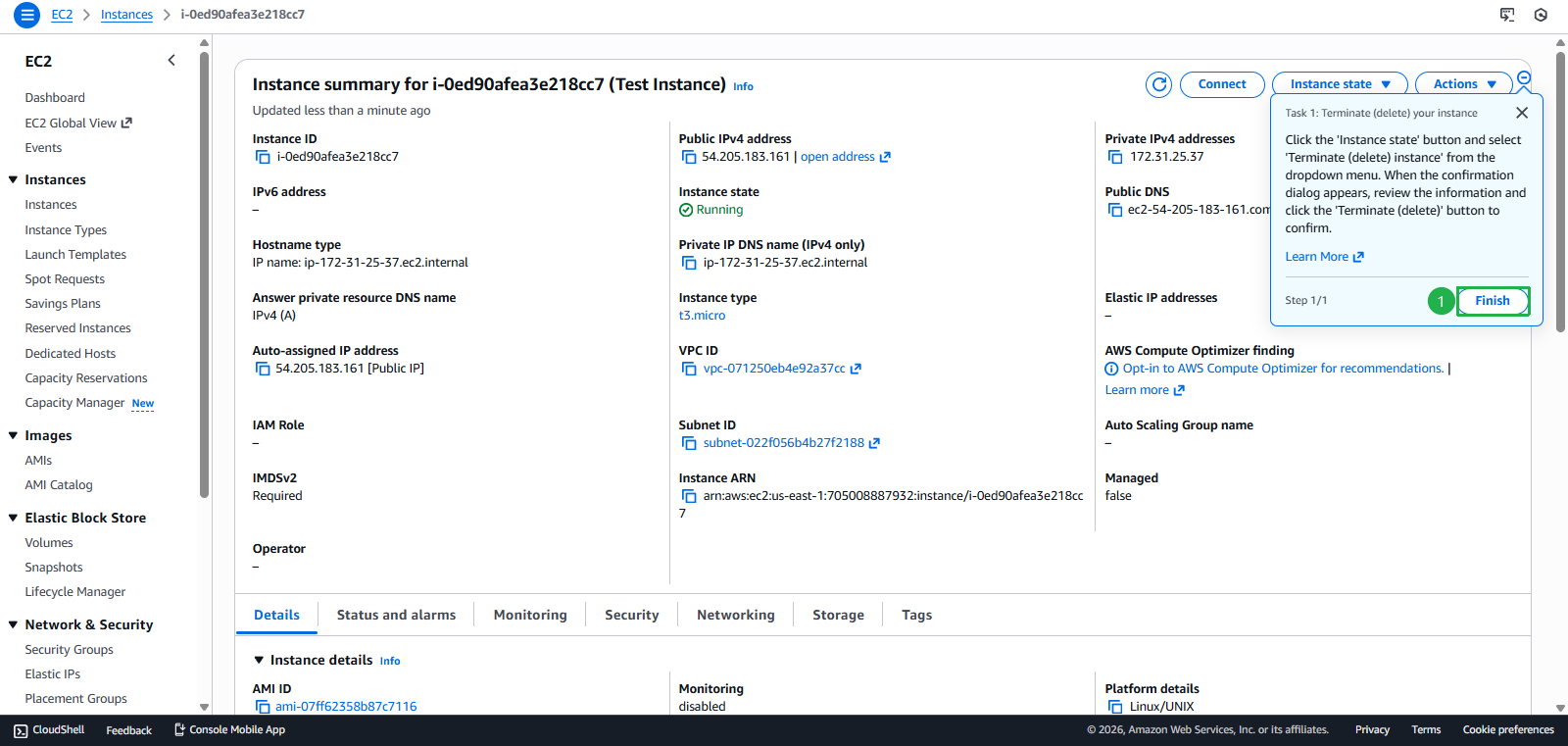
- Click Finish
- Click Next
- Clean Up
- Terminate instance after completion
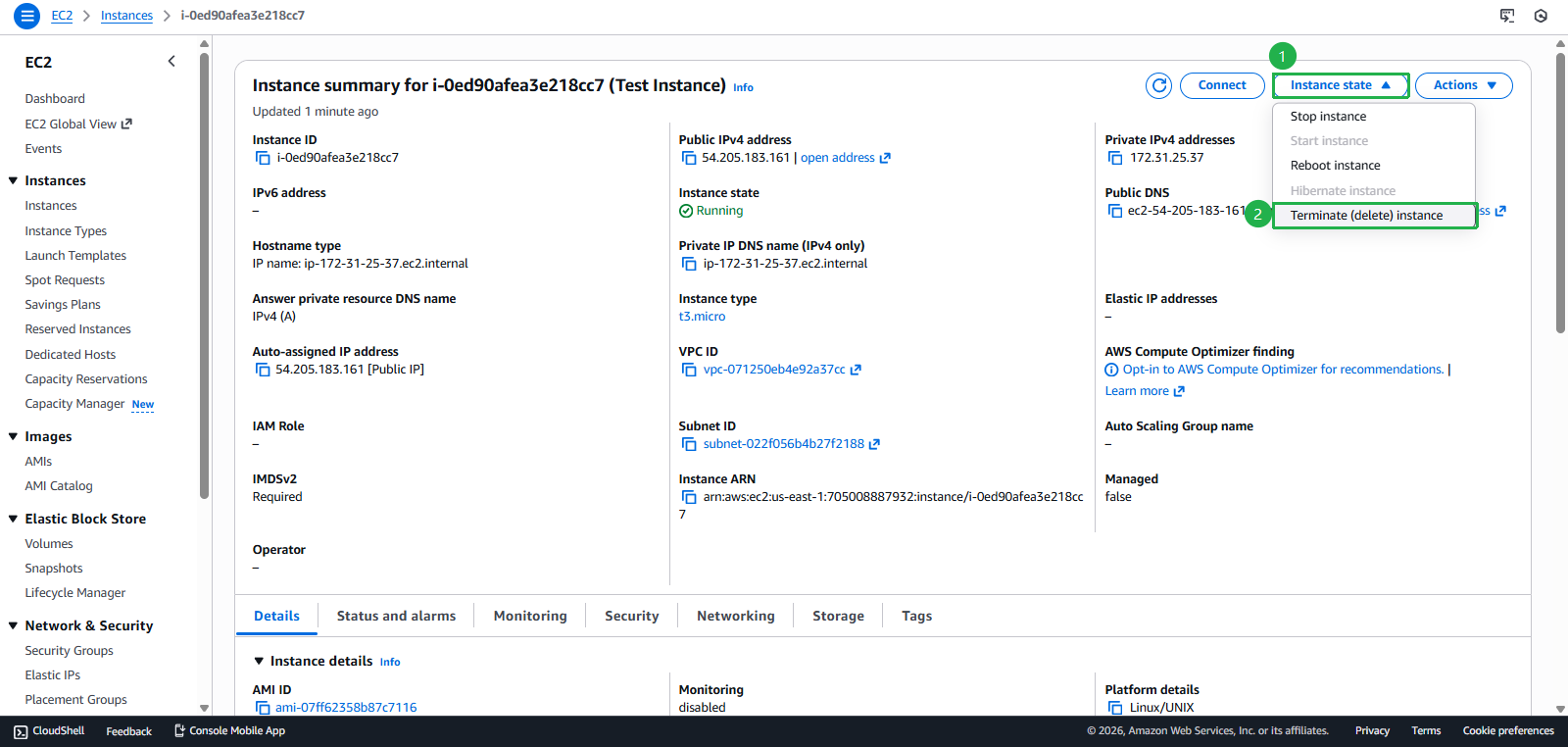
- Click Instance state
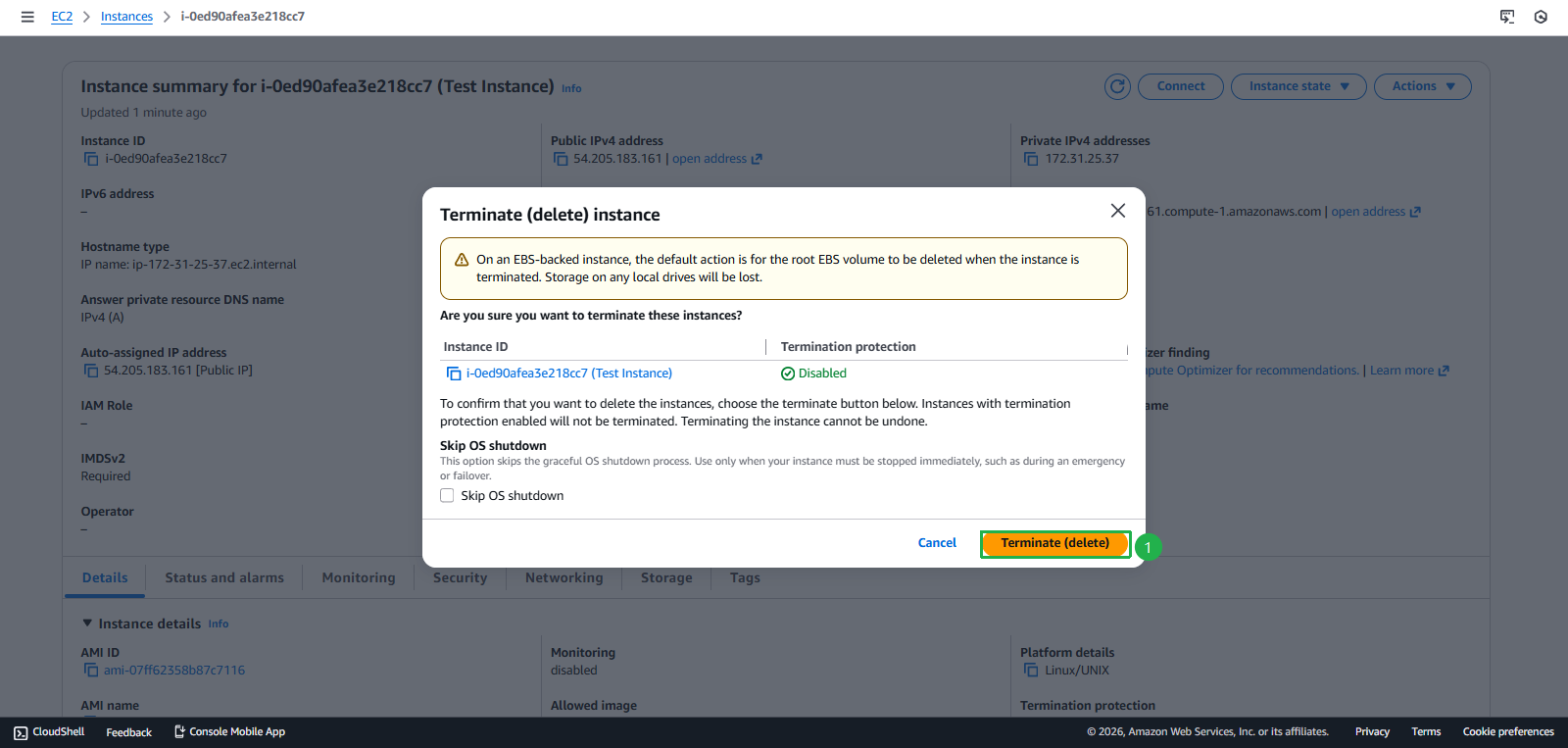
- Click Terminate (delete) instance
- Click Terminate (delete)
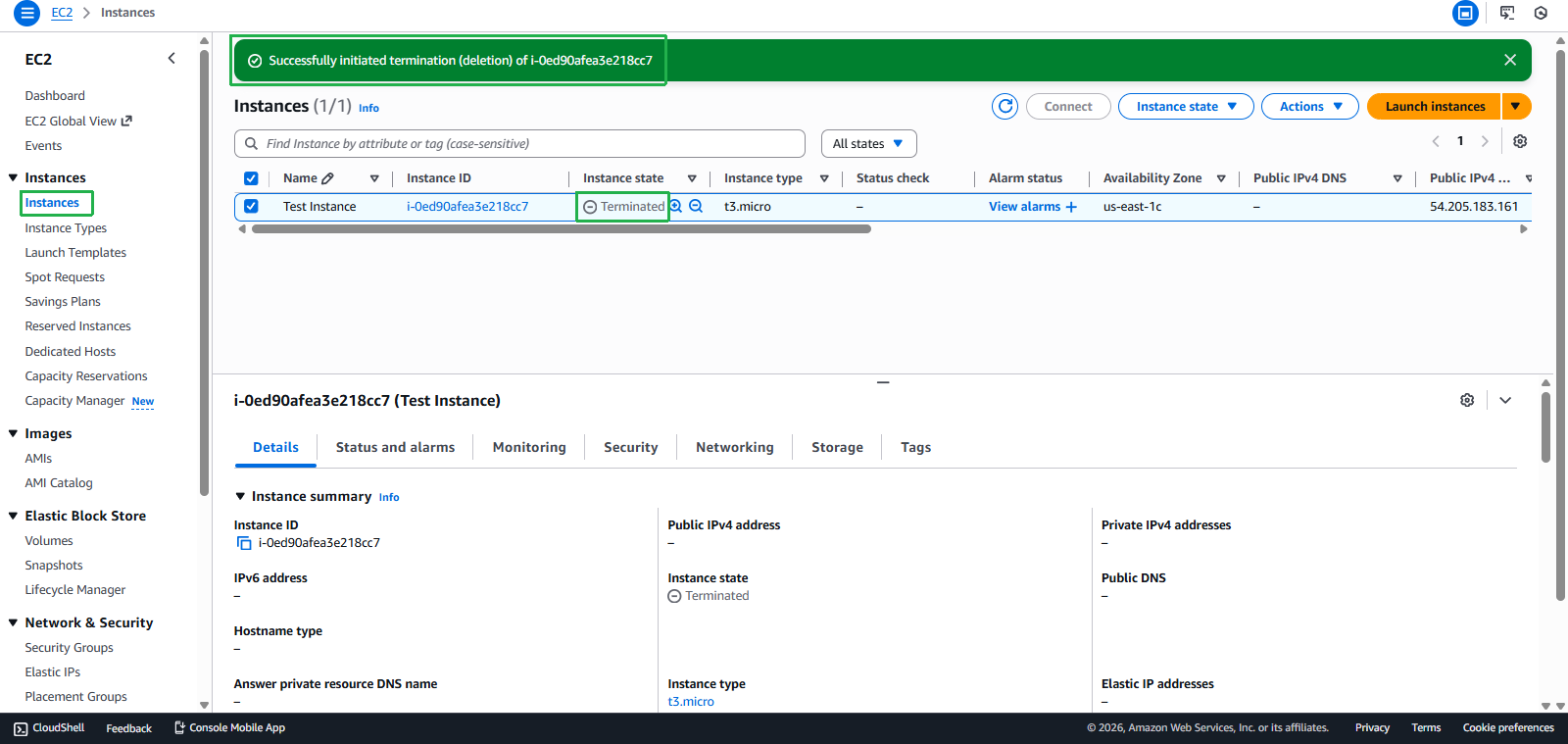
- Deletion Success
Task 2: Amazon Bedrock Playground - $20 credit
Objective: Experience AI/ML with foundation models
Steps to perform:
- Find the “Explore AWS” widget on AWS Console Home
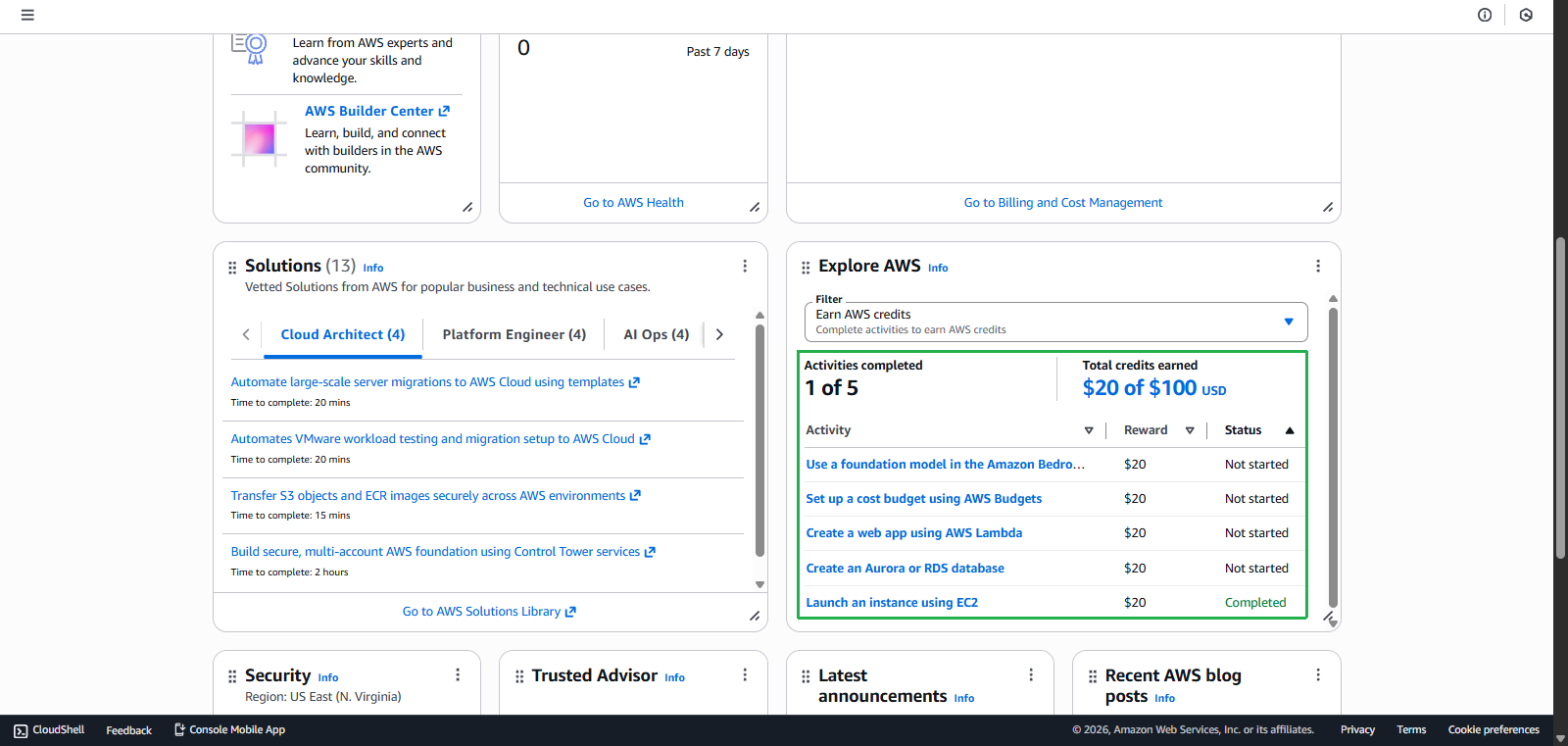
- Go to Bedrock Console
- Select task Use a foundation model in the Amazon Bedrock
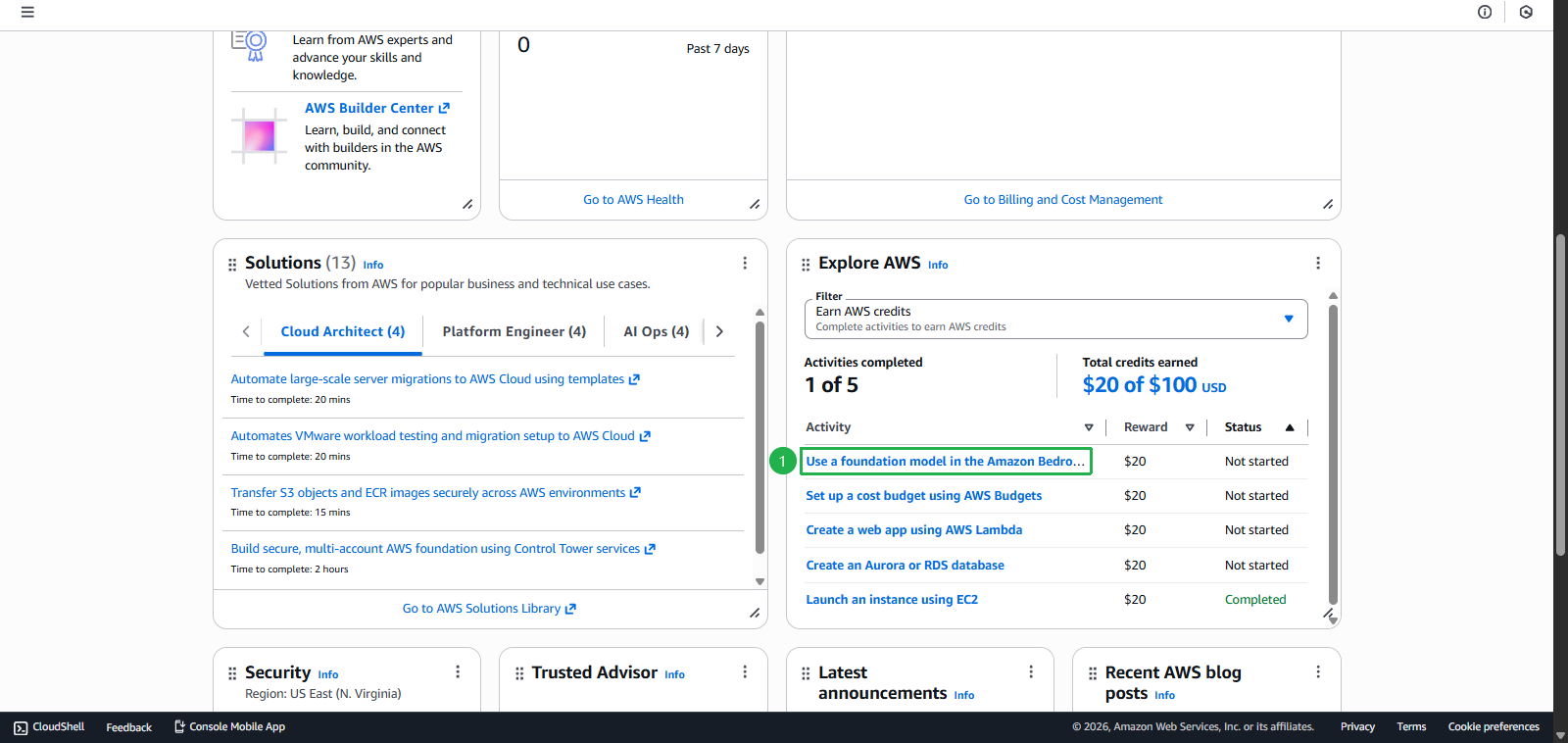
- Click Start activity
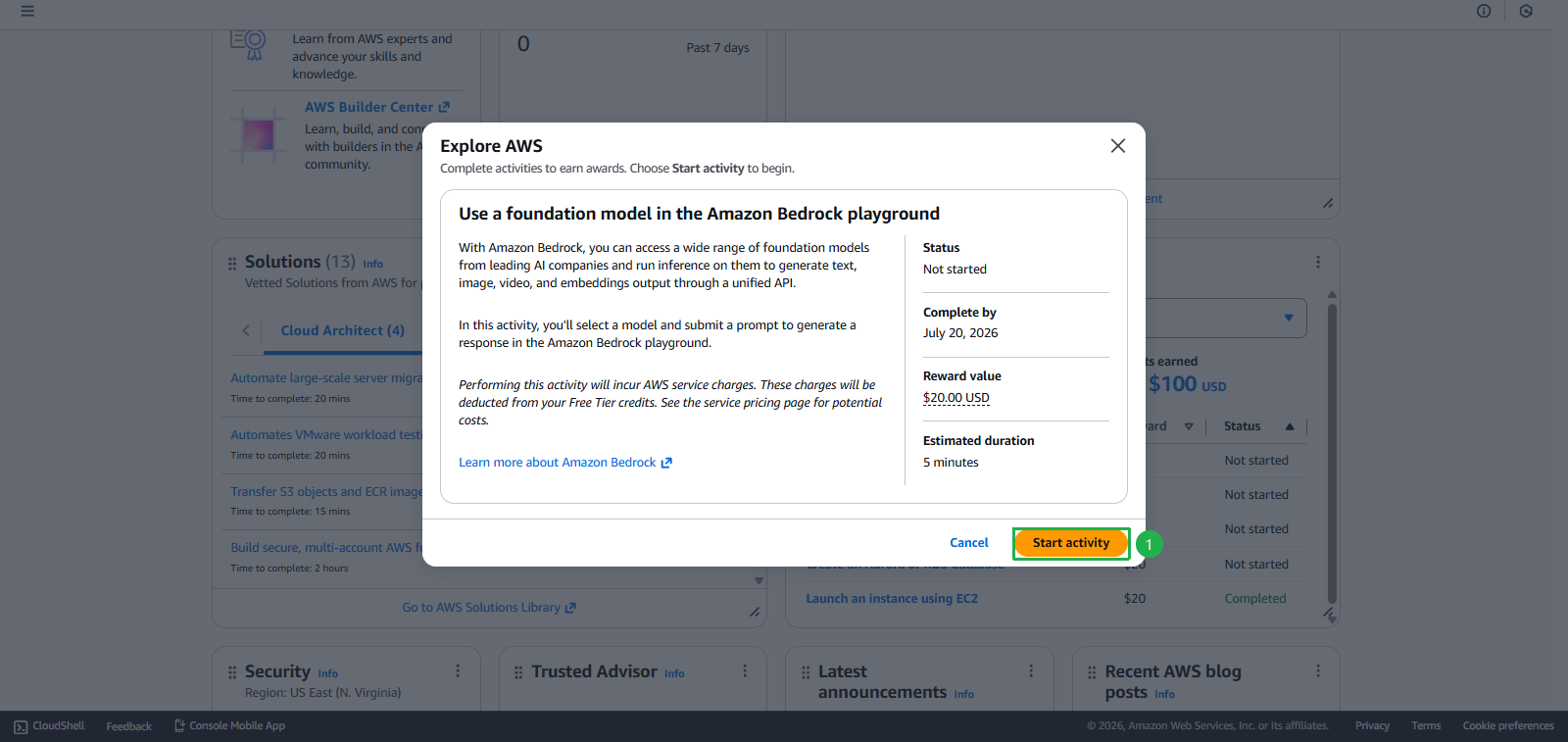
- Select task Use a foundation model in the Amazon Bedrock
- Choose Model
- Click Select model
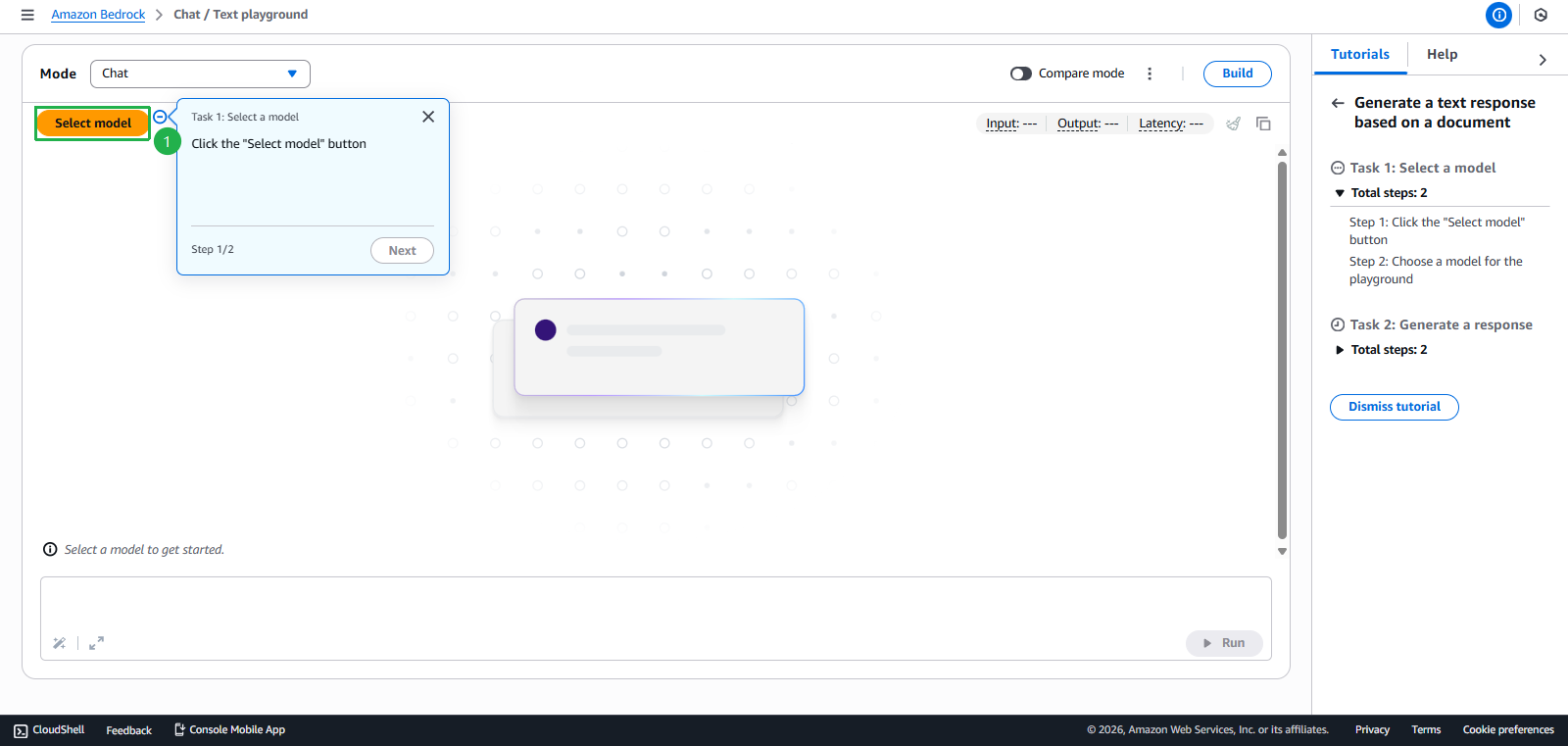
- Choose Claude 3 Haiku
- Click Apply
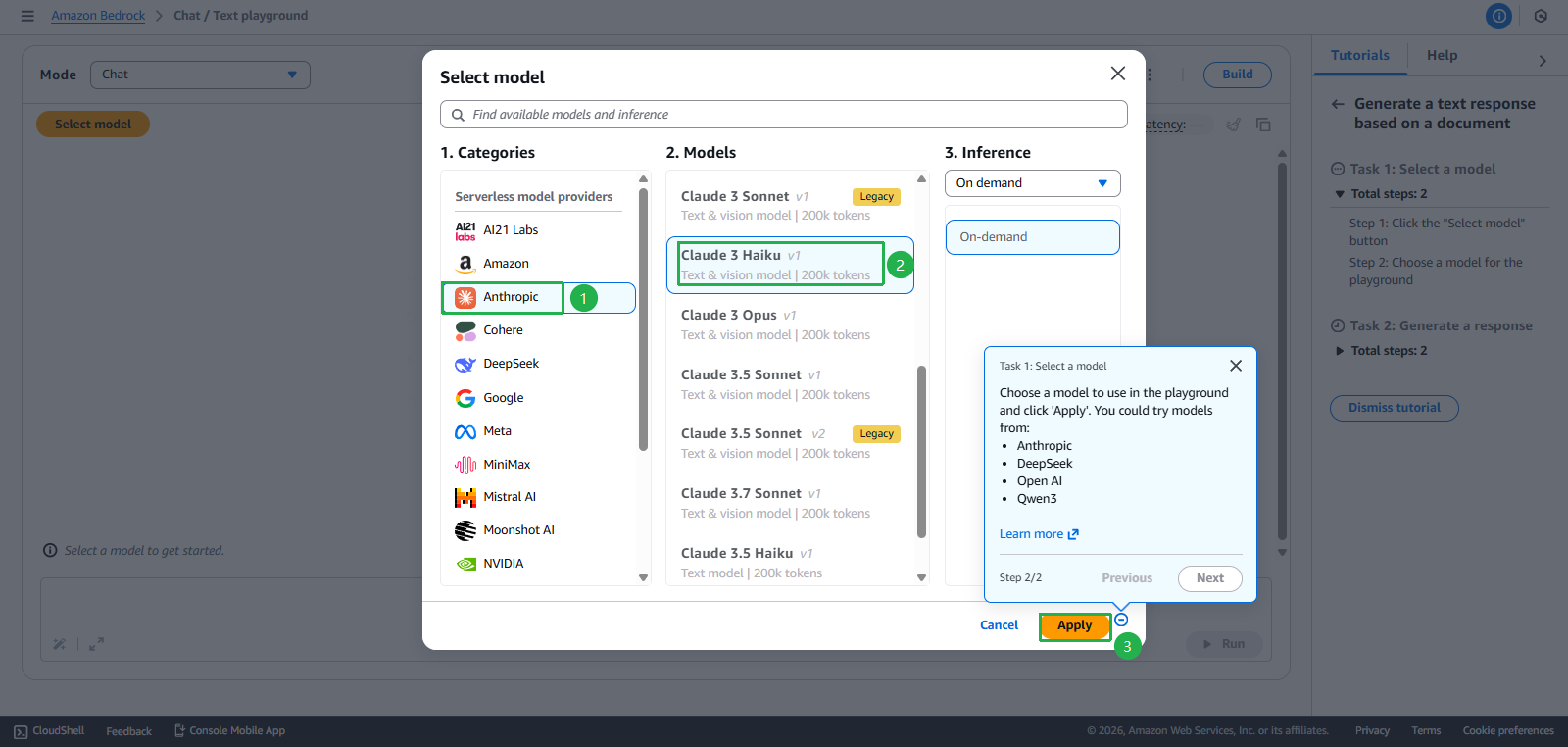
- Fill in valid required details
- Enter content for Describe your use case
Development and Testing Environment: Evaluating various foundation models (Claude, Llama, Titan, etc.) to identify the best-fit solution for our web application requirements. This includes testing model performance, response quality, latency, and cost-effectiveness across different use cases. - Click Submit use case details
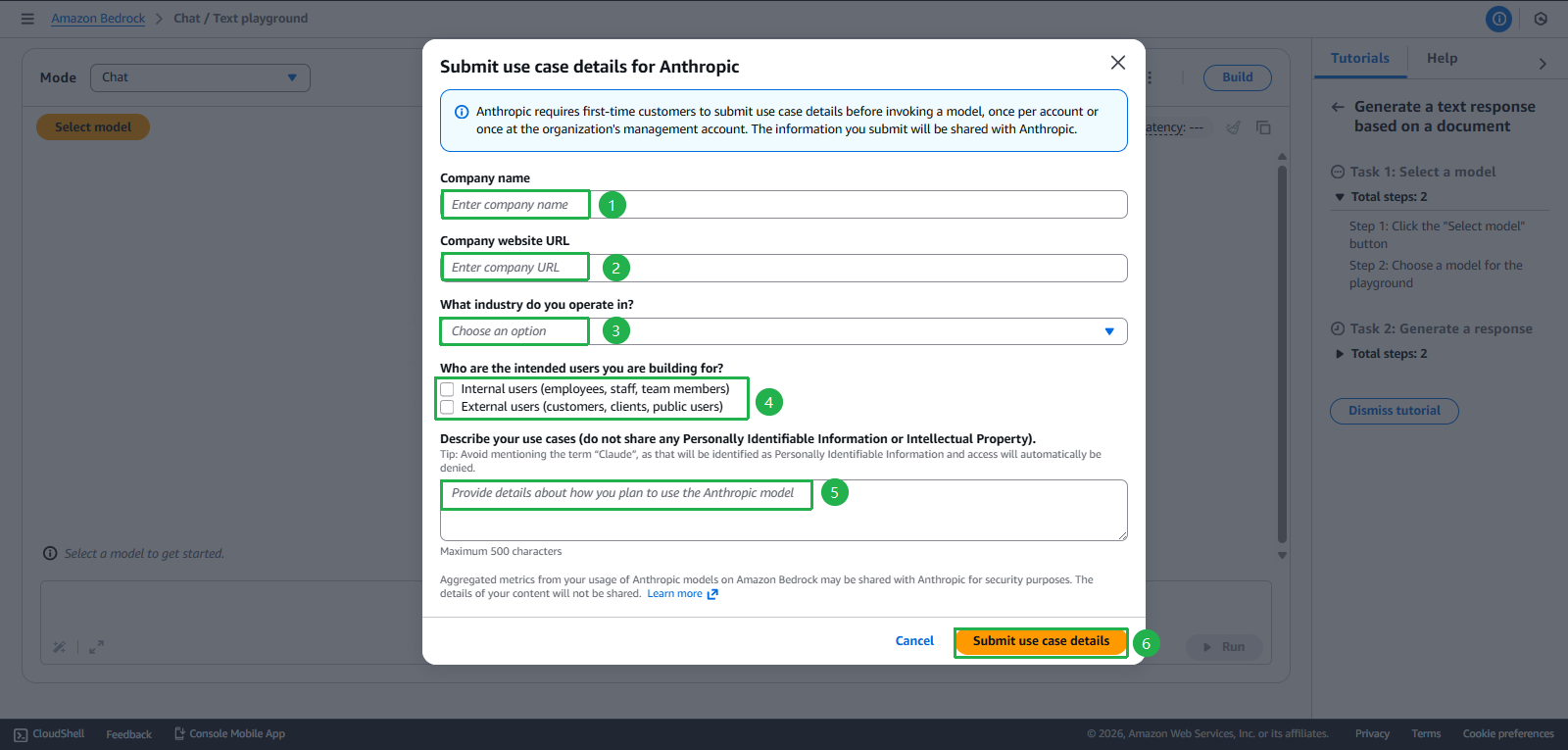
- Click Select model
- If no error, continue to section Create Prompt
- If you get an error as shown below, then proceed to Raise support for AWS with these steps
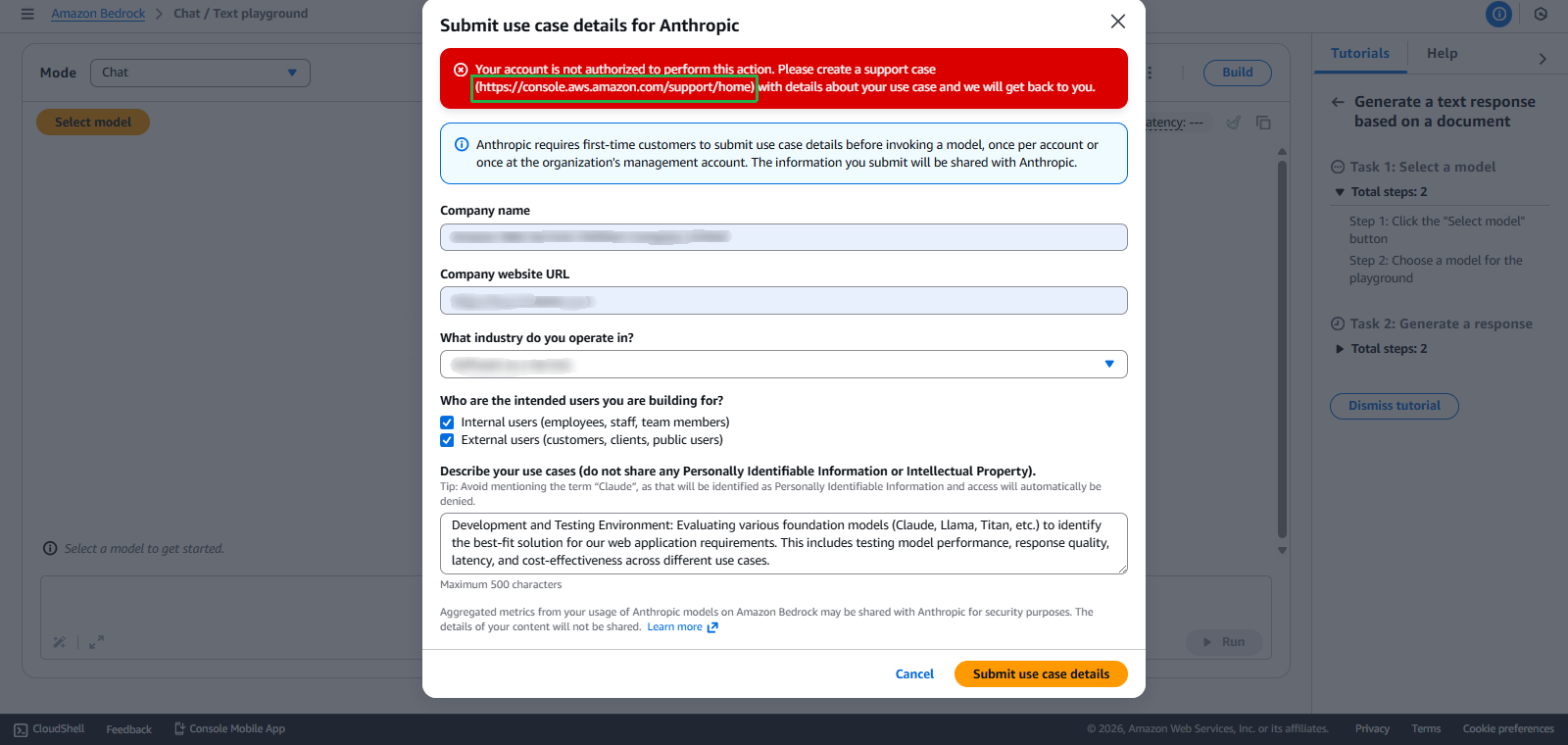
- Click Create case
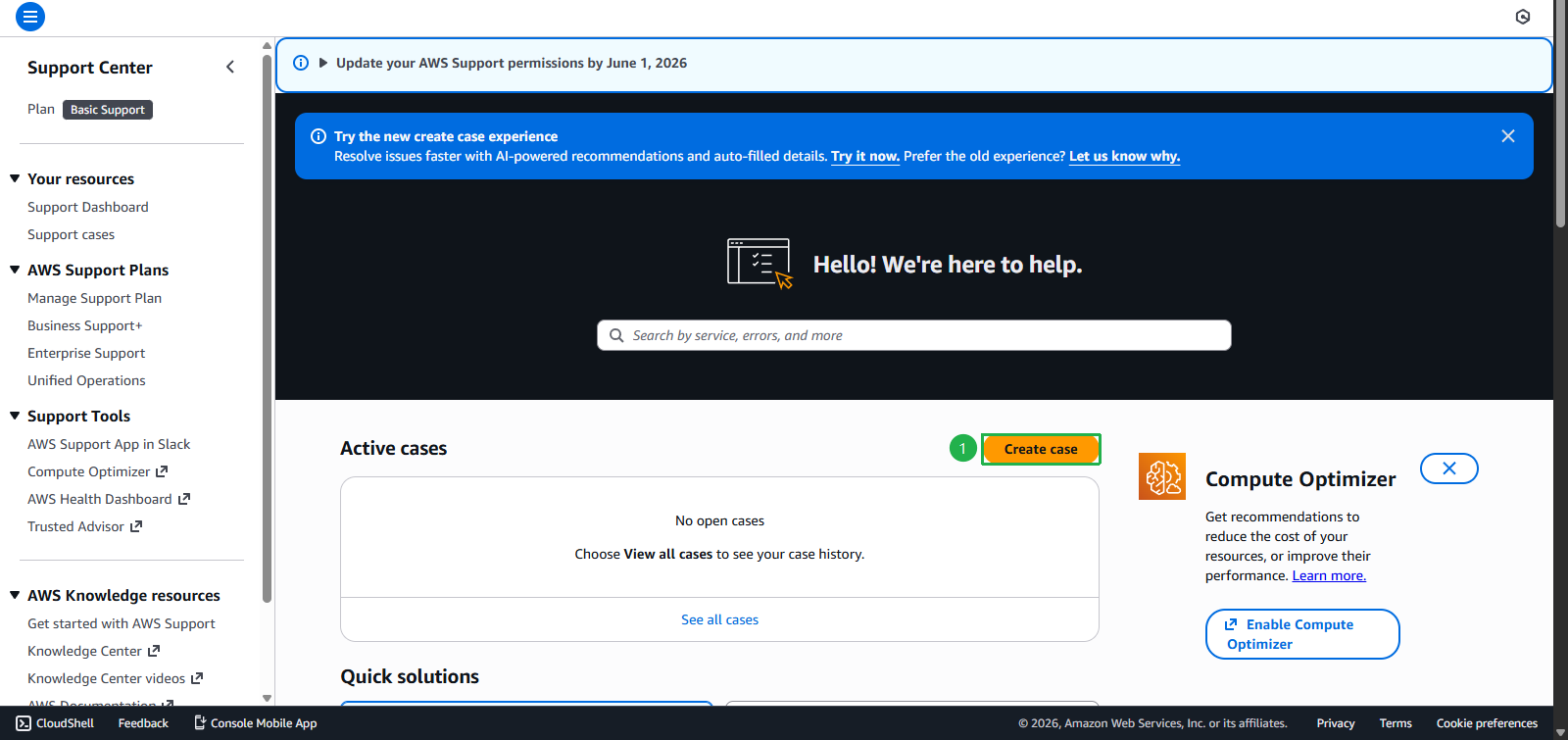
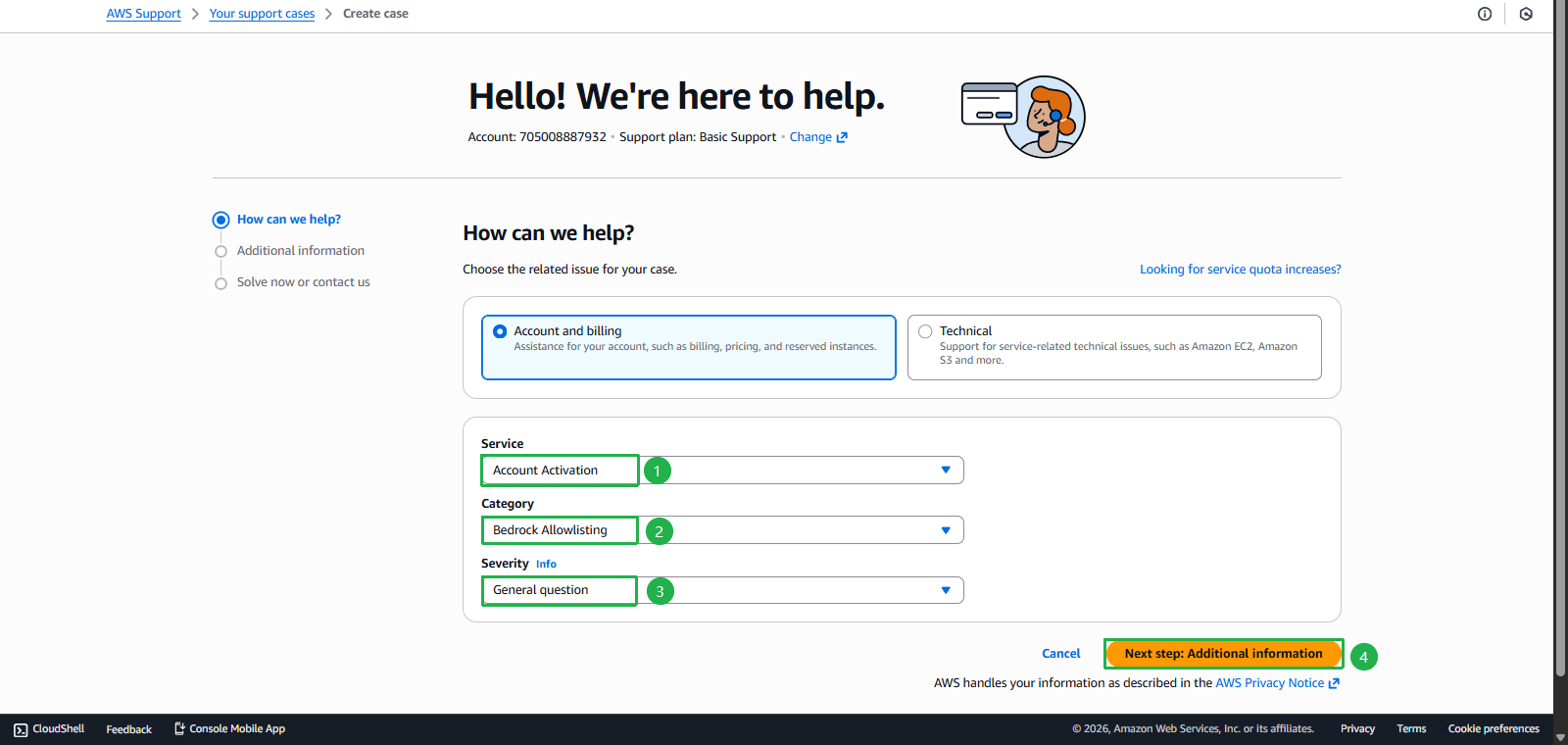
- Choose Account and billing
- Service: Account Activation
- Category: Bedrock Allowlisting
- Severity: General question
- Click Next step
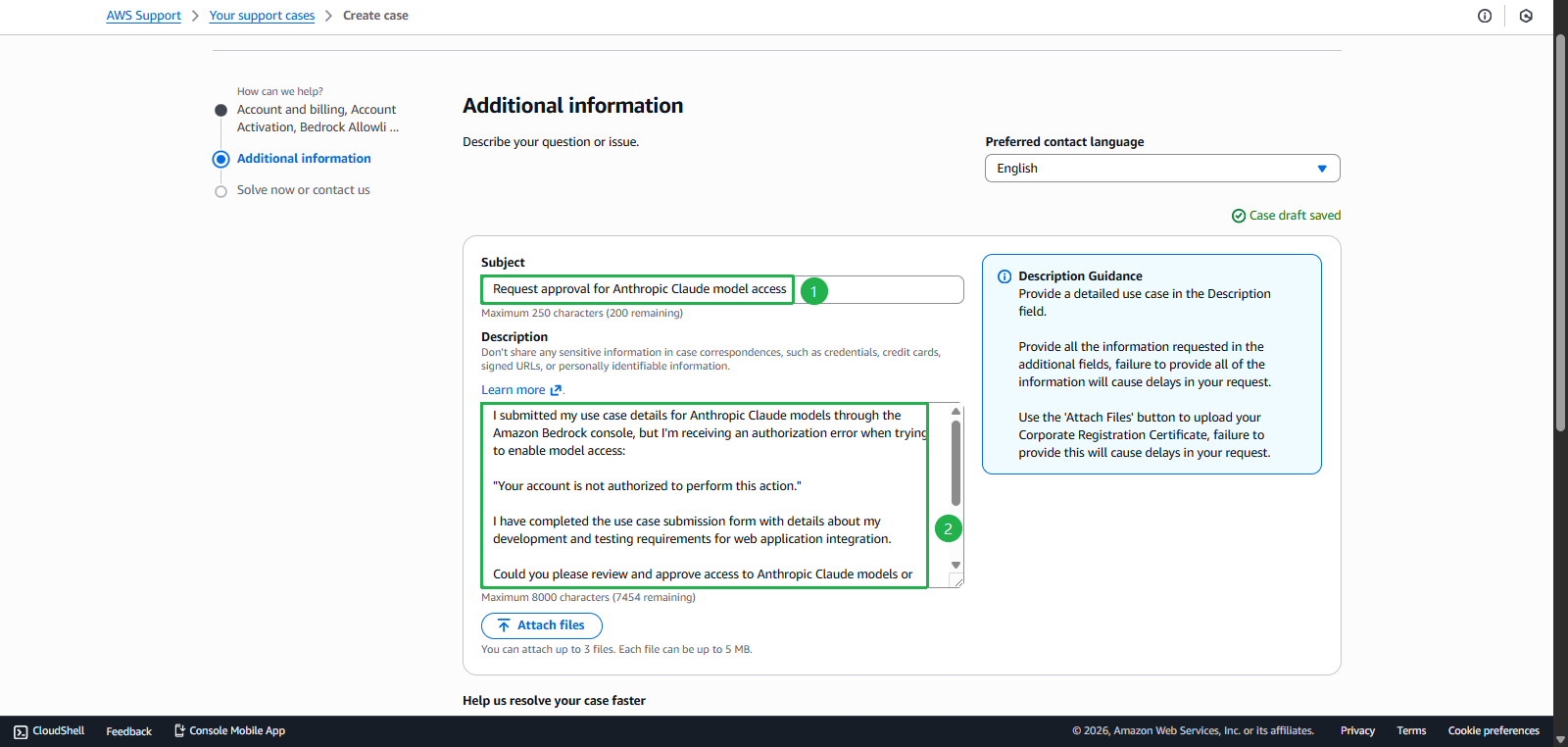
- Enter Subject:
Request approval for Anthropic Claude model access - Enter Description
I submitted my use case details for Anthropic Claude models through the Amazon Bedrock console, but I'm receiving an authorization error when trying to enable model access: "Your account is not authorized to perform this action." I have completed the use case submission form with details about my development and testing requirements for web application integration. Could you please review and approve access to Anthropic Claude models or another models for my account? Account ID: [Your AWS Account ID] Region: [your preferred region] Thank you. - Replace [Your AWS Account ID] with your Account ID
- Replace [your preferred region] with the desired Region
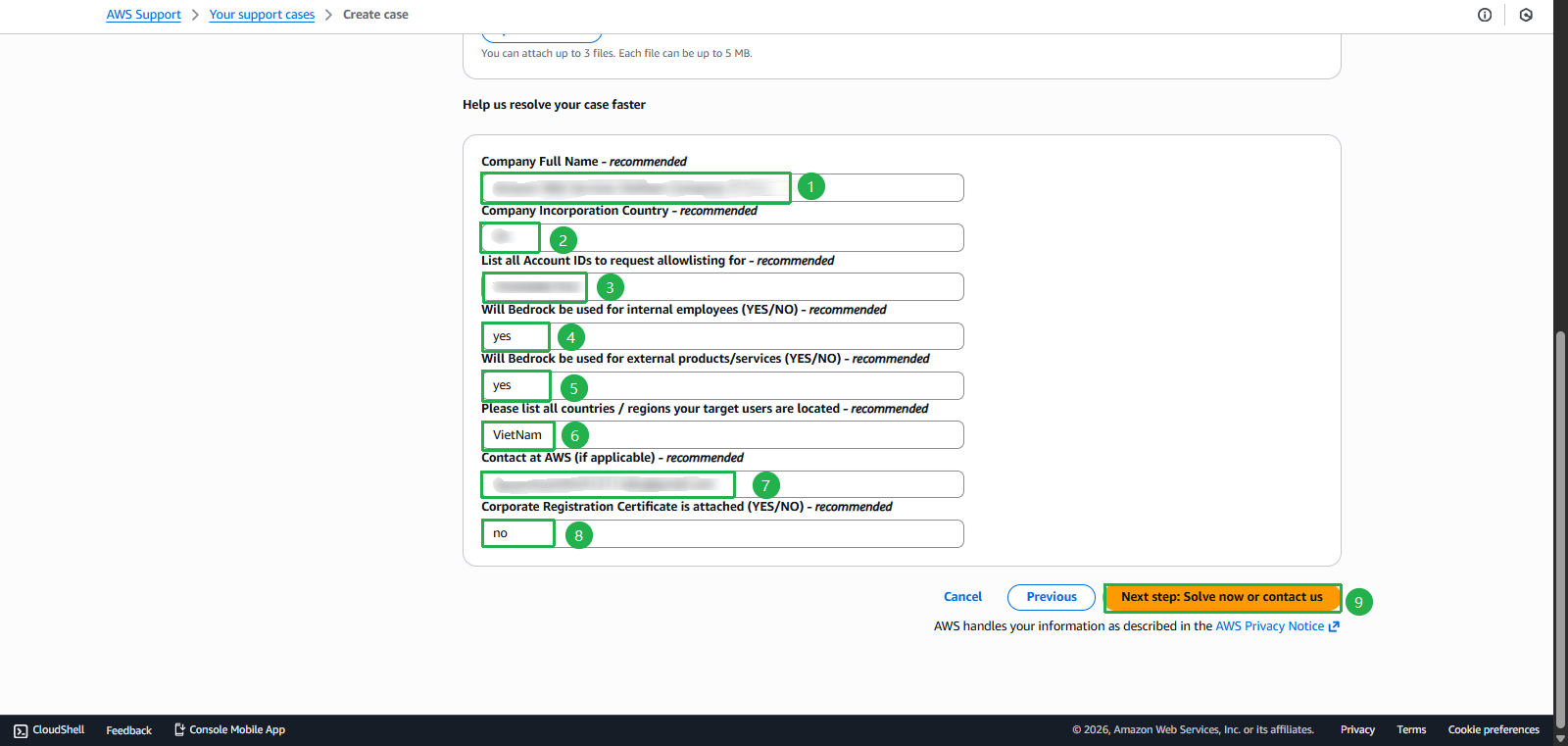
- Fill in valid required details
- Click Next Step
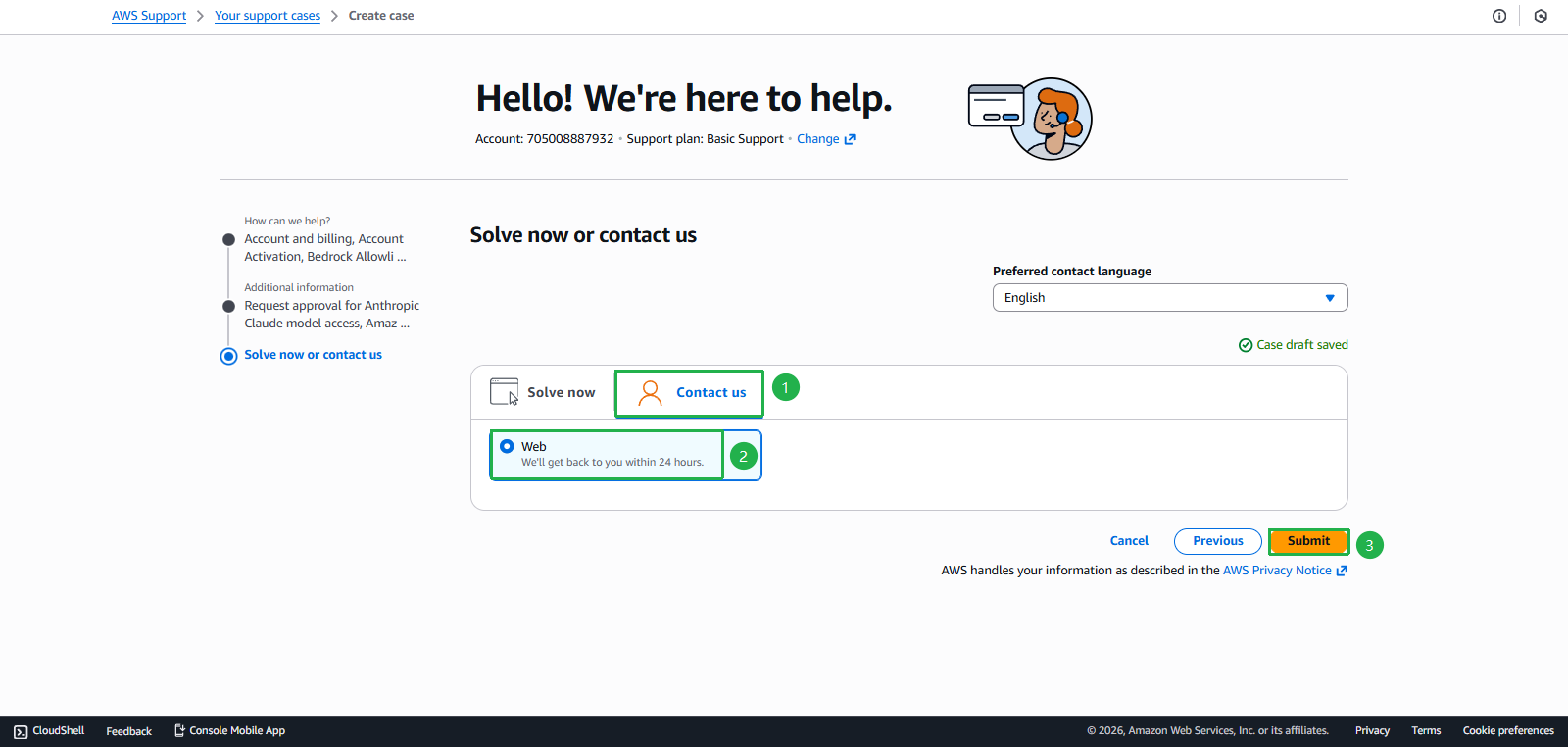
- Choose Contact us
- Choose Web
- Click Submit
- Click Create case
- You have now successfully Raised support for AWS, the support team will contact you within 24h, meanwhile continue with the remaining tasks:
5. Create Prompt
- If you have Applied or got Support successfully, continue with:
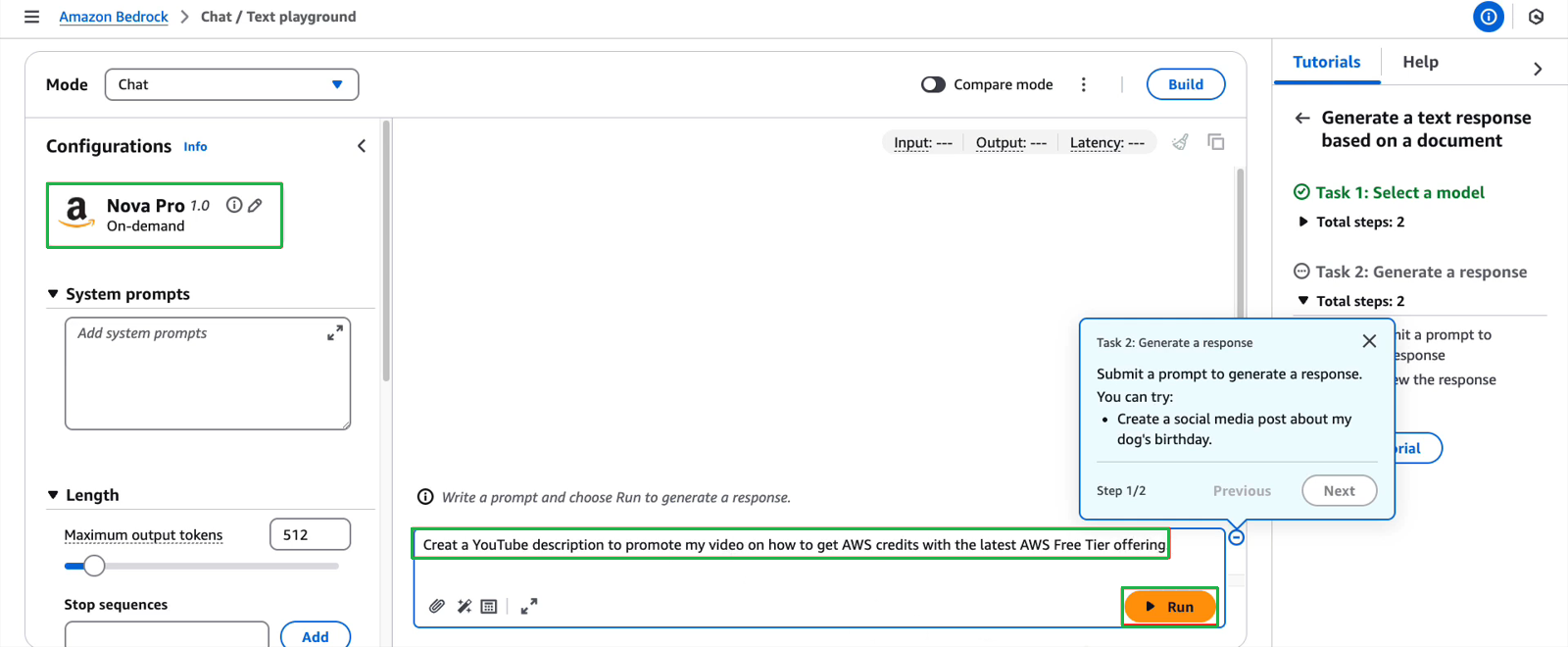
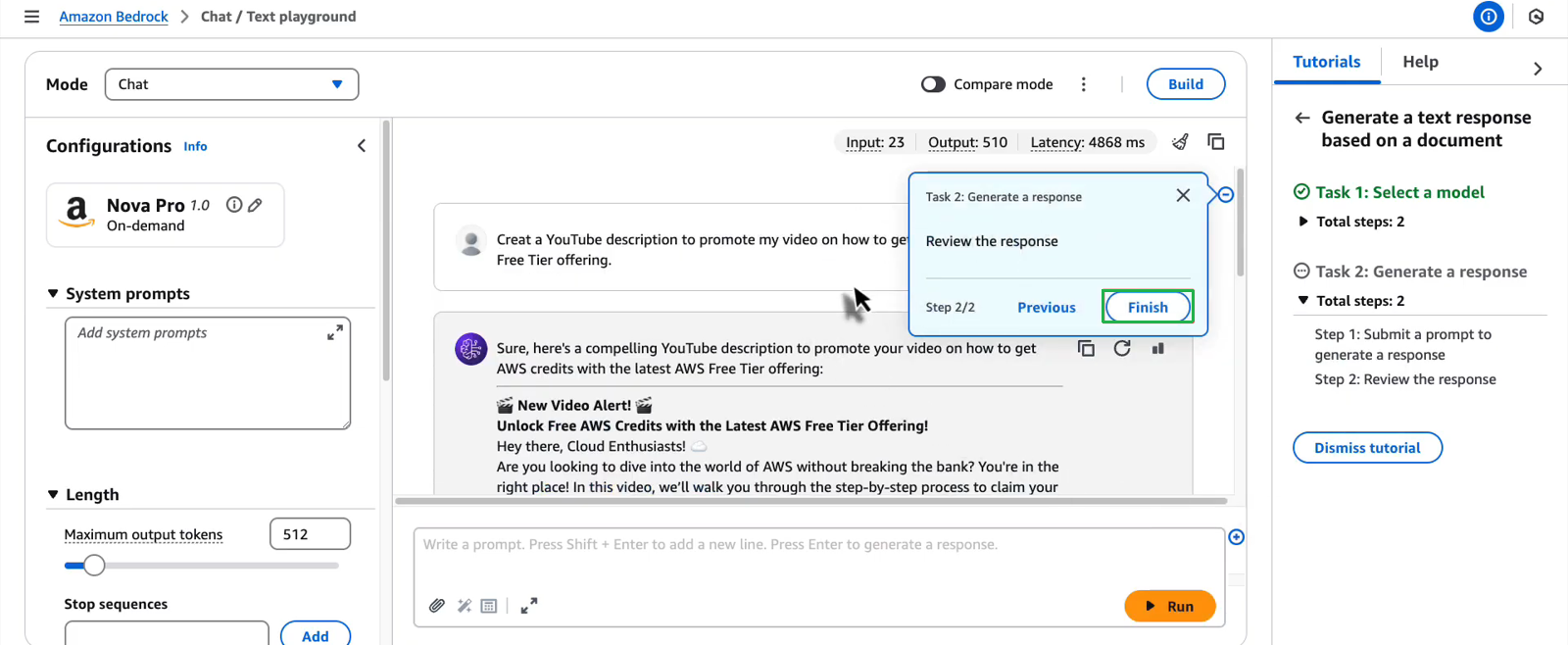
- Write any prompt for testing
- Click Run
- Click Next
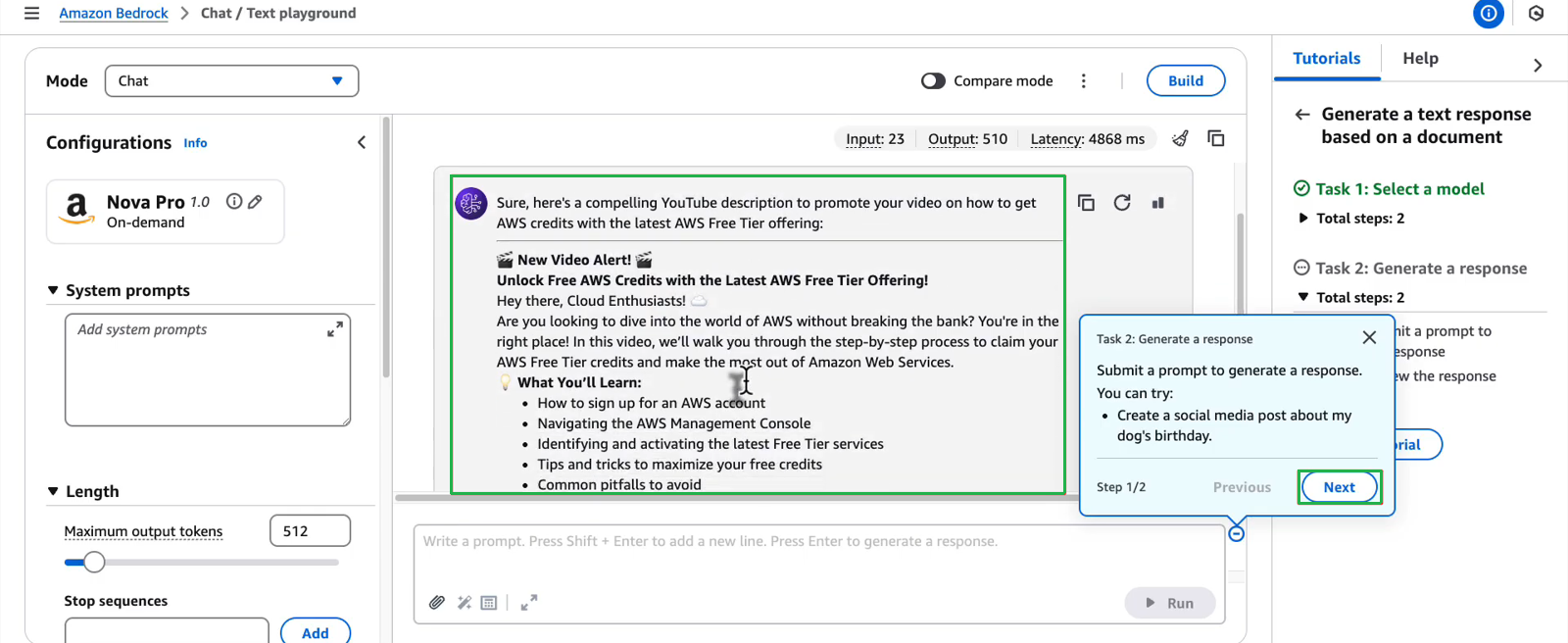
- Review Response and click Finish
Task 3: Set up AWS Budgets - $20 credit
Objective: Set up monitoring and alerts for costs
Steps to perform:
- Find the “Explore AWS” widget on AWS Console Home
- Go to Budgets Console
- Select task Set up a cost budget using AWS Budgets
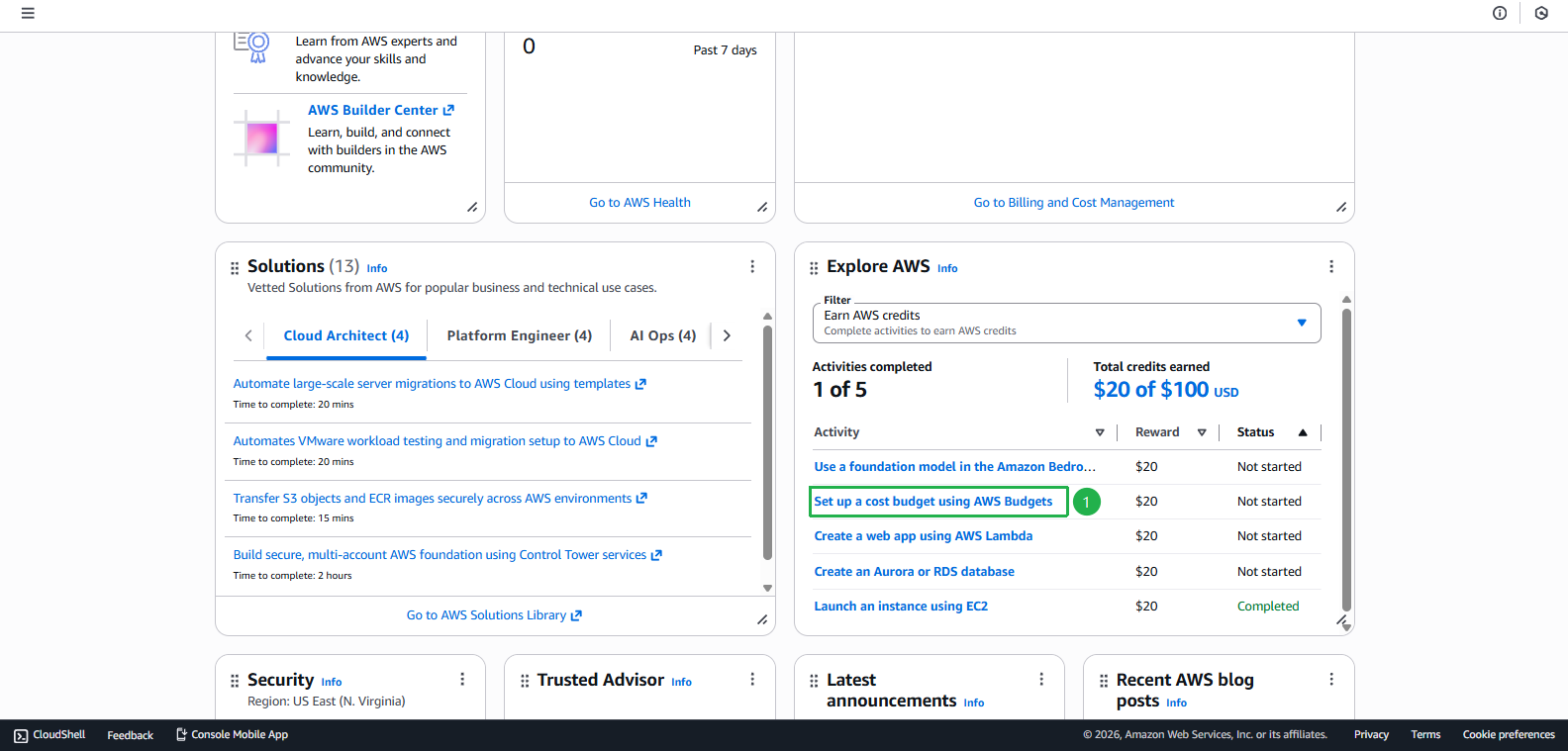
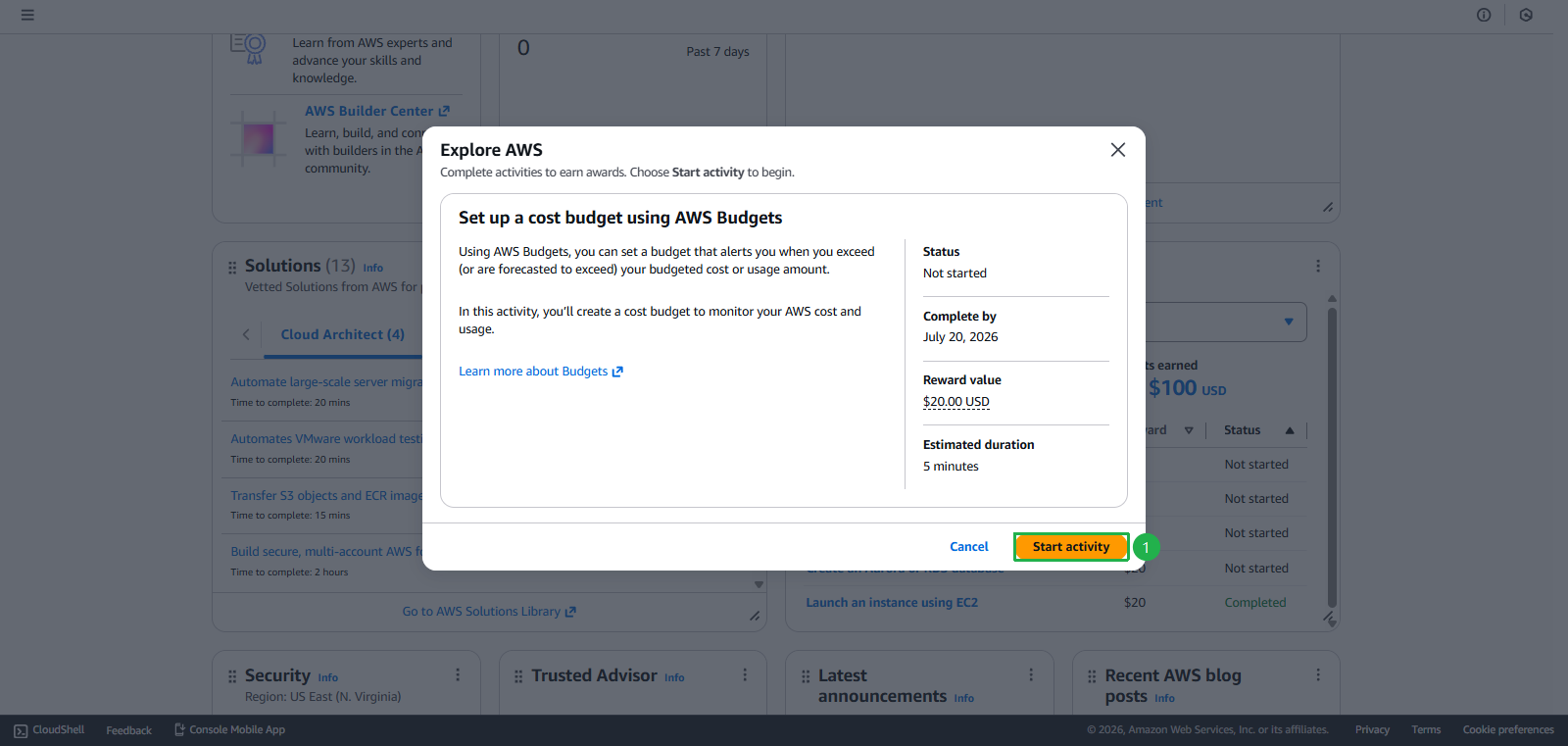
- Click Start activity
- Click Next
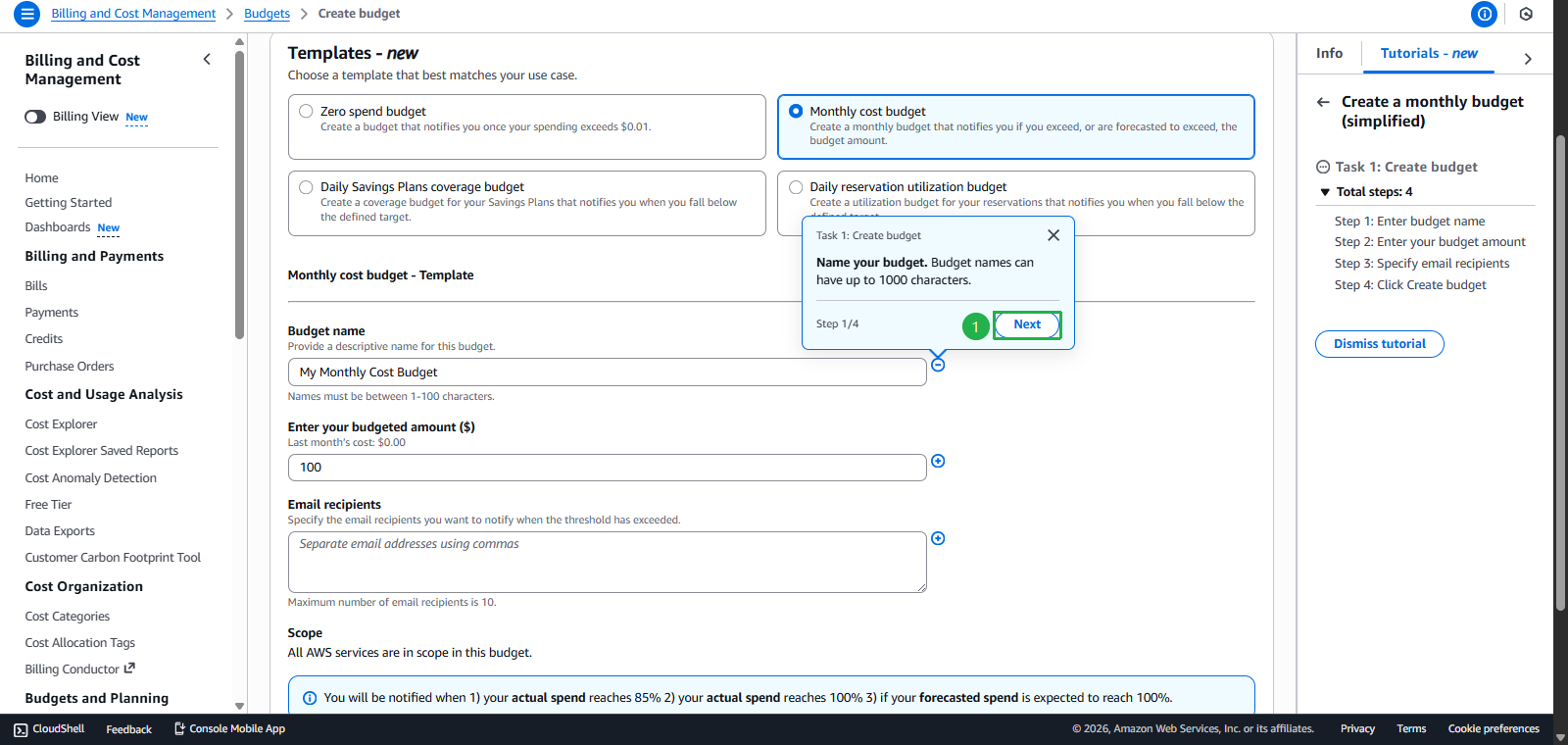
- Click Next
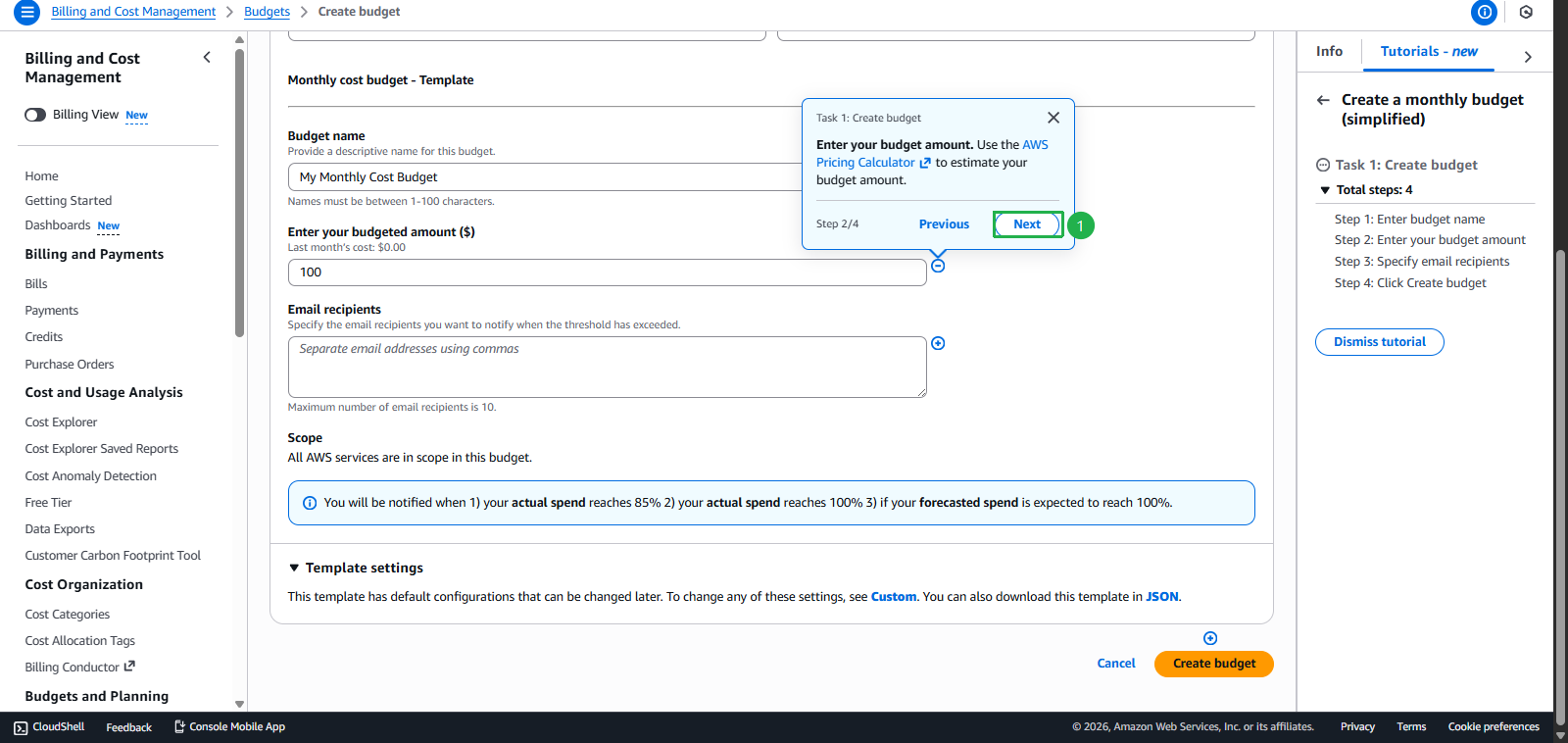
- Enter Email to receive notifications
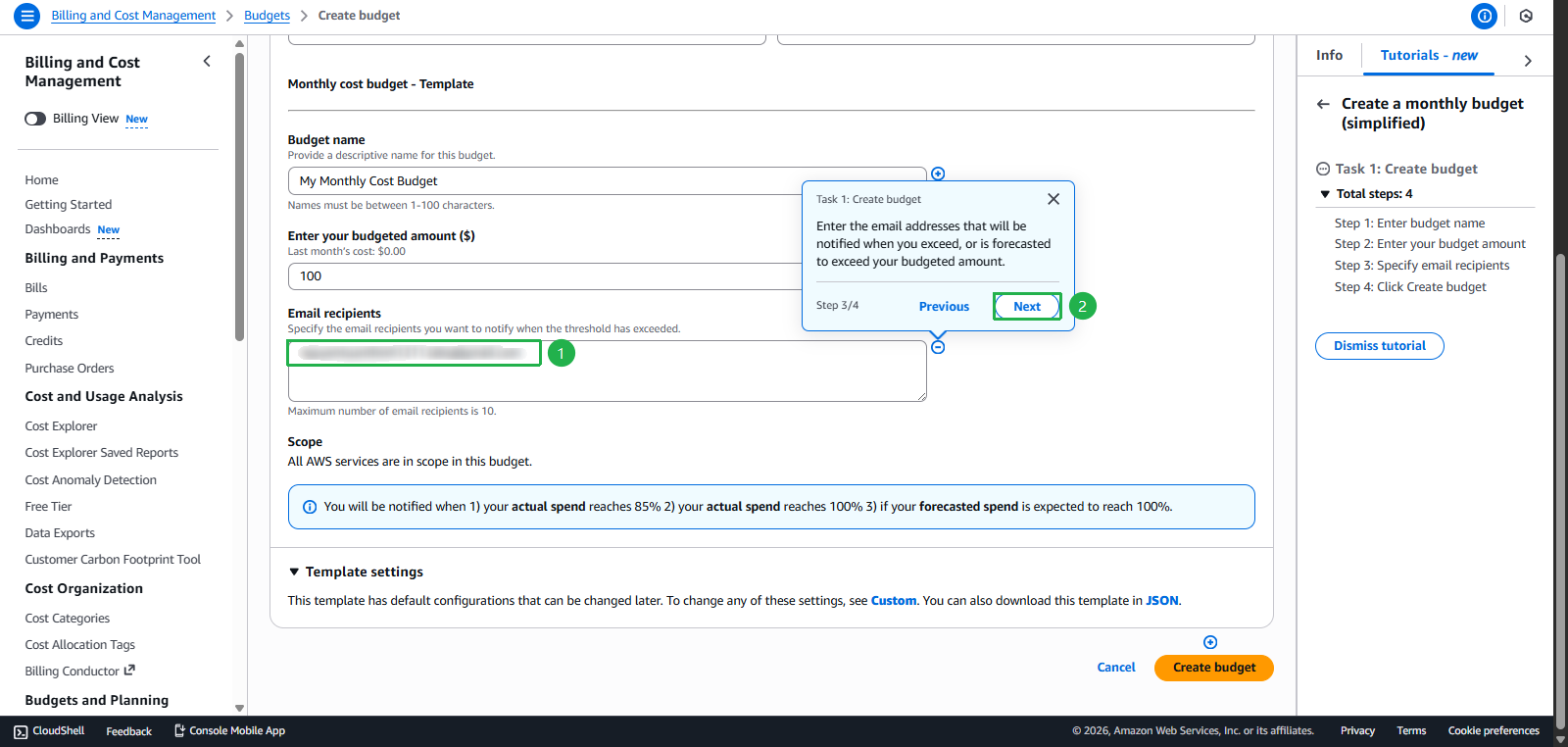
- Click Next
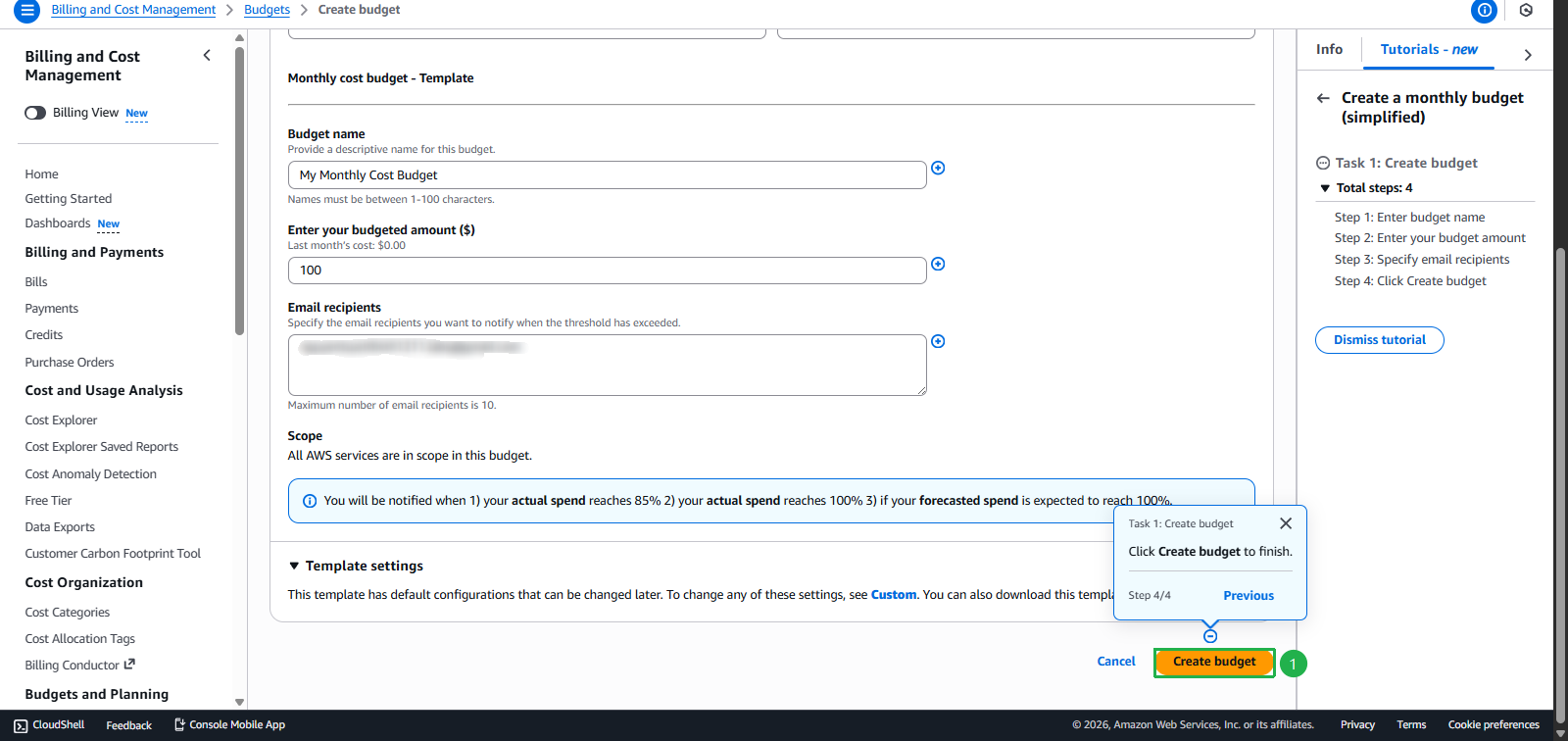
- Click Create budget
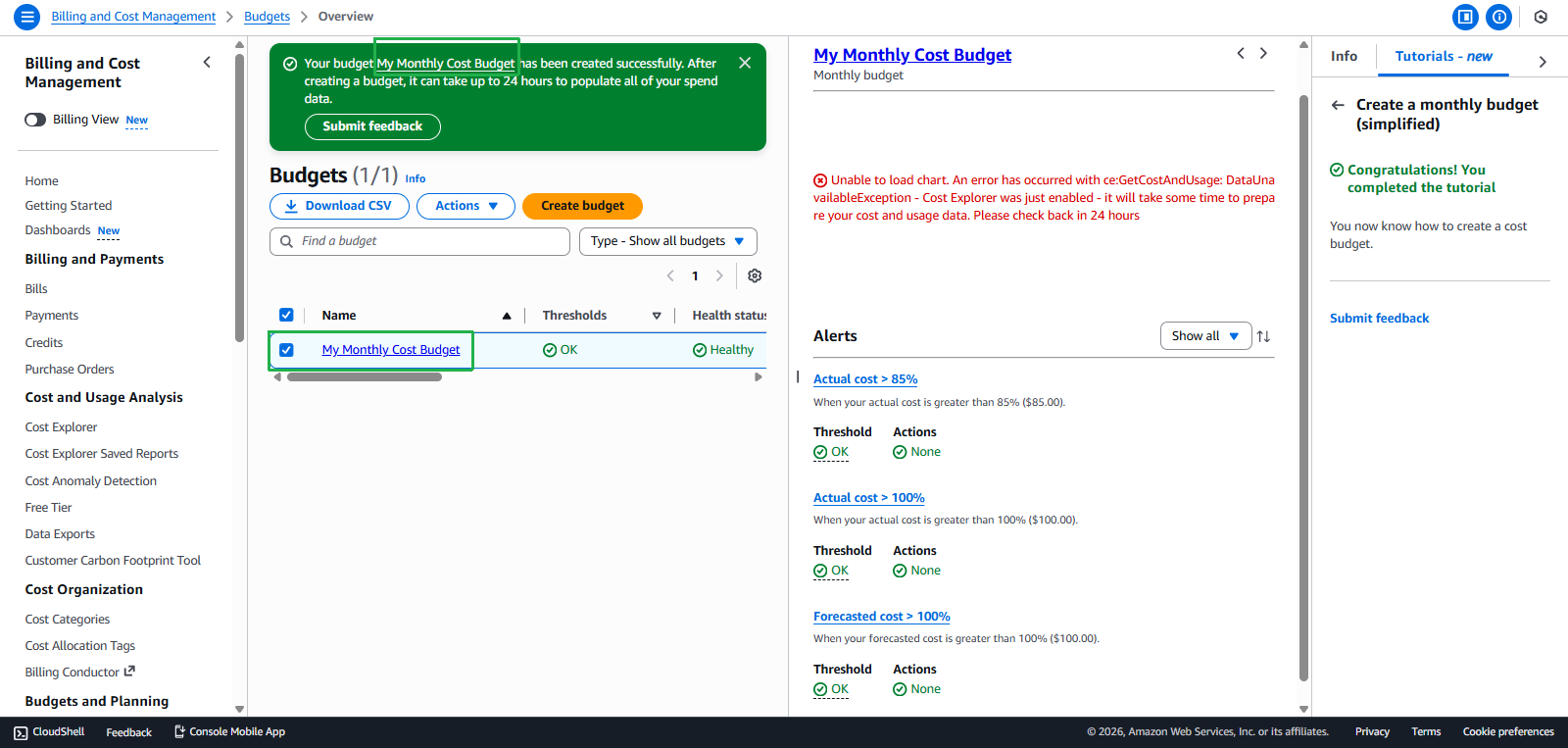
- Select task Set up a cost budget using AWS Budgets
- Budget created successfully
Task 4: Create Lambda Web App - $20 credit
Objective: Build a serverless web application
Steps to perform:
- Find the “Explore AWS” widget on AWS Console Home
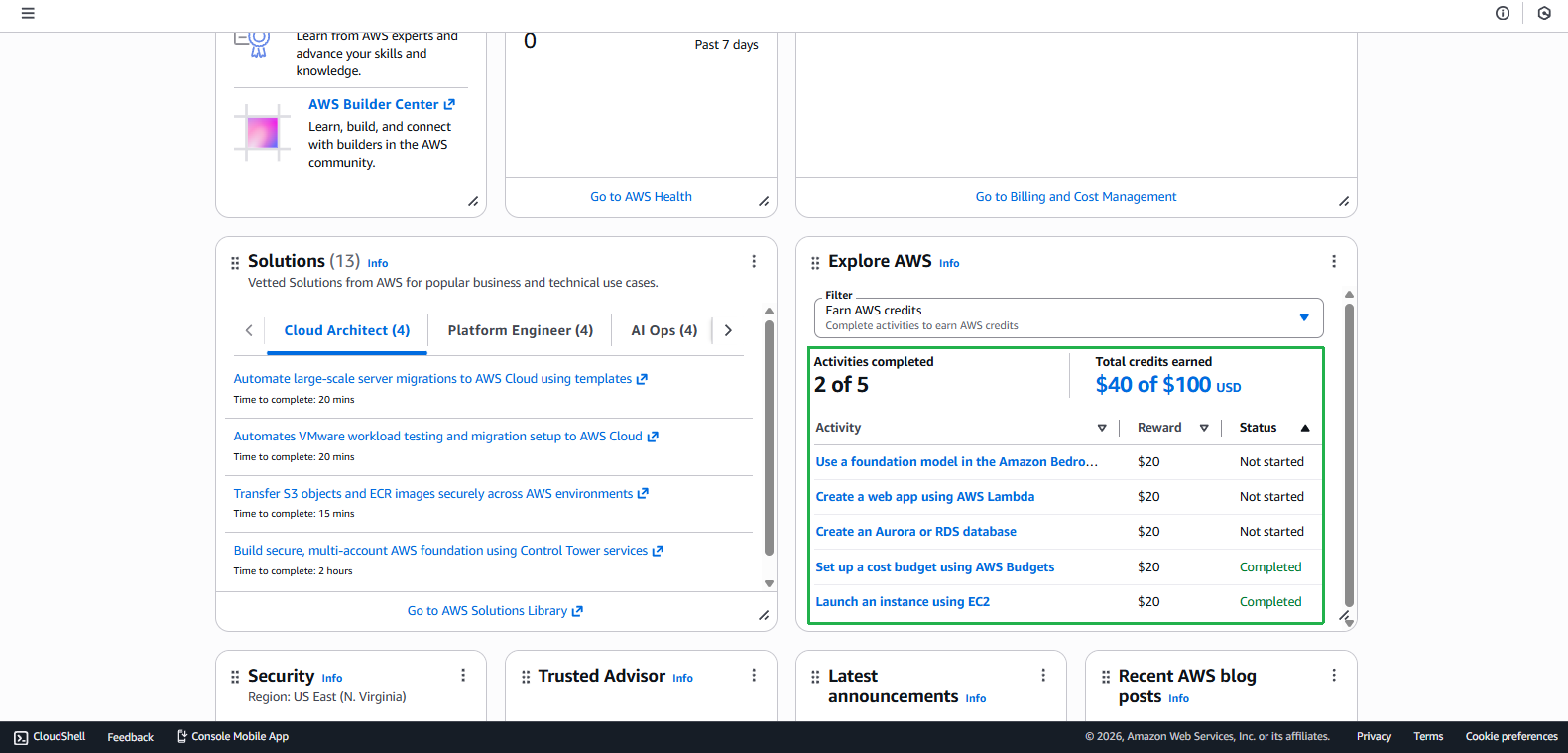
- Go to Lambda Console
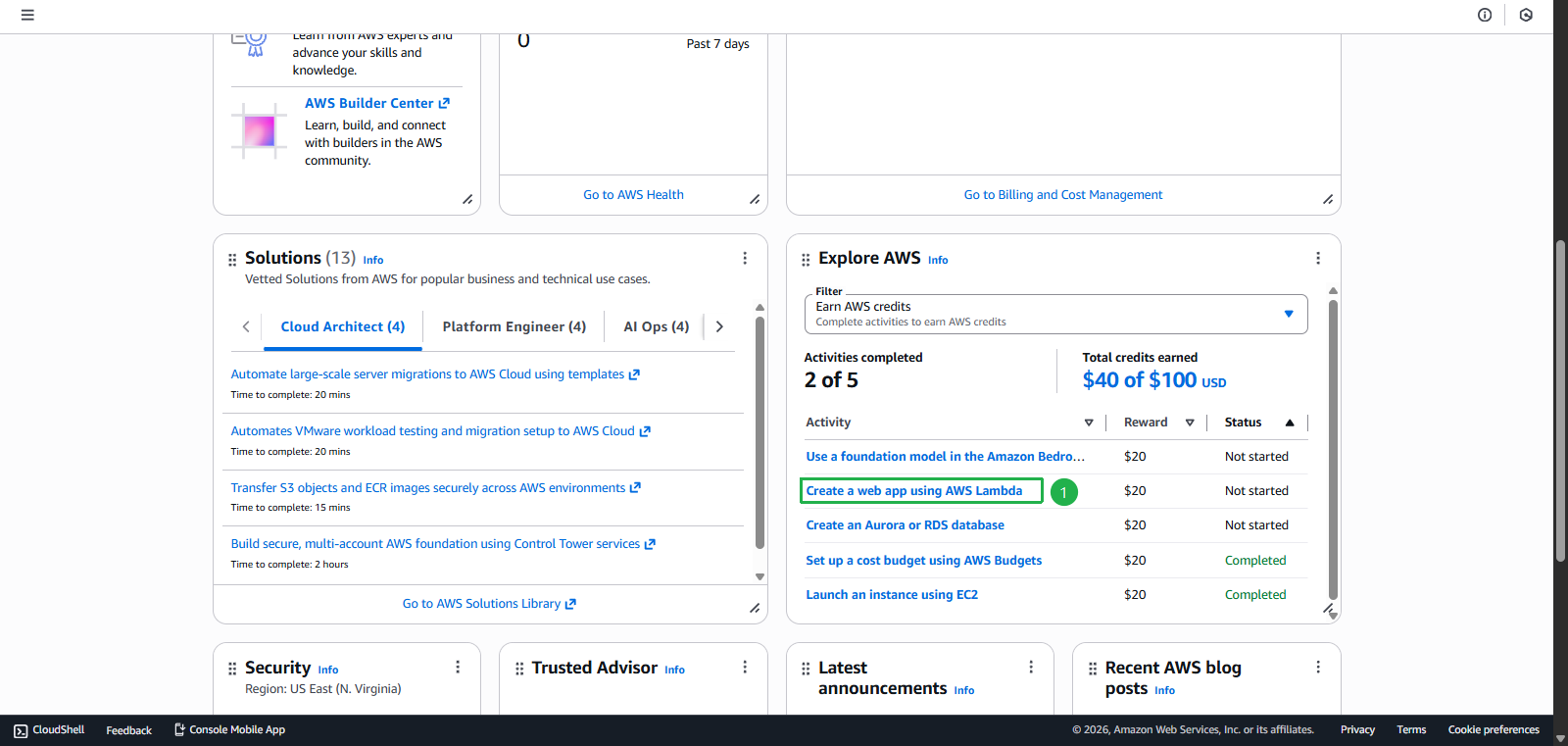
- Select task Create a web app using AWS Lambda
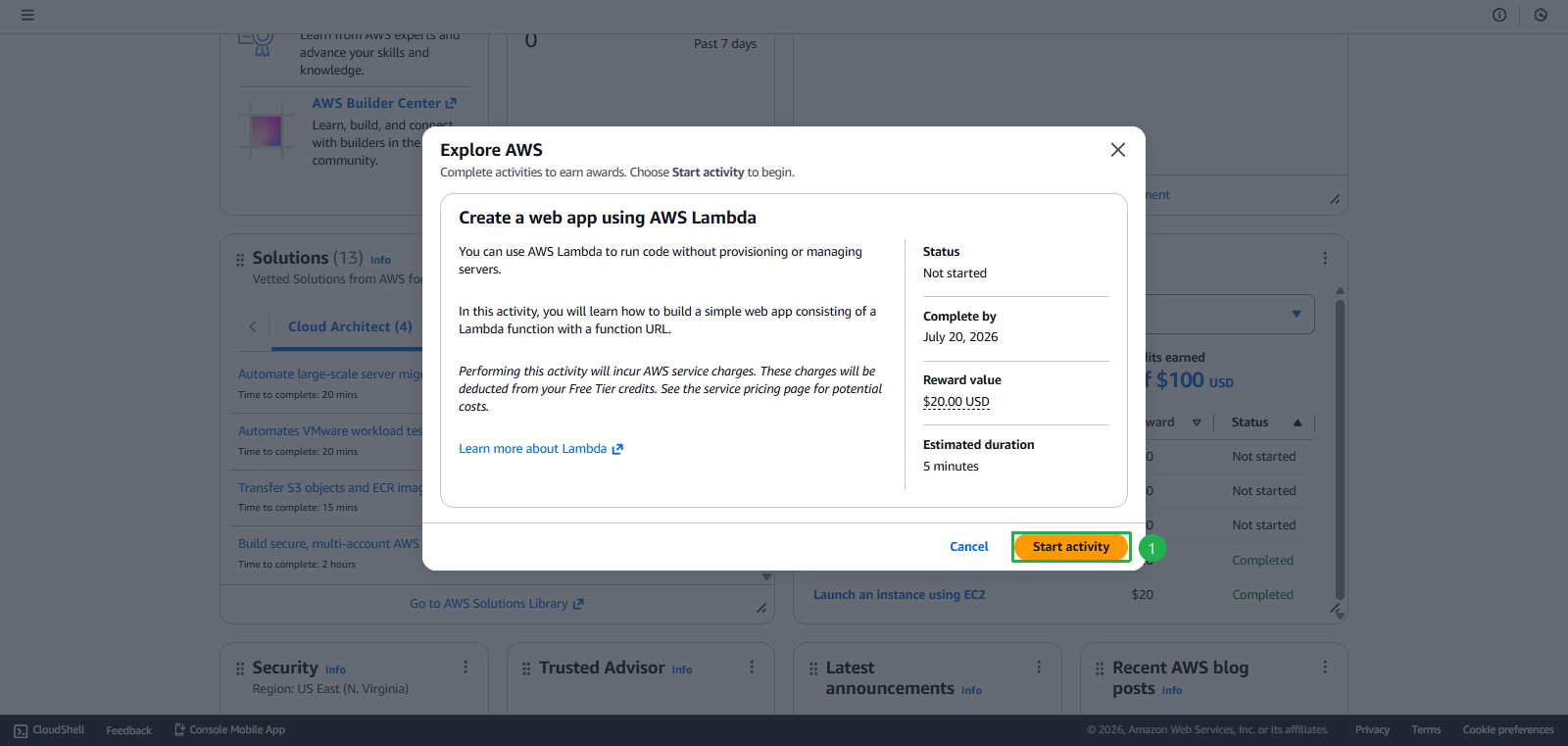
- Click Start activity
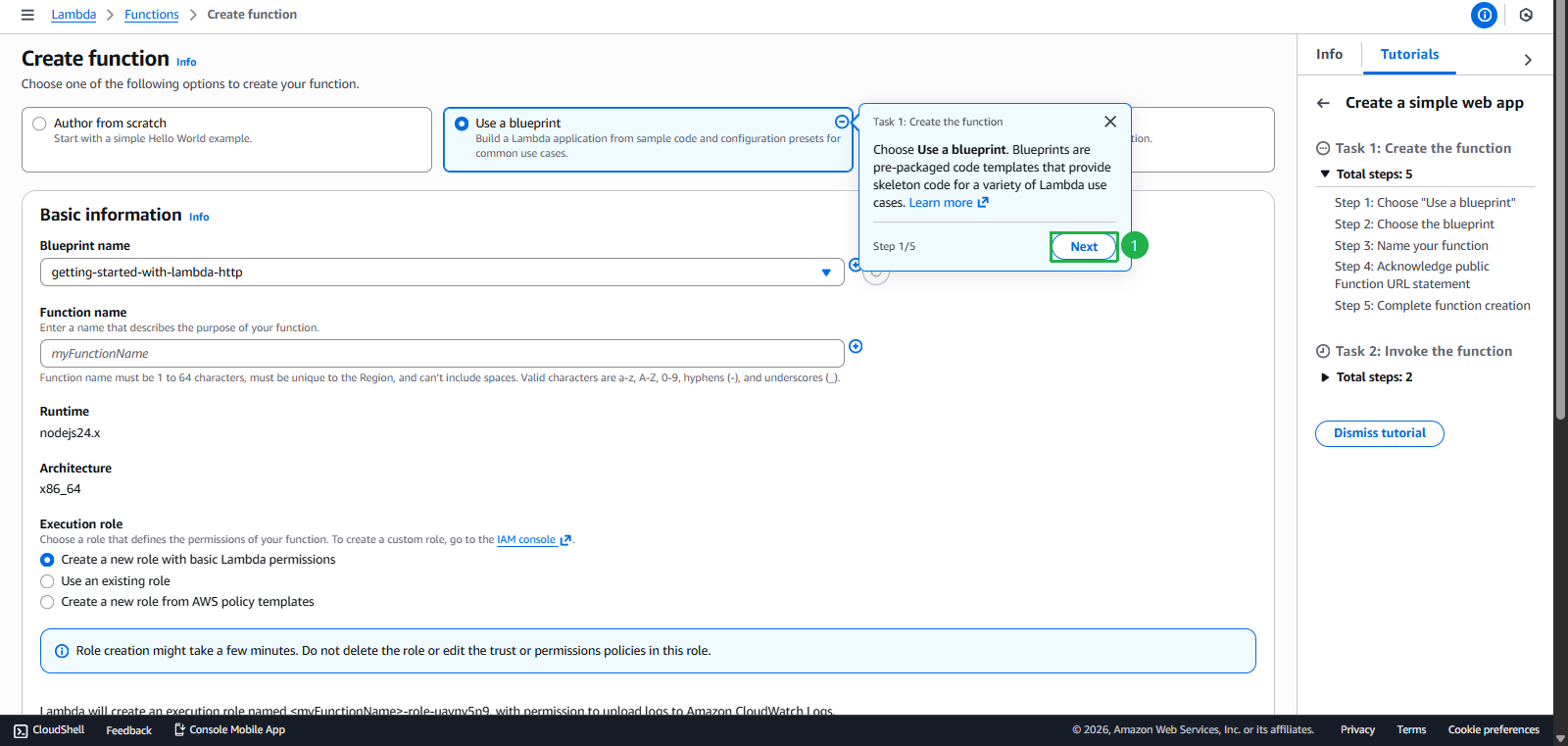
- Choose Use a blueprint
- Click Next
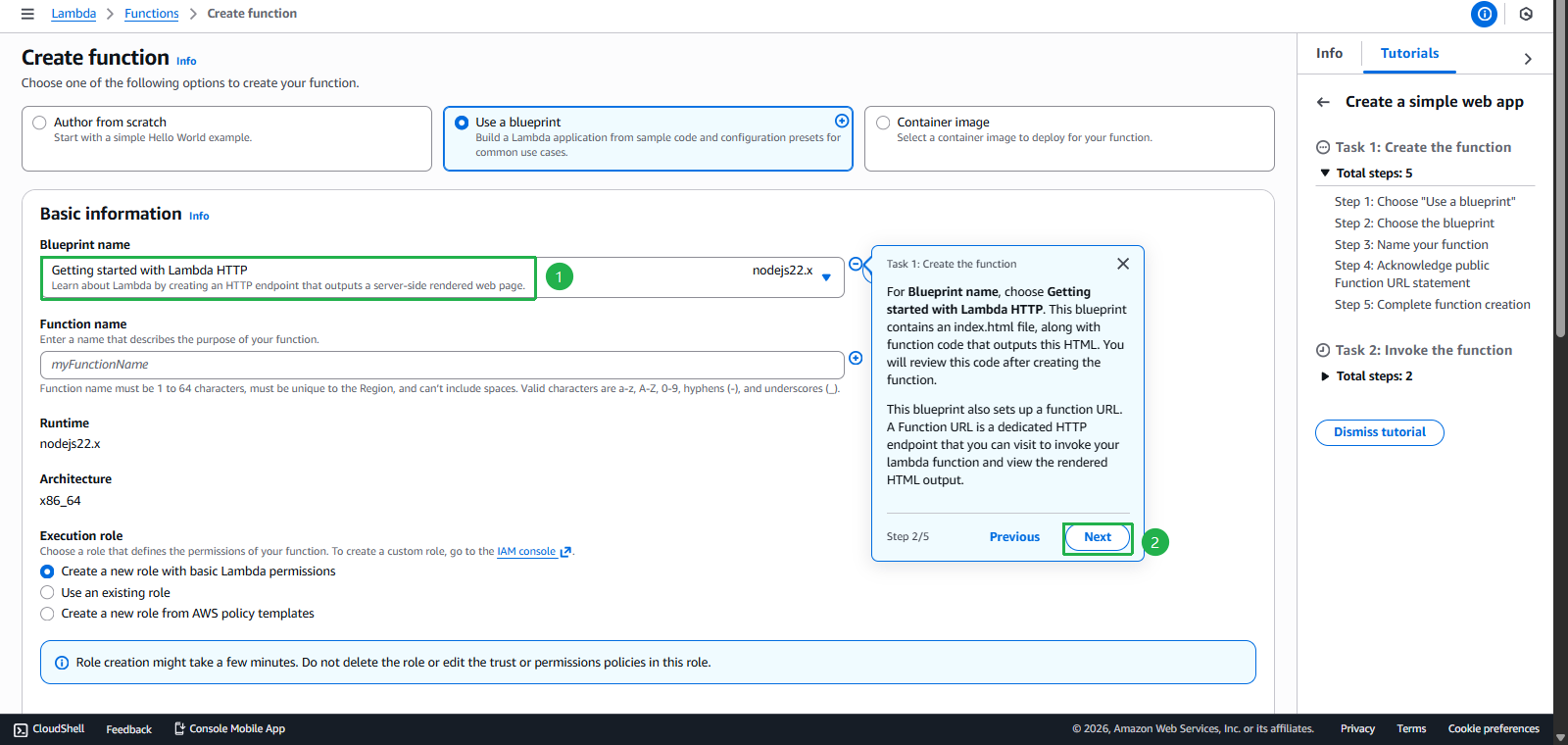
- Choose Getting started with Lambda HTTP
- Click Next
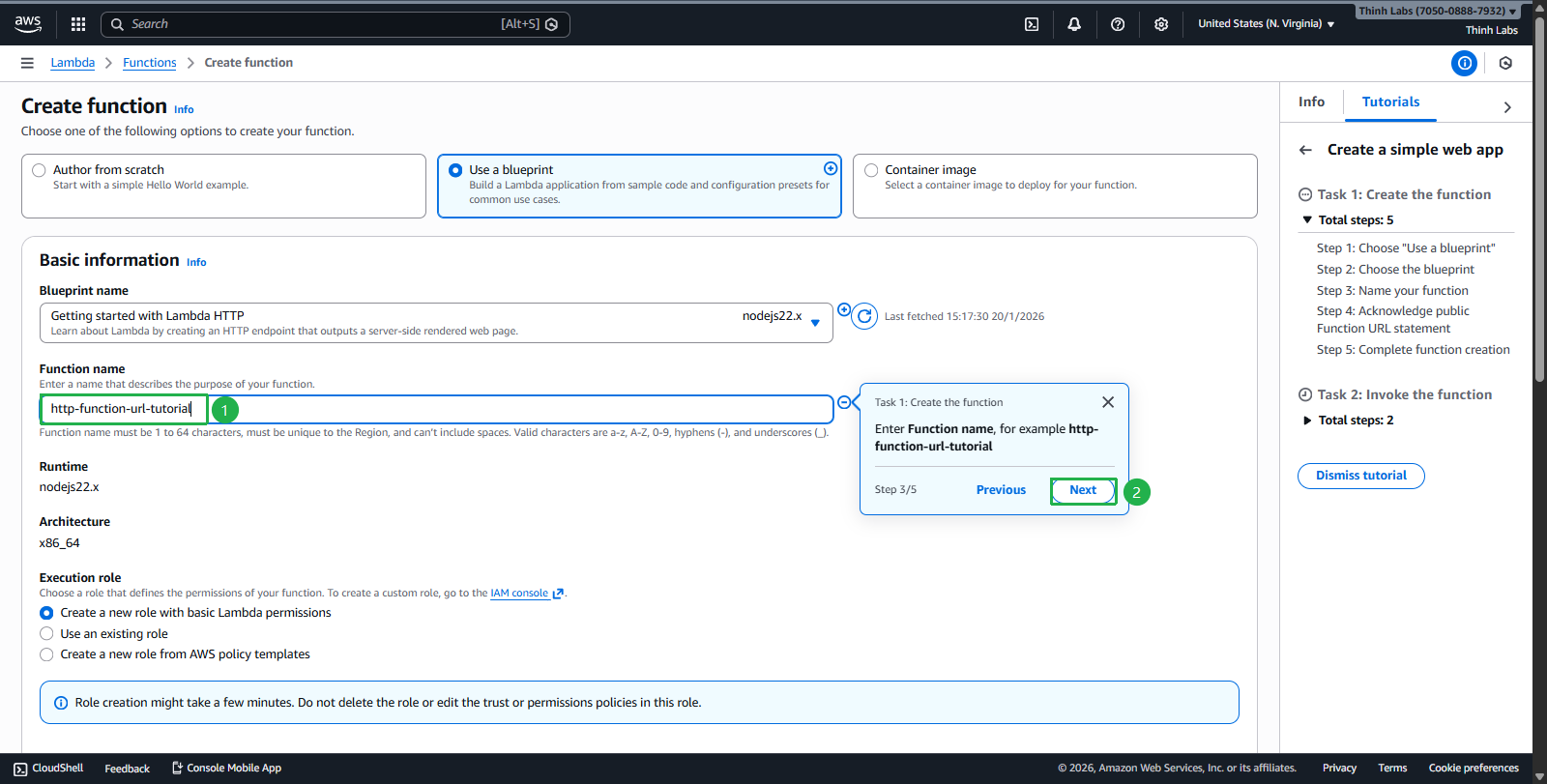
- Enter
http-function-url-tutorial - Click Next
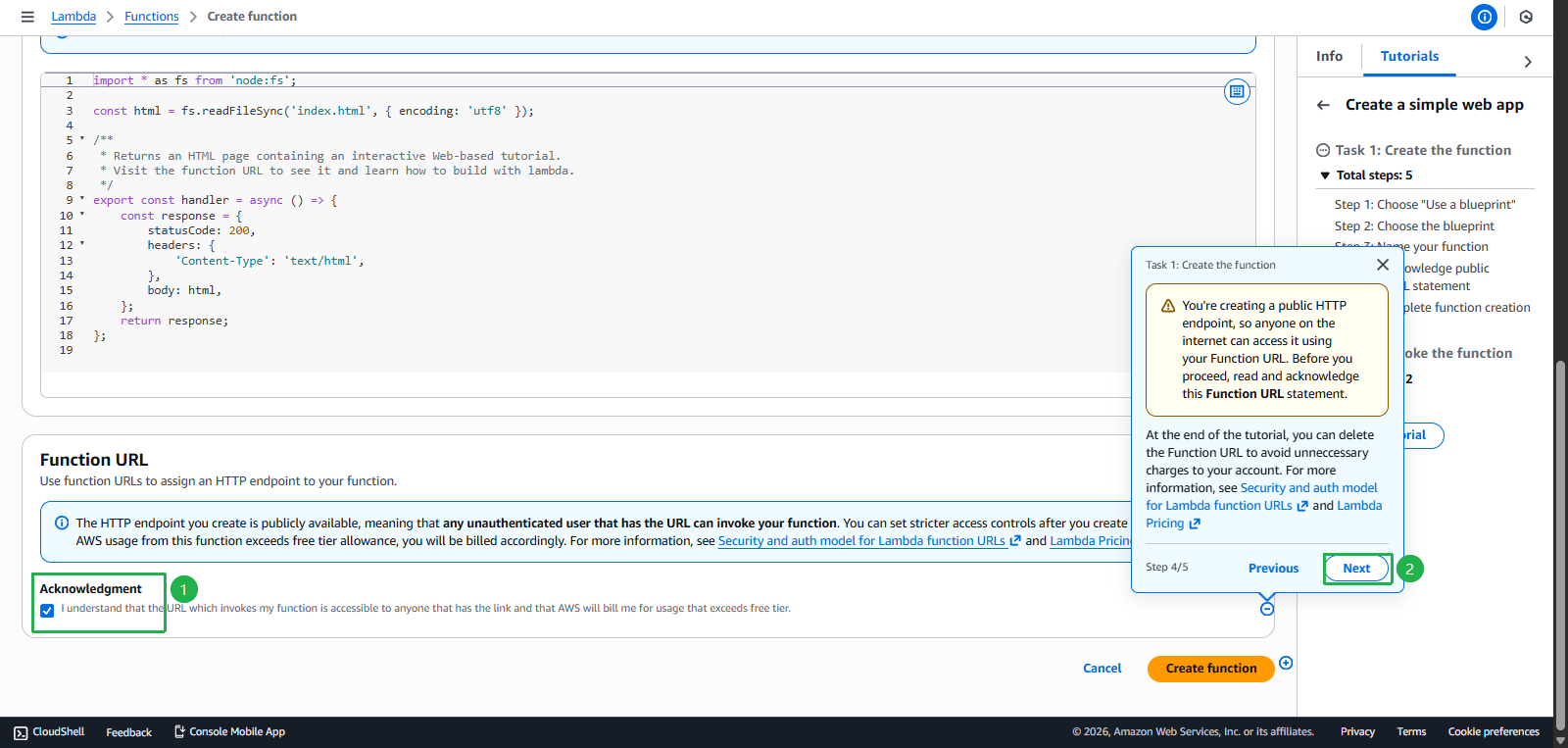
- Check Acknowledgment box
- Click Next
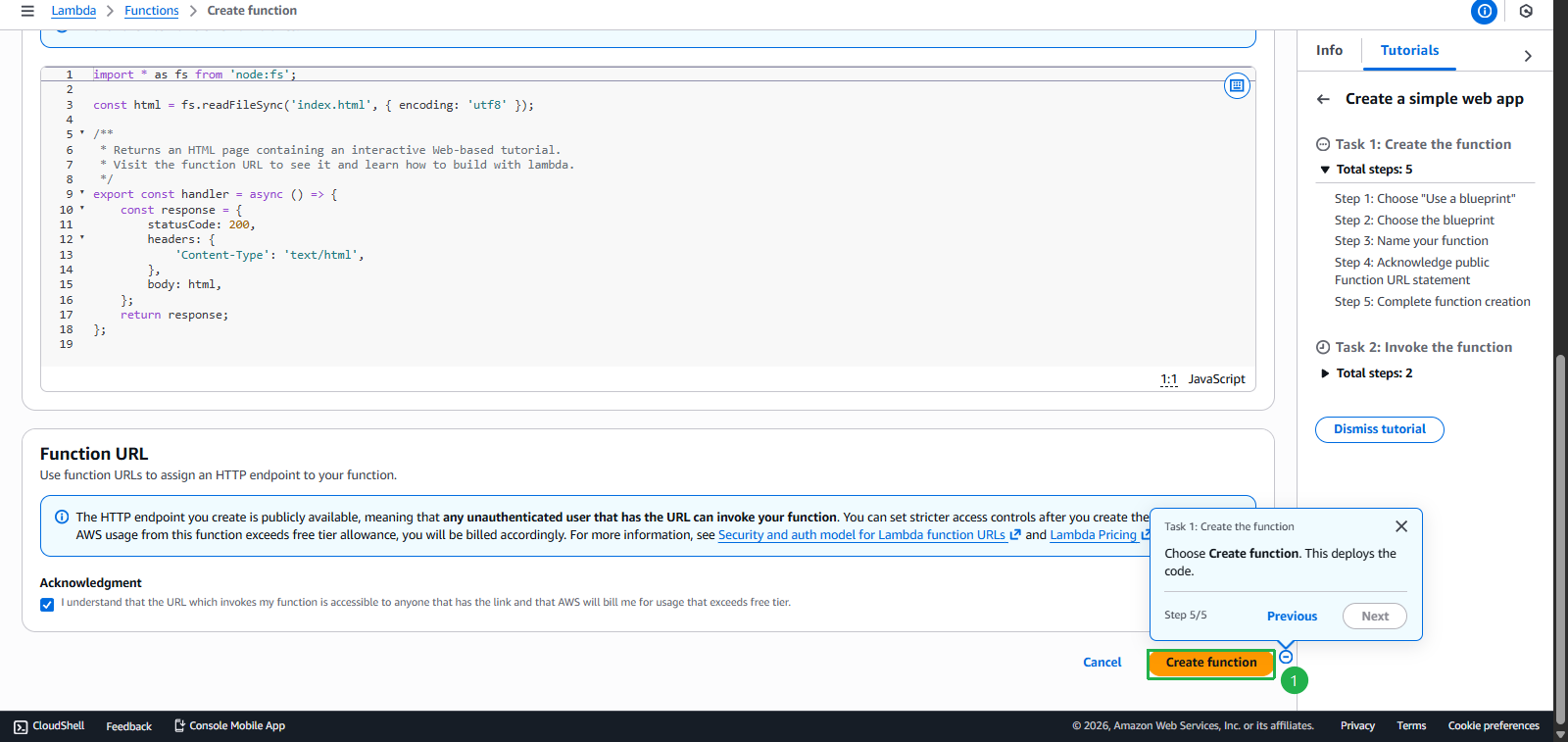
- Click Create function
- Select task Create a web app using AWS Lambda
- Create function successful
- Click Next
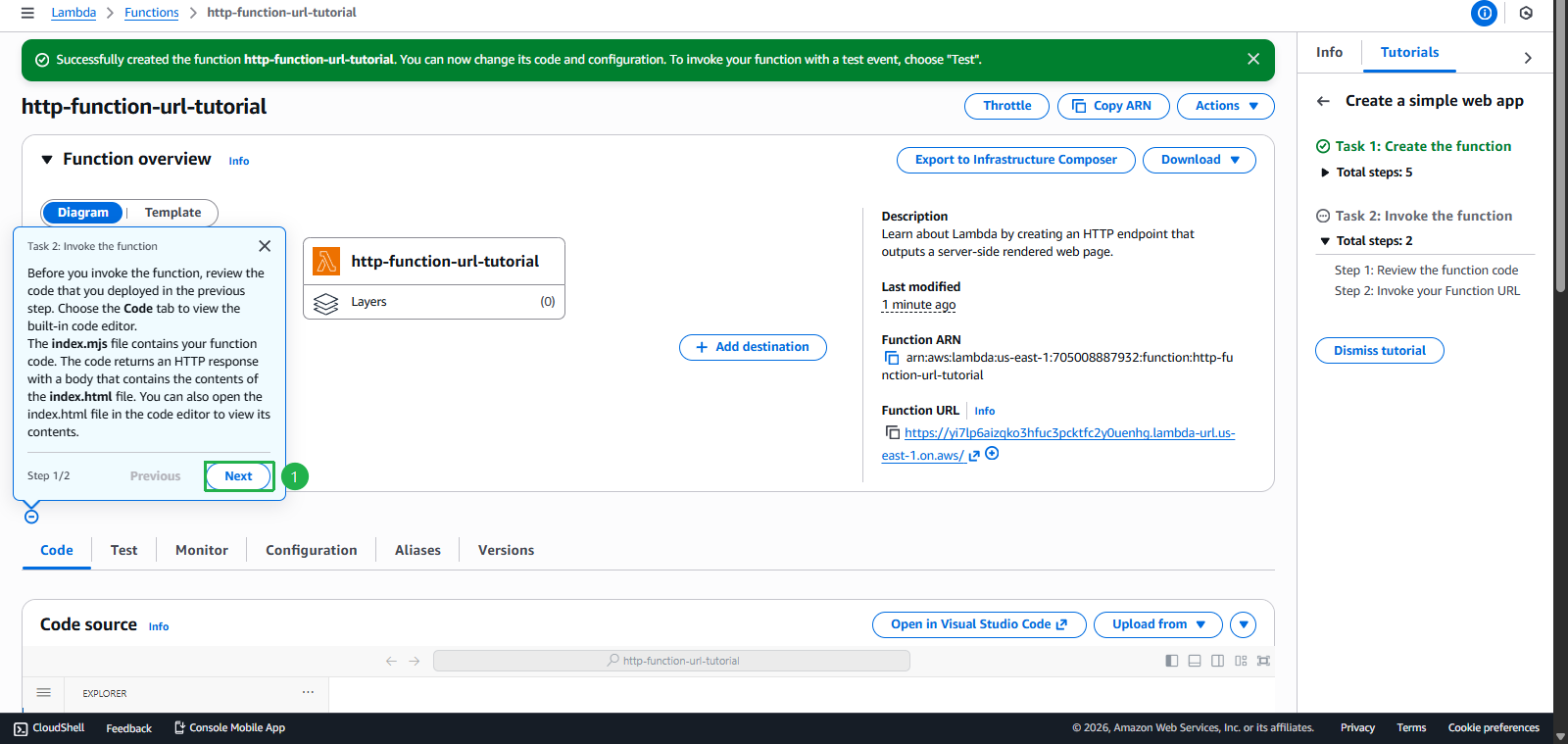
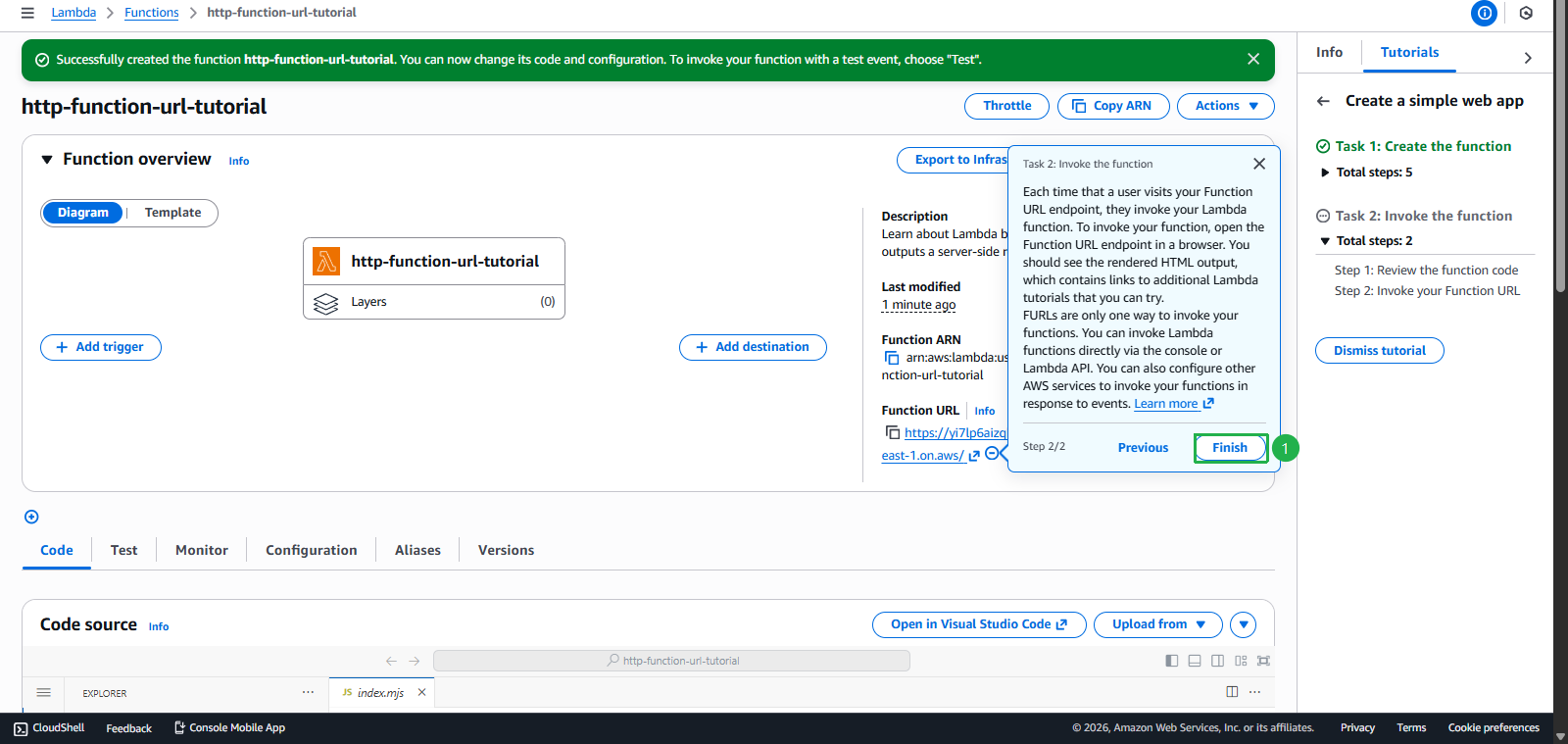
- Click Finish
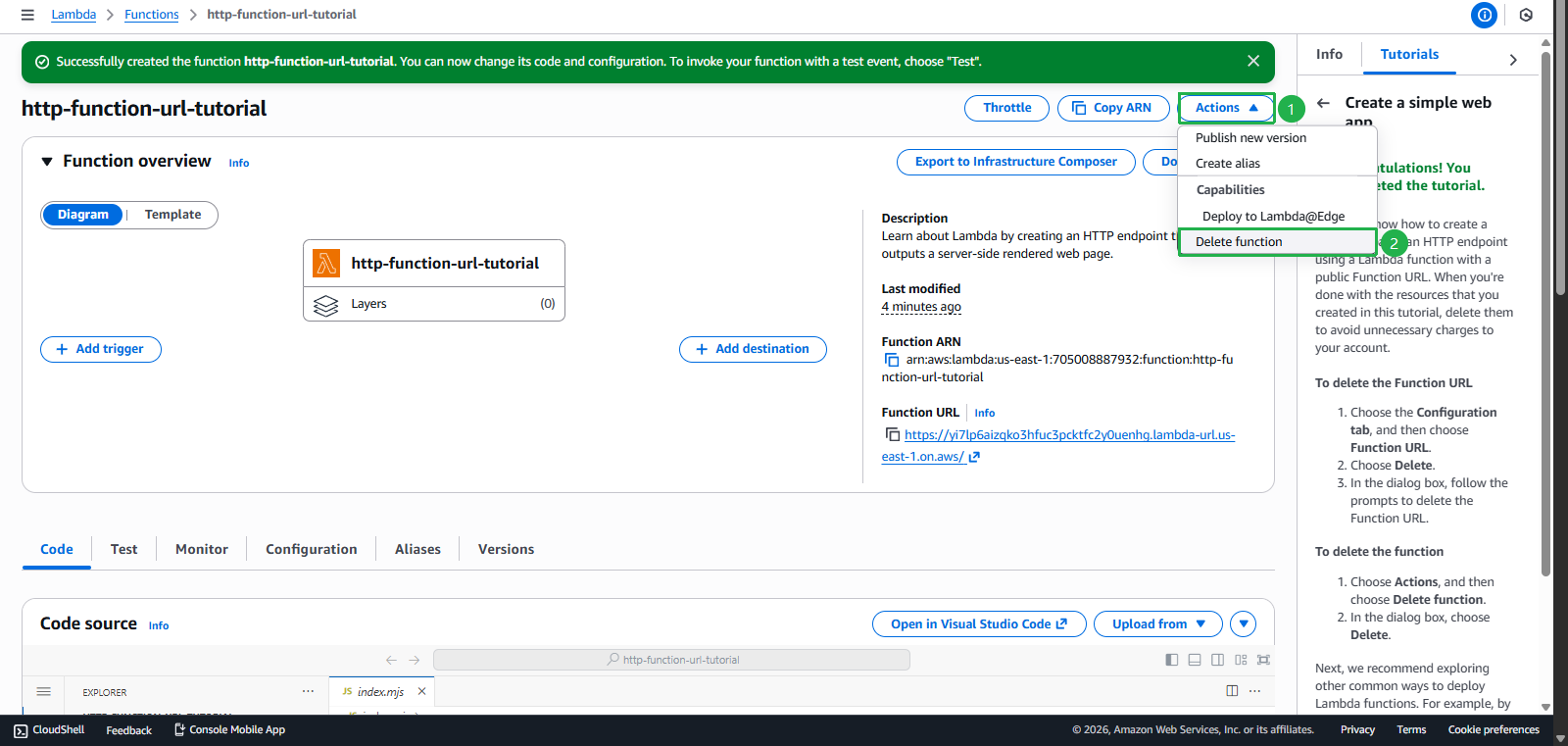
- Click Actions
- Click Delete function
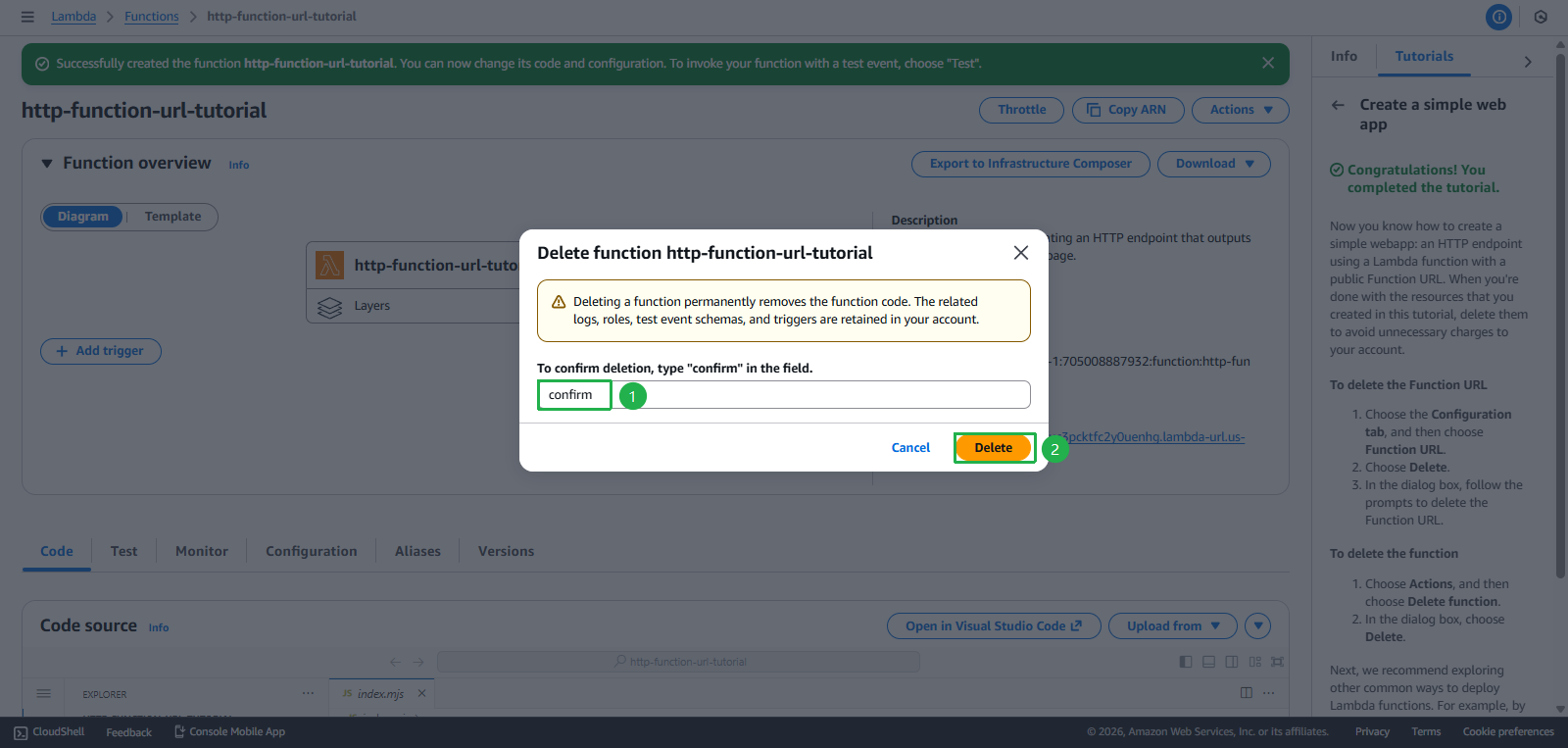
- Enter
confirm - Click Delete
- Click Next
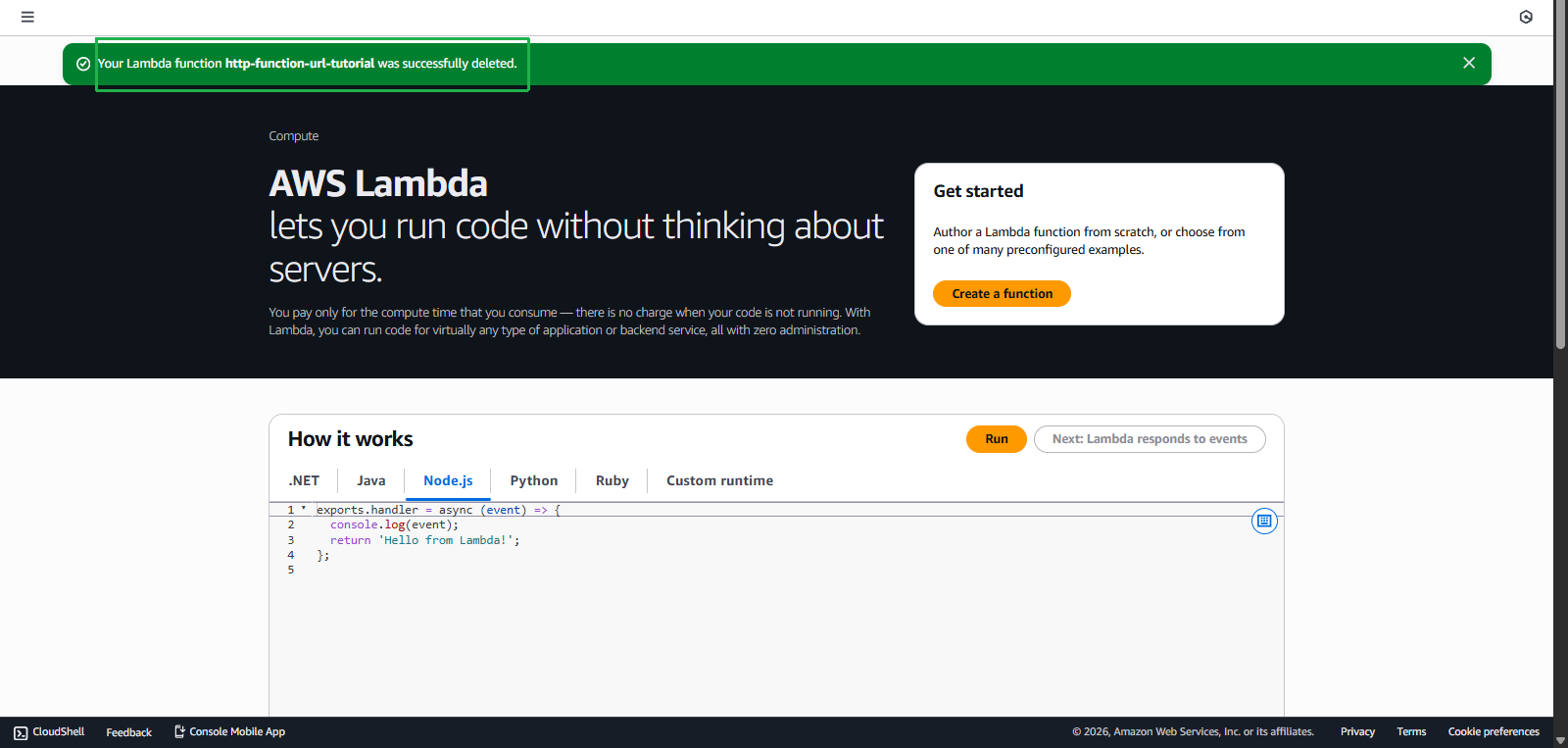
- Deletion Success
Task 5: Create RDS Database - $20 credit
Objective: Set up managed relational database
Steps to perform:
- Find the “Explore AWS” widget on AWS Console Home
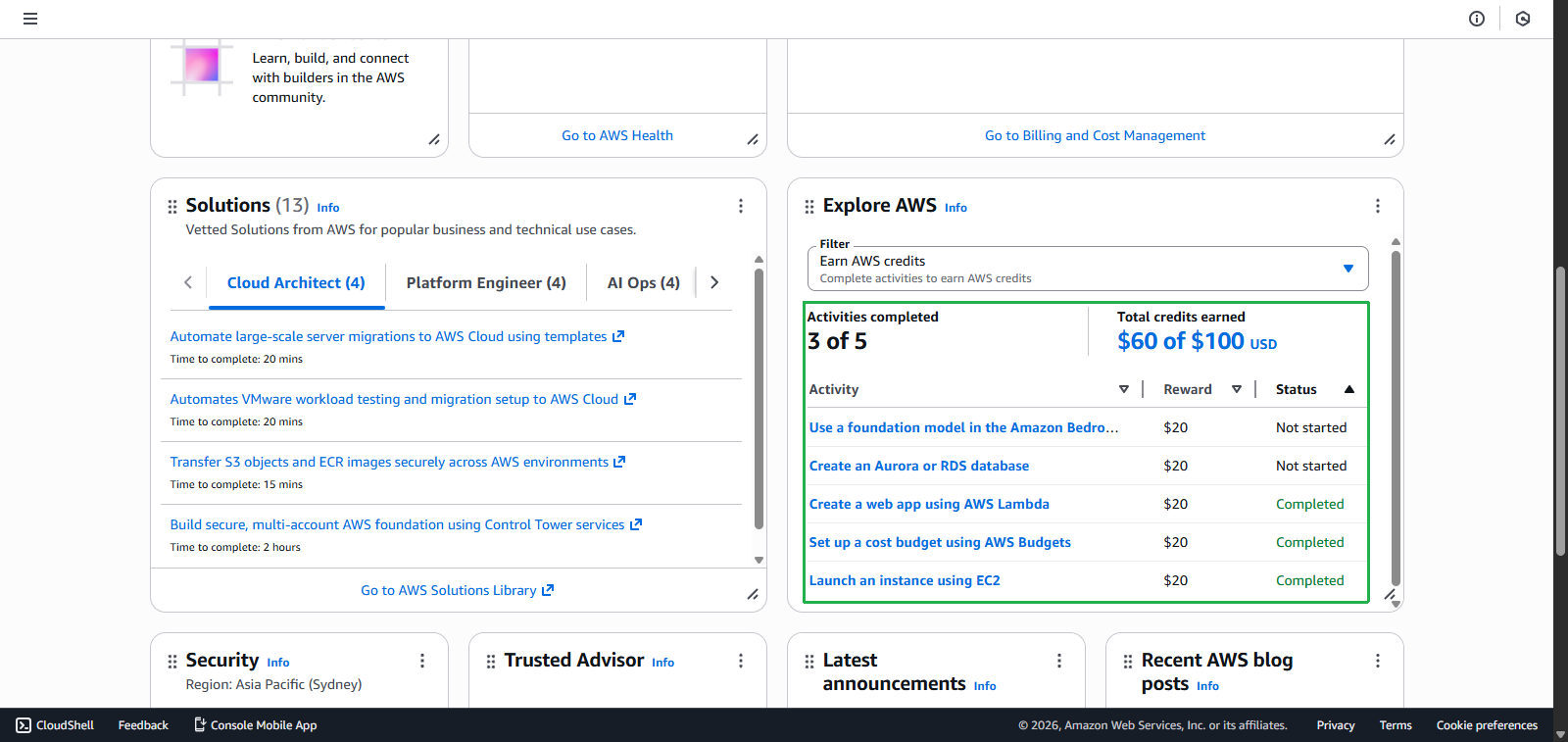
- Go to RDS Console
- Select task Create an Amazon RDS Database
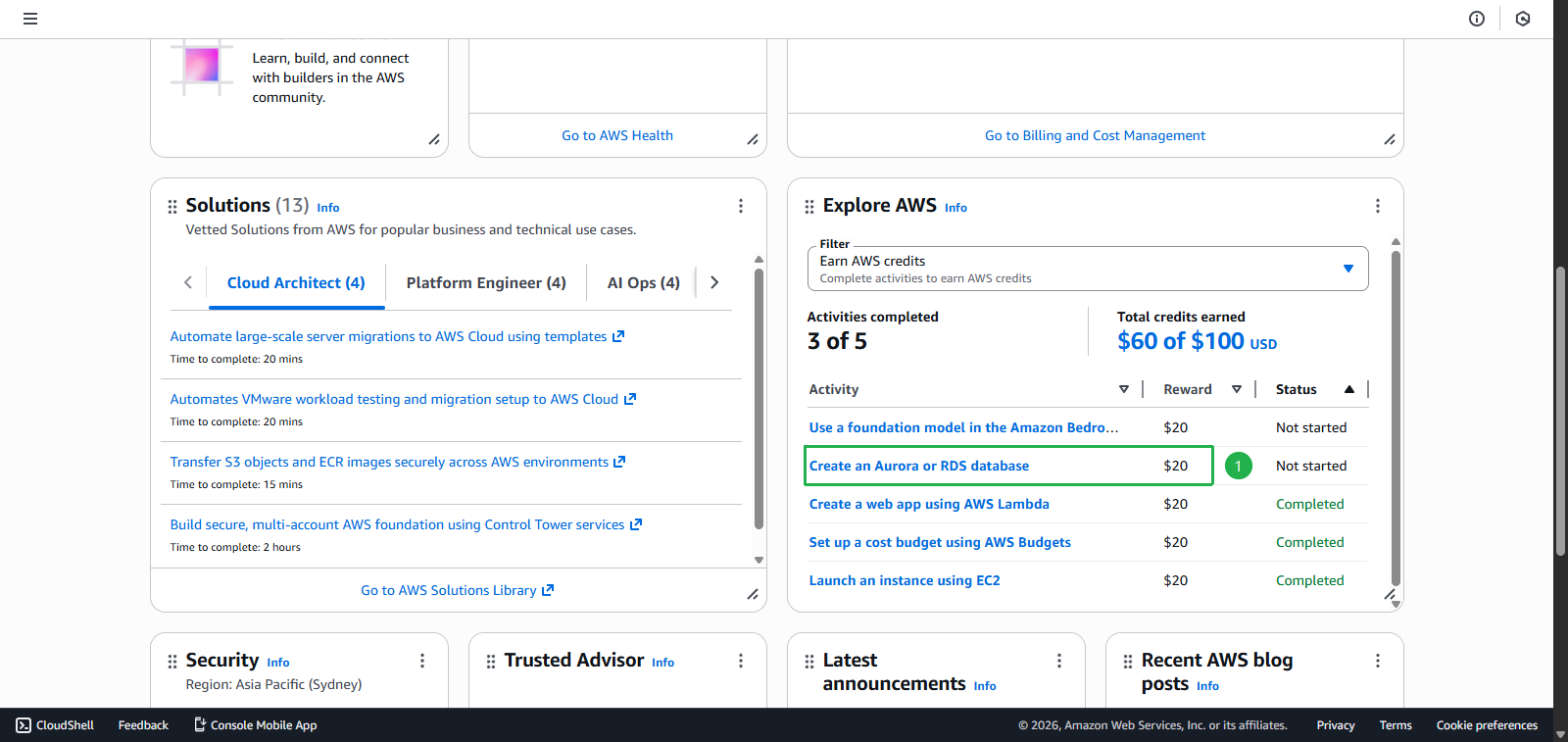
- Click Start activity
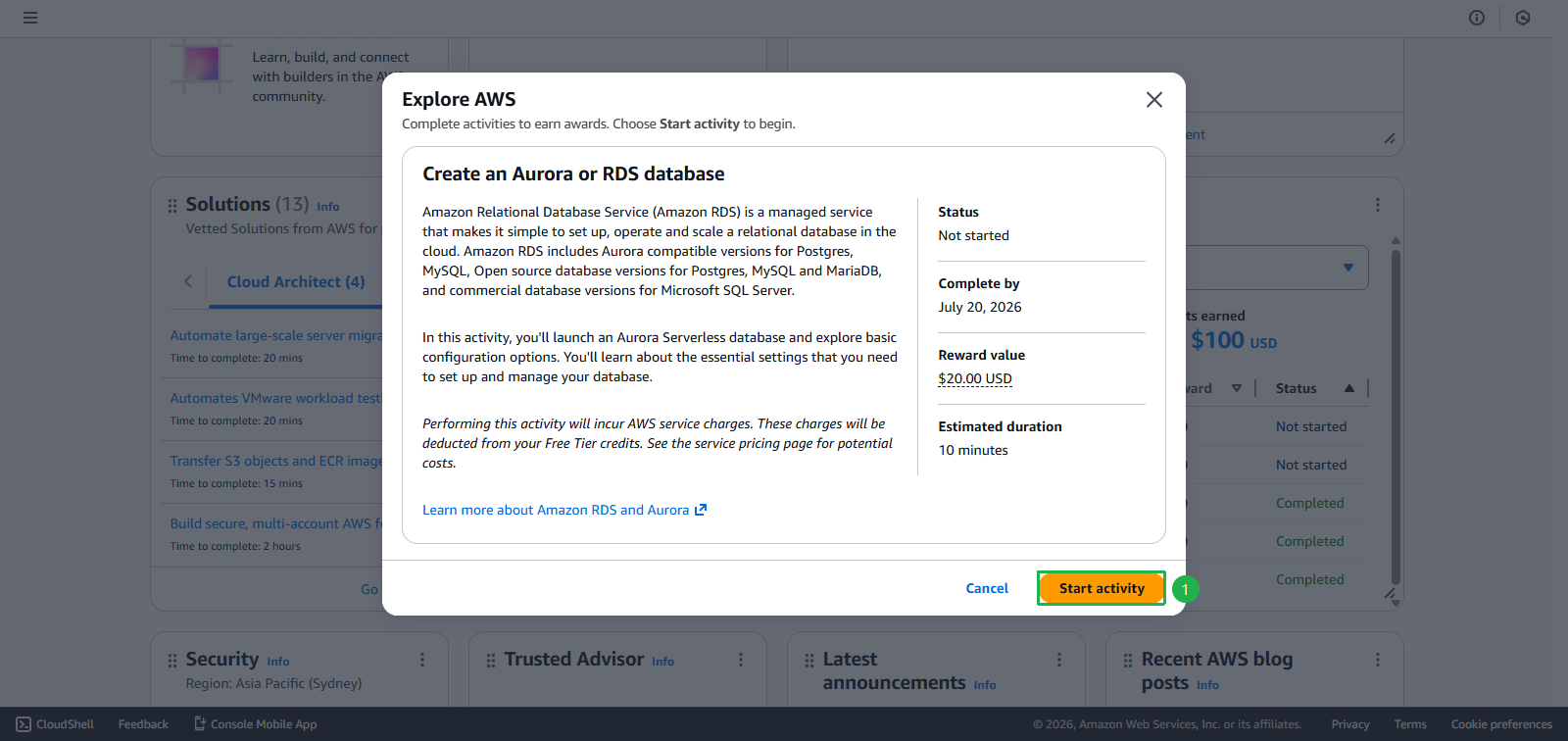
- Select task Create an Amazon RDS Database
- Create database
- Choose Easy create
- Click Next
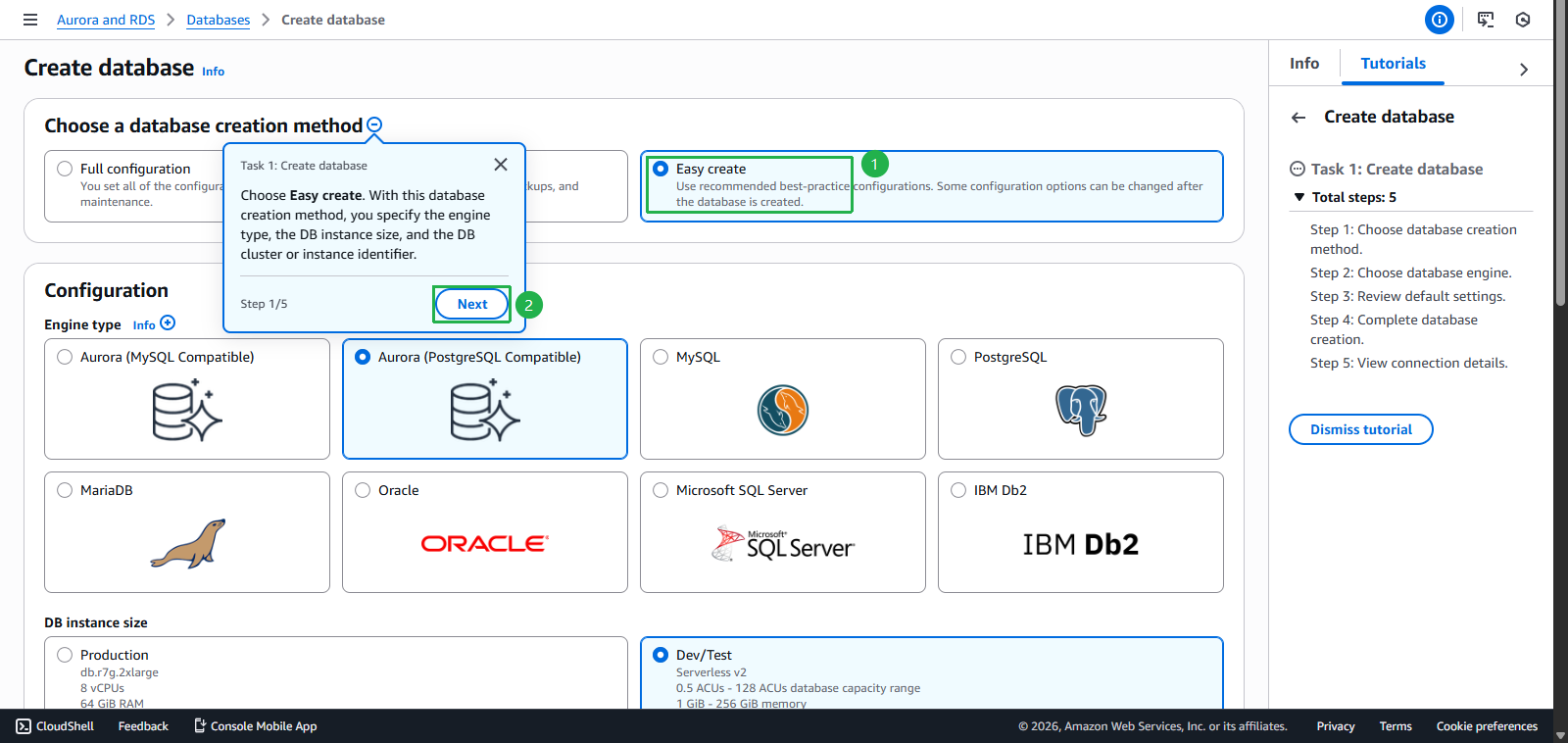
- Choose Aurora (PostgreSQL Compatible)
- Click Next
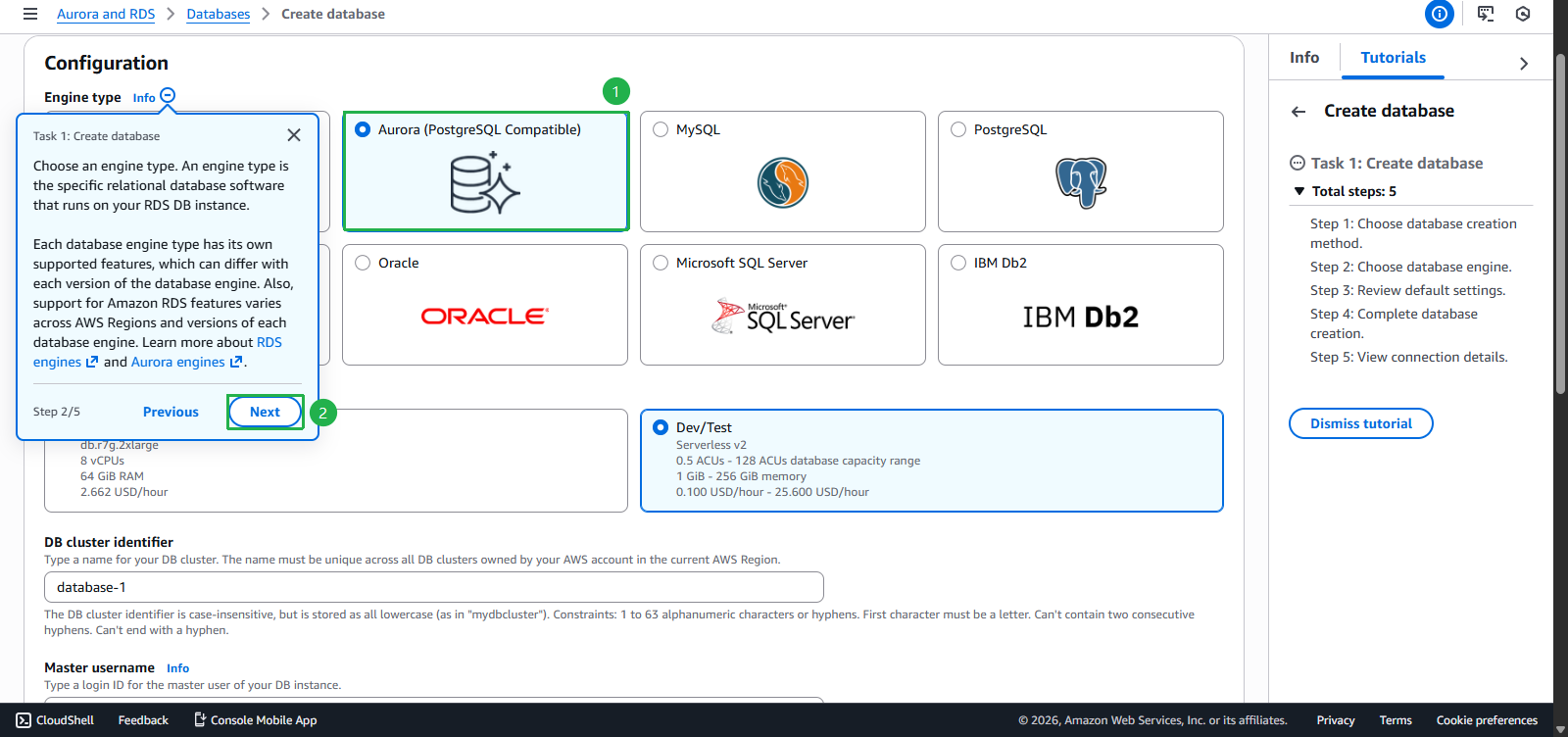
- Click Next
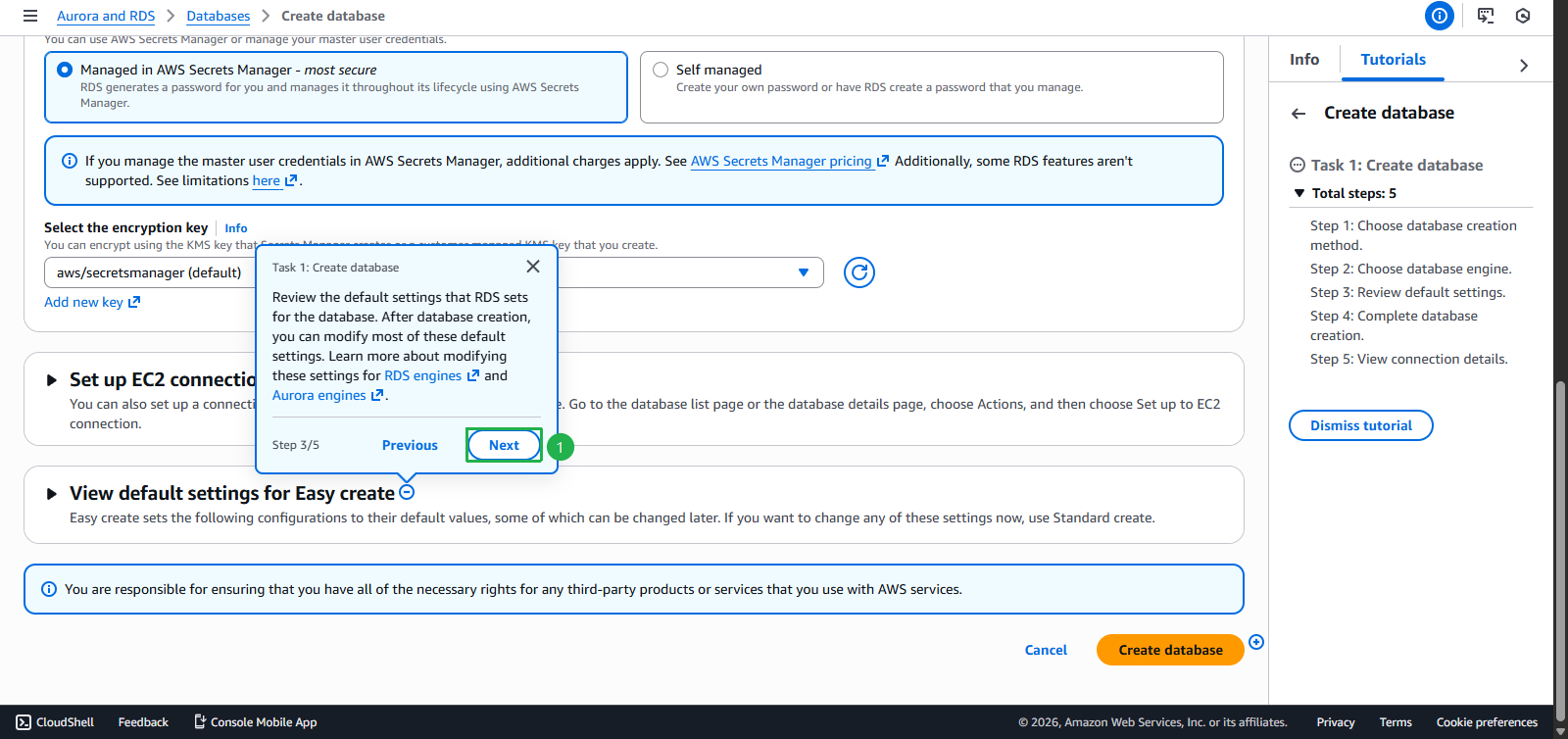
- Click Create database
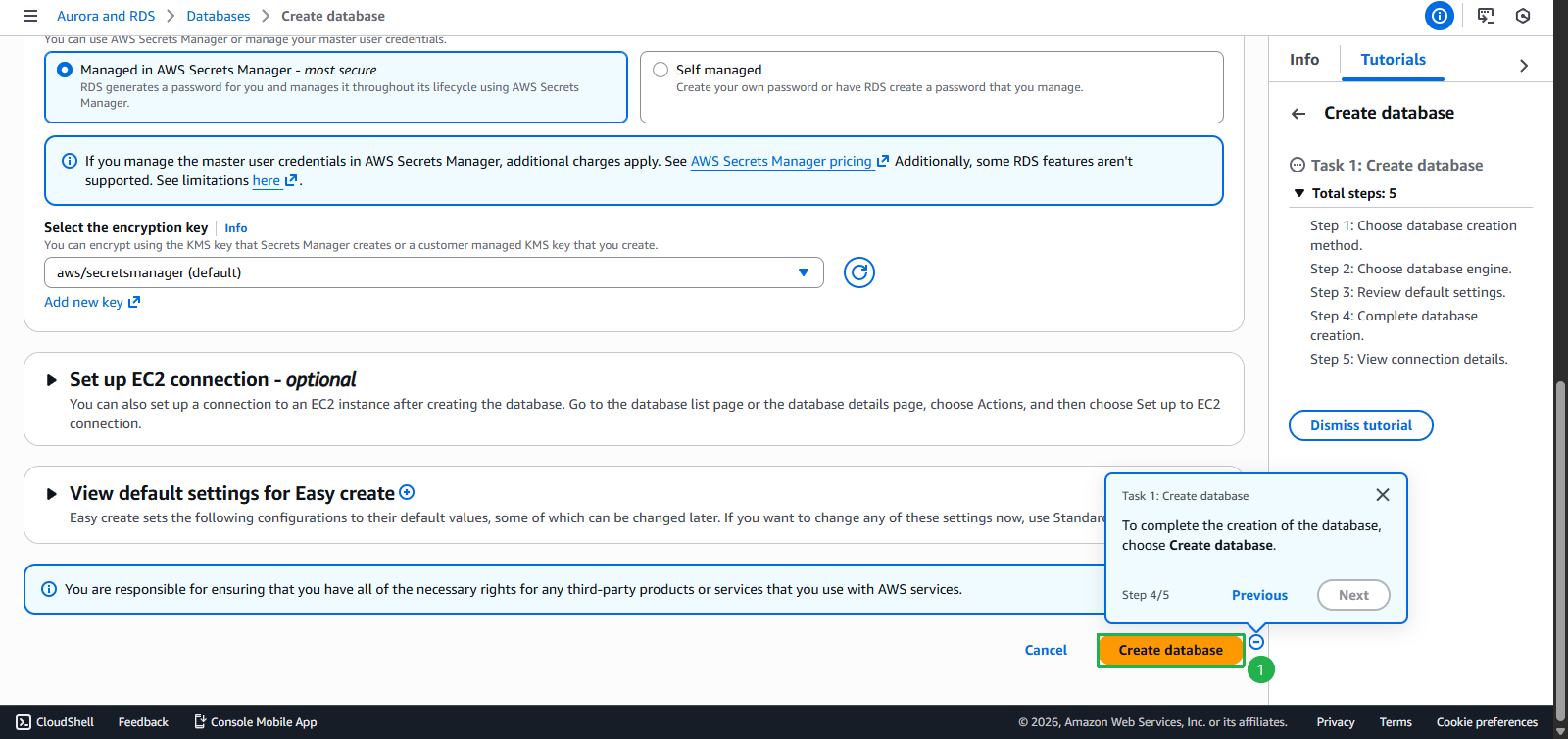
- Click Finish
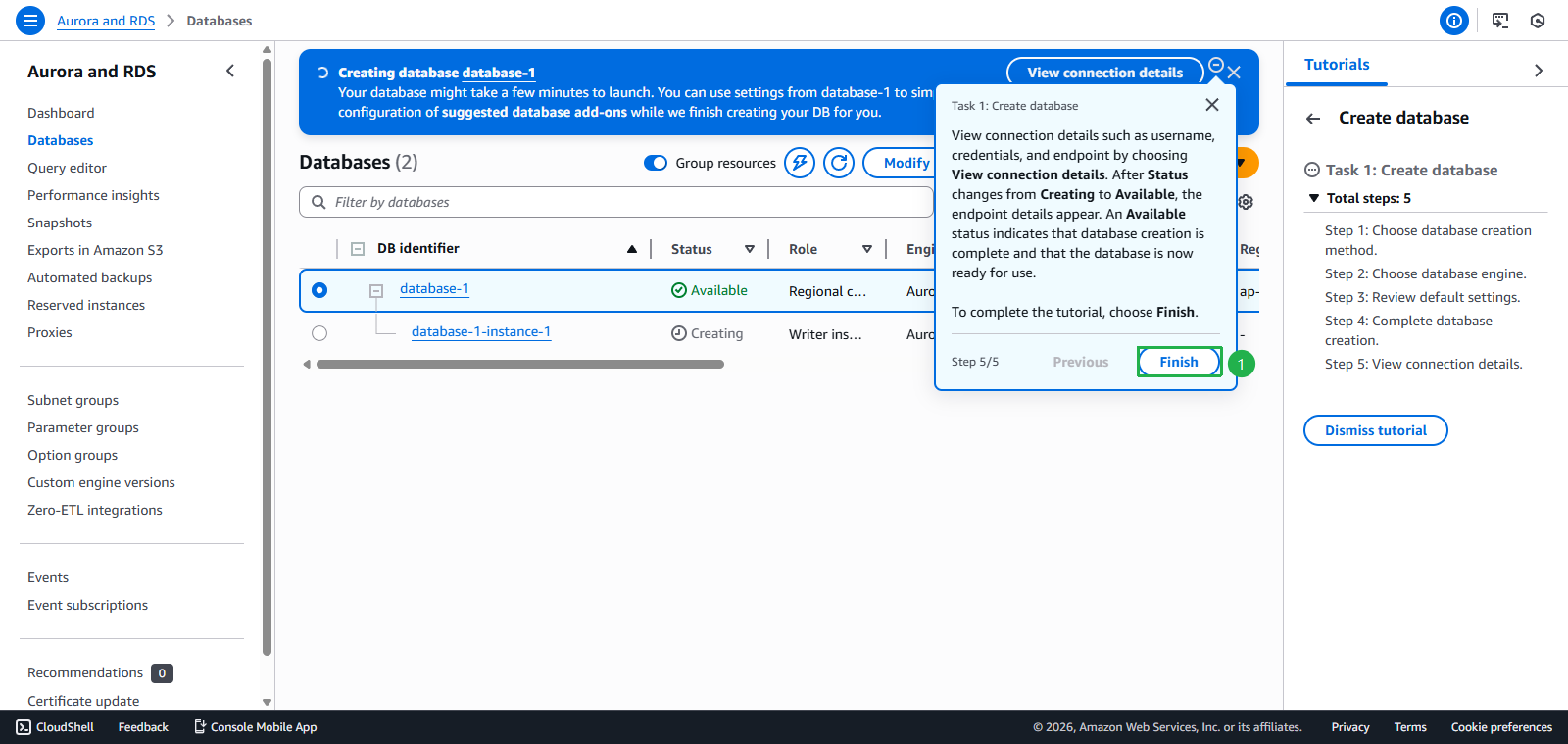
- Wait for Database to become Available
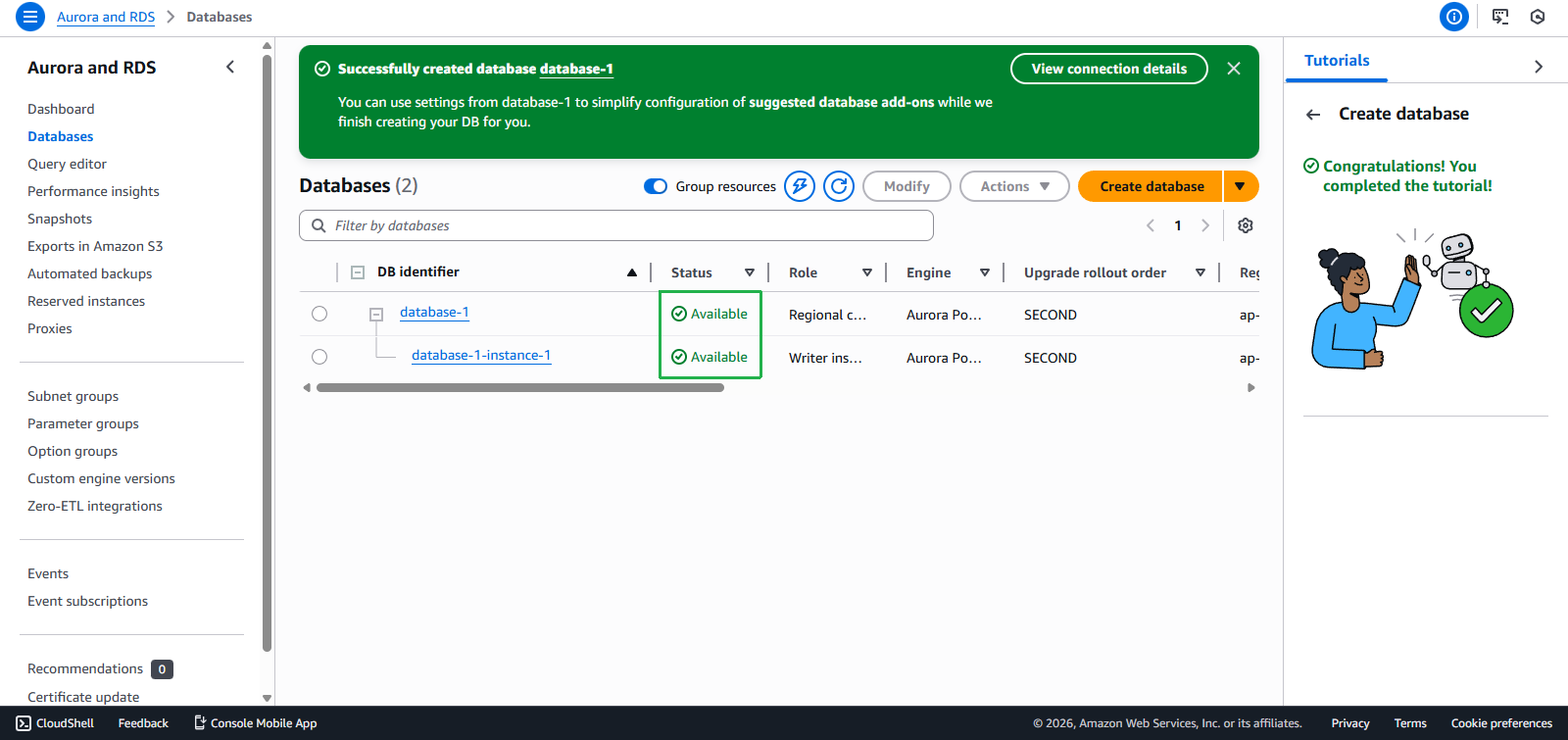
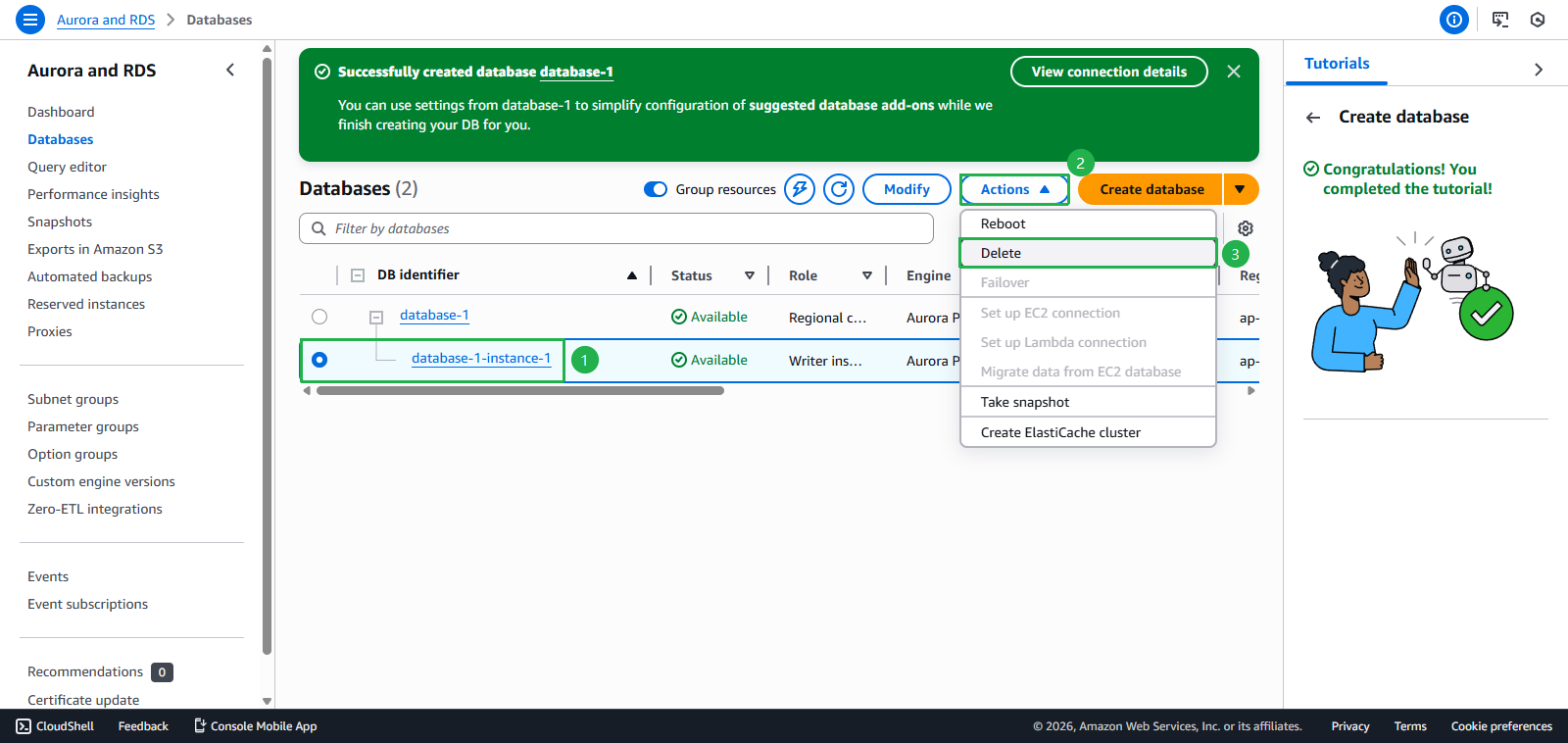
- Clean up
- Select database-1-instance-1
- Click Actions
- Click Delete
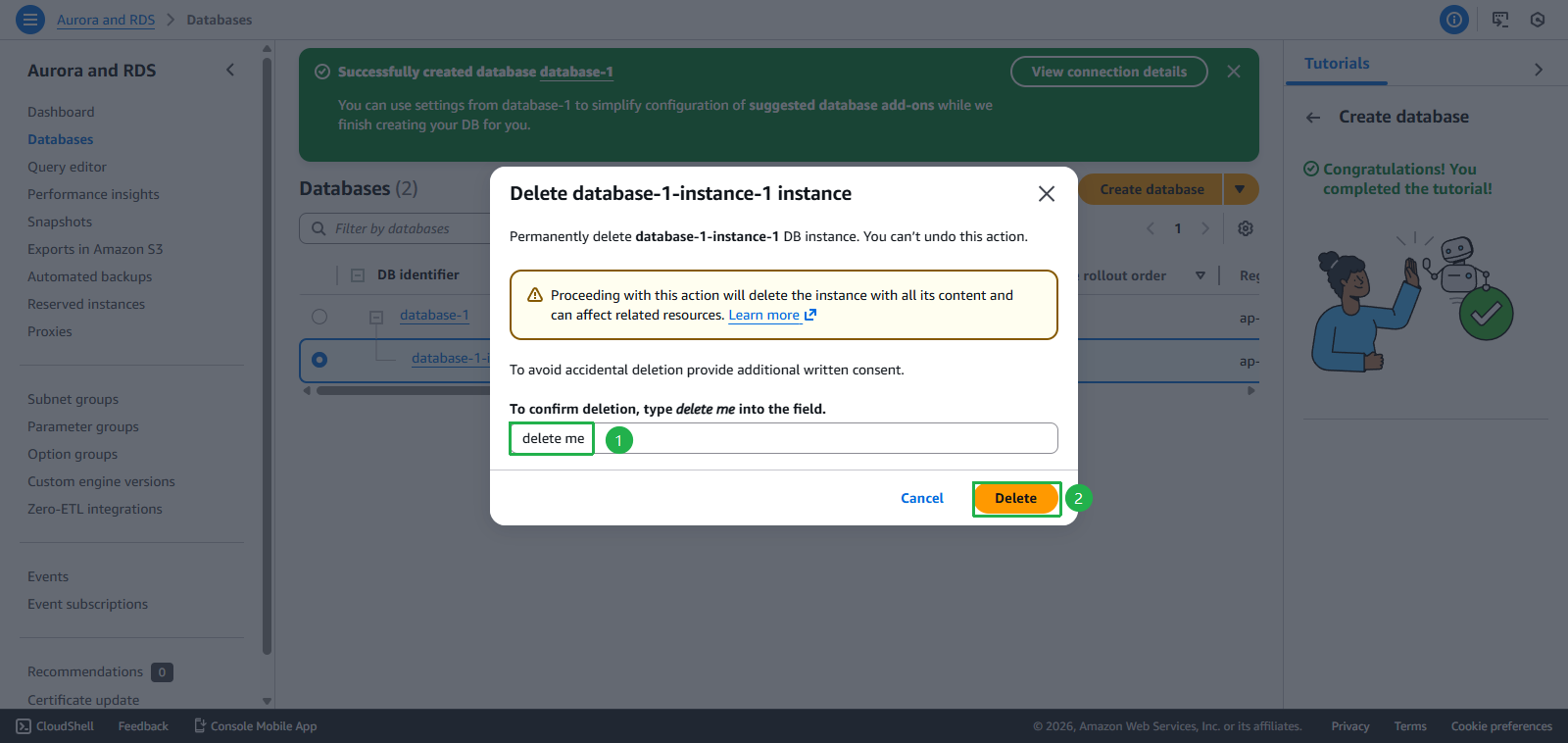
- Enter
delete me - Click Delete
- Select database-1
- Click Actions
- Click Delete
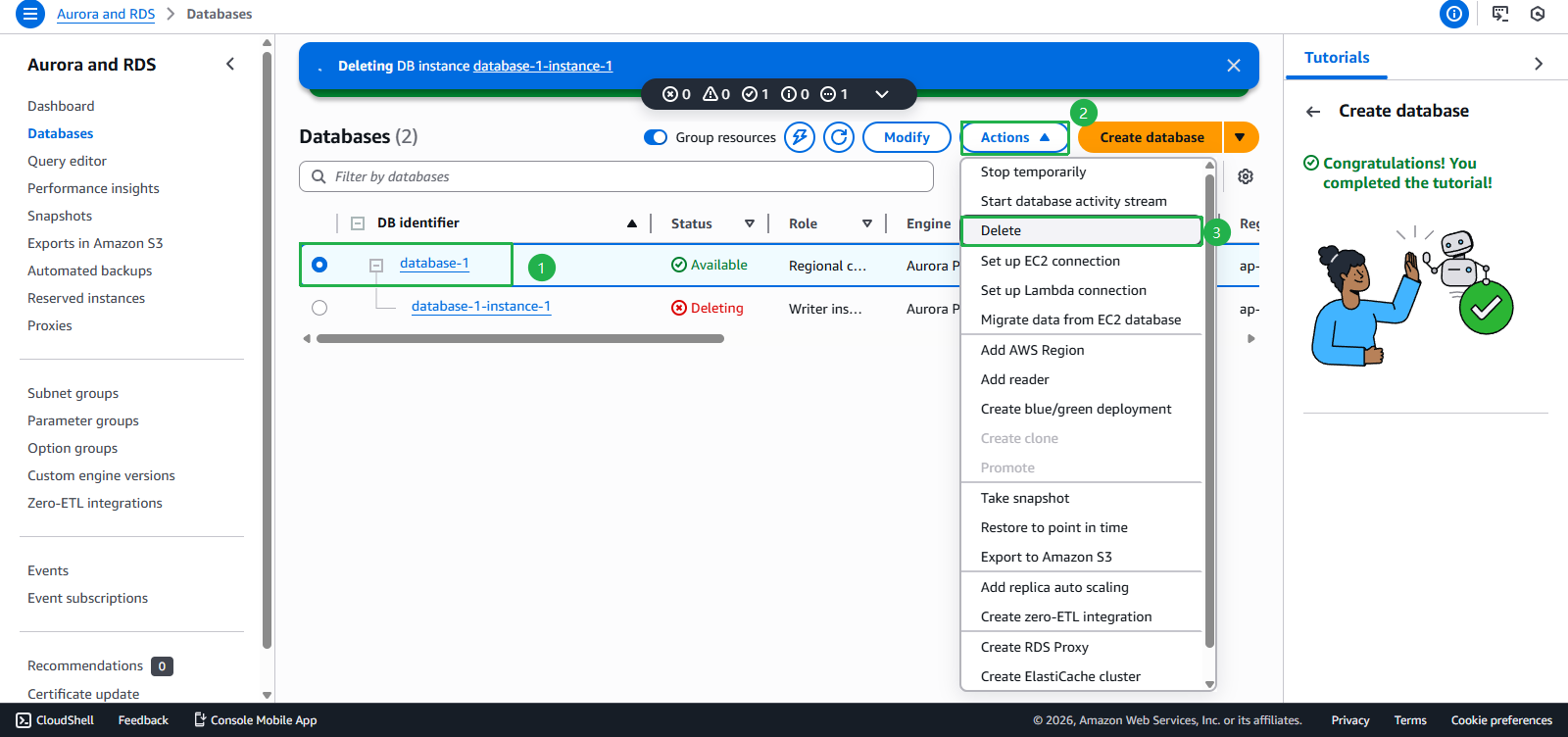
- Uncheck Create final snapshot
- Check Acknowledgment box
- Enter
delete me - Click Delete DB cluster
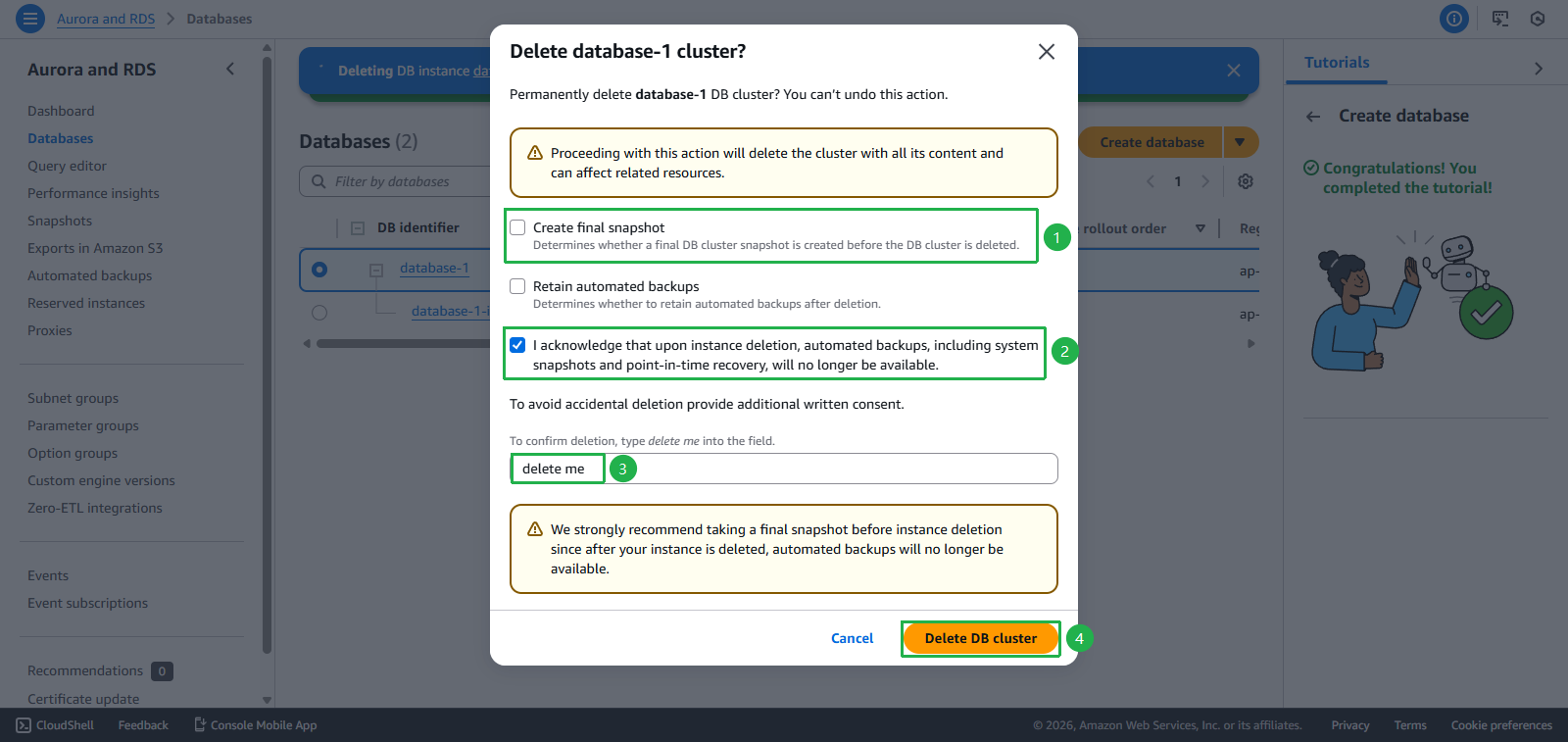
- Deletion Success
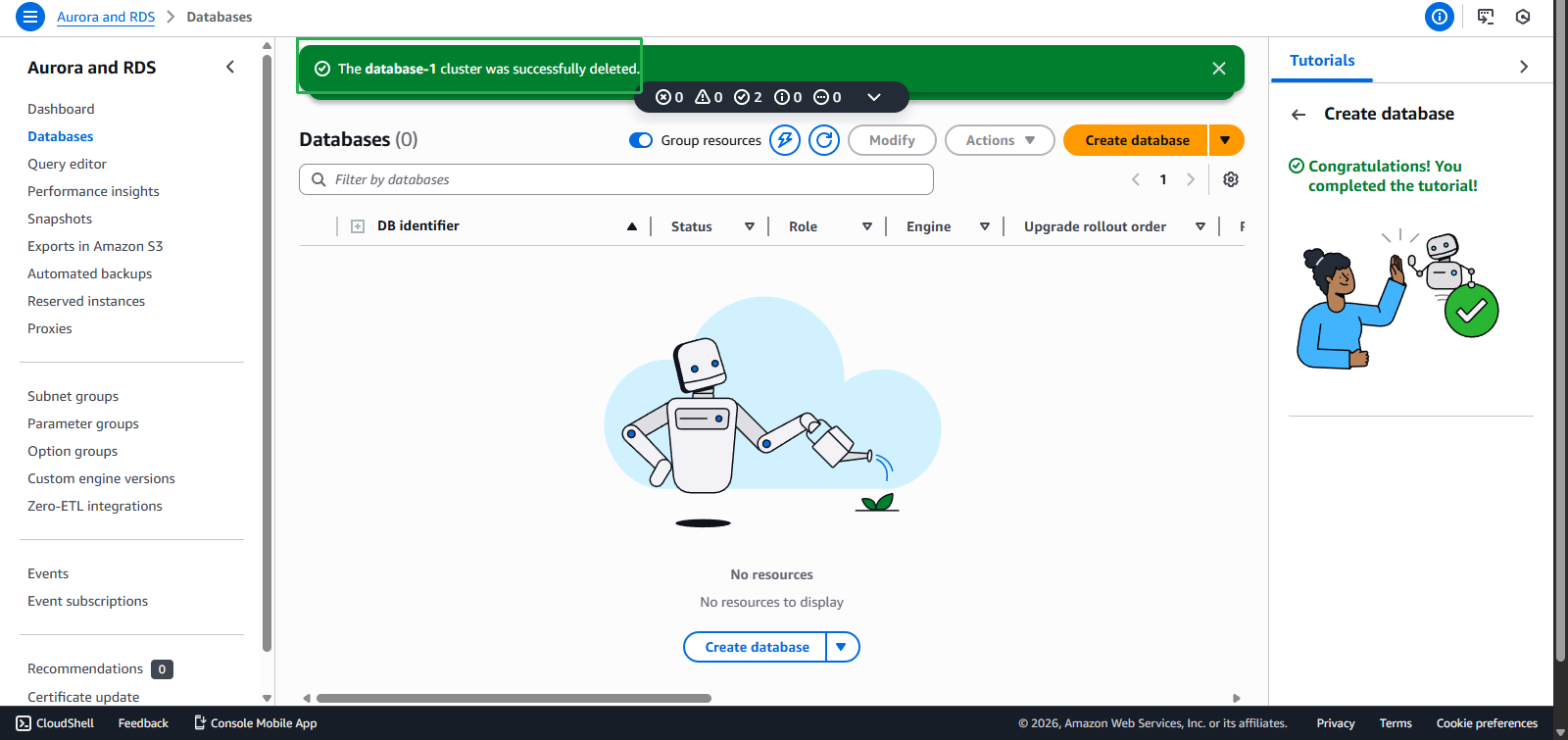
- Congratulations! You have completed all tasks and earned $200 credit
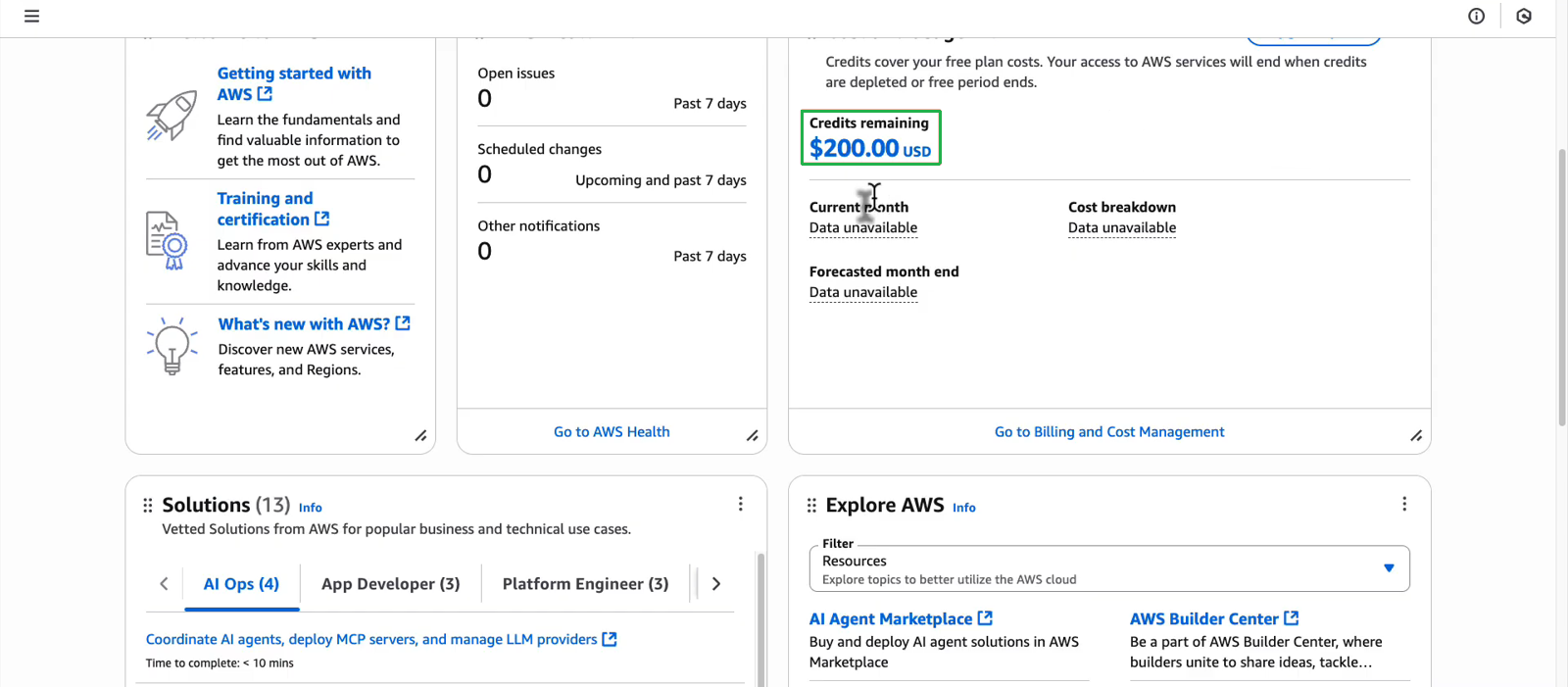
- Or check whether you have received the full $200 credit here!
- If you hit an error in the Bedrock task and got Support successfully, return to the task Use a foundation model in the Amazon Bedrock to complete it, or if not resolved yet, continue with the next parts.